
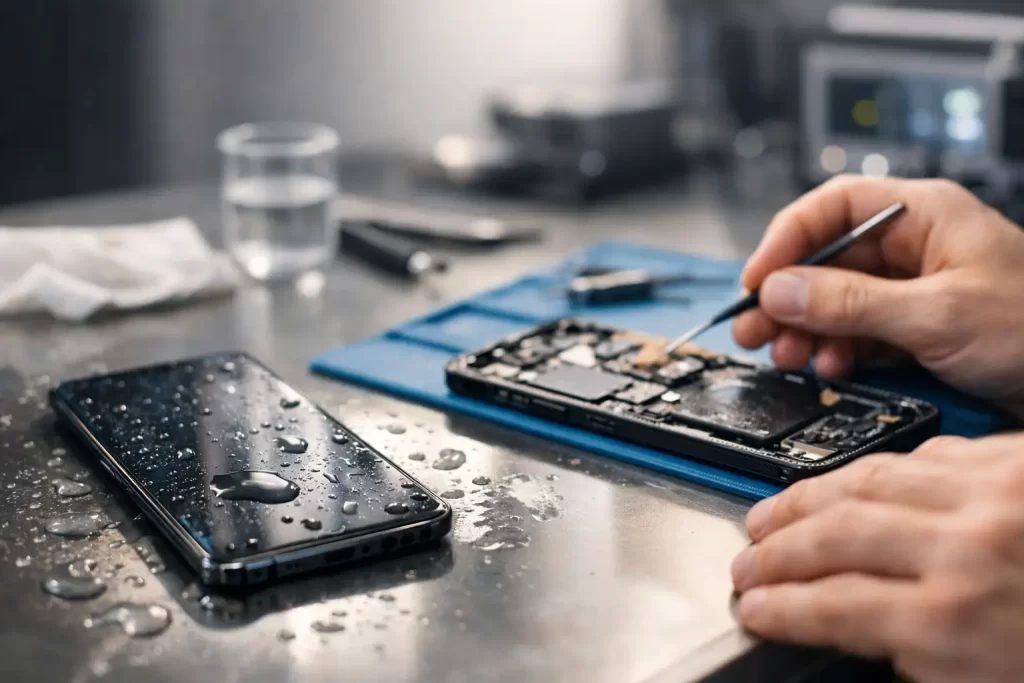
You pull your mobile phone out of your pocket and the screen is black. Maybe it went into the sink, took a hit from Darwin rain, or sat in a damp bag longer than you realised. The first question is always the same – can water damage be repaired? The short answer is yes, often it can. But the real answer depends on how fast you act, what liquid got inside, and which parts of the device were affected.
Water damage is not one single fault. It is a chain reaction. Liquid can short active circuits straight away, then leave behind corrosion that keeps spreading long after the device seems fine. That is why some mobile phones die instantly while others keep working for a few days before the screen flickers, the battery drains, Face ID stops, or charging fails.
Can water damage be repaired or is the device finished?
A lot of water-damaged devices are repairable. A lot are not worth repairing. Those are two different things.
If liquid has only reached a charge port, earpiece, battery connector or small section of the board, there is a fair chance of a successful repair. If corrosion has spread through multiple layers of the logic board, damaged power lines, or destroyed bonded components under shields and chips, recovery becomes more complex. In some cases the device can be stabilised long enough for data recovery, even if full repair is not economical.
That is why honest diagnosis matters. A proper repair shop should tell you whether the goal is full restoration, partial function, or just getting your data back.
What actually happens inside a water-damaged device
Modern mobile phones, tablets and laptops are tightly packed. Once liquid gets in, it does not politely stay in one area. It can track along flex cables, sit under shields, creep into connectors and react with board components.
Plain water is bad enough. Salt water, soft drink, coffee and sugary liquids are worse. They leave conductive residue and speed up corrosion. Even devices with water resistance are not immune. Seals wear down, previous repairs can affect resistance, and pressure from a drop into water can force liquid past gaskets.
The result can show up as obvious faults like no power, or more specific issues such as backlight failure, no touch, boot loop, overheating, random restarts, camera errors, Wi-Fi dropouts or no charge. On laptops, you may see keyboard faults, trackpad issues, battery not detected, or complete motherboard failure.
The first 24 hours matter most
If you want the best chance of repair, speed matters more than home remedies. Leaving a wet device switched on gives liquid more time to short live circuits. Leaving it untouched for days gives corrosion more time to grow.
If your mobile phone or laptop gets wet, switch it off if it is still on. Do not charge it. Do not keep pressing buttons to check whether it still works. If possible, remove the case and any accessories. Then get it assessed properly.
Rice is the classic mistake. Rice does not remove corrosion, it does not clean residue, and it often delays real treatment. By the time the device comes in after two days in a container of rice, the damage is usually worse than it needed to be.
What a proper water damage repair involves
Real water damage repair is not surface cleaning. It is internal diagnostics and targeted board-level work.
First, the device is opened and inspected for liquid indicators, visible corrosion, residue and damaged parts. The technician checks which lines are shorted, whether the battery is safe, and whether the board is drawing current normally. In many cases, ultrasonic cleaning is used to remove contamination from the logic board. After that, the board is dried, tested and examined under magnification.
If corrosion has damaged specific components, micro-soldering may be needed. That could mean replacing filters, charge circuitry, backlight circuits, connectors, coils or IC-related components. Sometimes a screen, battery, cameras or charging port also need replacement because the liquid damage is not limited to the motherboard.
This is where many basic repair counters stop. Water damage often needs logic board repair, not just parts swapping.
Can water damage be repaired on every type of device?
Mobile phones are the most common, but the same answer applies across tablets, MacBooks, Windows laptops, gaming consoles and even drones – yes, sometimes. The method and success rate just vary.
On iPhones and Samsung devices, common post-liquid faults include no charge, no power, face sensor issues, speaker distortion and board shorts. Tablets often survive if the liquid exposure was limited and treated early, though charging and display faults are common. MacBooks and Windows laptops can be repairable too, but keyboard liquid spills are tricky because the liquid can spread across the top case and onto the board at the same time.
Consoles are a mixed bag. If liquid only affects a port or localised area, repair may be straightforward. If it reaches multiple power rails or causes widespread corrosion, the cost-benefit changes quickly.
When repair is worth it and when it is not
This is the part most people actually want to know. Can water damage be repaired affordably, or are you throwing good money after bad?
It depends on the device value, the severity of damage and whether the data matters. A newer iPhone, premium Samsung, MacBook or business laptop is usually worth proper diagnostics because replacement cost is high. An older budget handset with severe corrosion may not be.
There is also a difference between restoring the device and recovering what is on it. If the photos, notes, messages or business files are the priority, a repair attempt aimed at temporary power-on may still make sense. For many customers, data recovery is the real value.
A good repairer should be upfront here. If the fault is likely to snowball into repeated failures, you should be told. If the repair has a strong chance of restoring stable function, you should be told that too.
Signs water damage is getting worse
Some devices appear to recover on their own, then fail later. That catches people out.
Watch for delayed symptoms like intermittent charging, fast battery drain, green or white lines on the display, muffled audio, touch issues, heat around the board area, weak signal, camera fogging or random shutdowns. These usually mean residue or corrosion is still active inside.
Do not treat a temporarily working device as a healthy one. If liquid got in, hidden damage may still be developing.
Why DIY cleaning usually falls short
There is a place for basic first aid. There is not much place for guesswork once liquid has reached the internals.
Opening modern devices without the right tools can crack the screen, tear flex cables or puncture the battery. Spraying random cleaners inside can make things worse. Heating the phone to “dry it out” can damage adhesives, OLED panels or battery cells. Even if you manage to open it, corrosion under shields and chips is not visible without proper equipment.
That is why serious liquid damage repair belongs on a bench with microscopes, thermal tools and board-level diagnostics. Especially if the device contains data you cannot afford to lose.
What to expect from a professional assessment
A proper assessment should be clear and practical. You want to know the likely fault path, the next step, the repair cost range and whether there is a sensible fallback if the device cannot be fully restored.
For example, one device may only need cleaning and a charge port replacement. Another may need ultrasonic treatment plus micro-soldering on the charging circuit. Another may be beyond economical repair but still recoverable for data. Those are very different outcomes, and they should be explained in plain English.
At iSmashed, this is where technical depth matters. Water damage cases often overlap with no power faults, charge port faults, boot loop issues and board-level failures. Fast diagnosis, clear pricing and realistic expectations save customers time and money.
The best move after liquid exposure
If your device has been wet, do not wait for it to get worse. The sooner it is checked, the better the odds of stopping corrosion before a smaller fix turns into a motherboard rebuild.
So, can water damage be repaired? Quite often, yes. Not always perfectly. Not always cheaply. But in many cases there is still a path – whether that means full repair, component replacement, logic board work or just recovering the data that matters most. The smart move is acting early, not hoping it sorts itself out.