
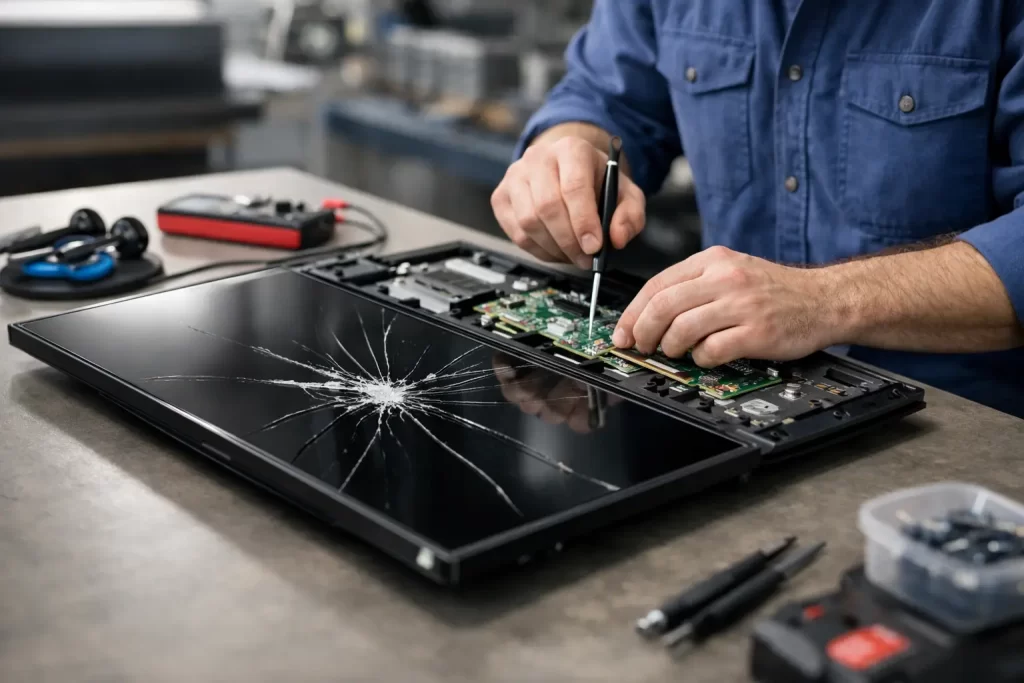
A Samsung screen can fail in more than one way, and that is where most people get caught out. If you are searching for how to repair Samsung LCD, the first step is working out whether the fault is actually the LCD, the glass, the OLED panel, the backlight circuit, or board-level damage caused by impact or liquid. Get that wrong and you can waste money on the wrong repair.
Samsung phones and tablets are common in Darwin, and they usually come in with one of a few clear symptoms. The screen may be black but still vibrate. You might see green lines, purple ink-style bleeding, flickering, ghost touch, or only part of the display working. Sometimes the glass looks fine but the image is gone. Other times the screen works, but brightness is unstable because the fault sits deeper on the board.
How to repair Samsung LCD starts with the right diagnosis
Not every Samsung display problem means the LCD itself needs replacing. In fact, many newer Samsung devices use AMOLED or OLED displays rather than a traditional LCD, so people often use the term LCD when they really mean the screen assembly. That distinction matters, because the repair method, part cost, and chance of success all depend on the actual failure.
If the front glass is cracked and the display underneath still shows a clear image with full touch response, the damage may be limited to the outer layer. On some models, however, the glass and display are laminated tightly together, which means replacing only the glass is slower, riskier, and often not worth it unless you are set up for specialist refurbishment. For most customers, a full screen assembly replacement is the cleaner and more reliable fix.
If the screen is black but the phone still rings, charges, or connects to notifications, the display assembly may have failed completely. If there are lines, blotches, or dark spreading patches, that usually points to impact damage inside the panel. If there is no display after a hard drop and no sign of life on charging, you may be dealing with motherboard damage as well.
The common Samsung screen faults we see
A lot of Samsung screen faults look similar at first glance, but they do not have the same repair path. A cracked screen with image and touch still working is one thing. A blank display with vibration feedback is another. A phone that overheats, flashes the screen briefly, or loses image after water exposure can point to power rail issues, backlight circuit faults on LCD-based tablets, or display connector damage.
Samsung tablets are worth mentioning separately because some models do still use LCD panels. On those, you may see no backlight, dim image, patchy brightness, or a display that works only when pressure is applied near the connector. That can be a panel failure, a damaged flex, or a board fault rather than a straightforward screen swap.
This is why a proper assessment matters. A cheap part fitted to the wrong fault does not save money. It usually creates a second repair.
When DIY works – and when it does not
If you want the honest answer on how to repair Samsung LCD at home, it depends on the model, the fault, and your tolerance for risk. On older Samsung devices with simpler construction, a screen assembly replacement is possible if you have the correct part, controlled heat, careful lifting tools, fresh adhesive, and the patience to transfer small components without tearing flex cables.
But modern Samsung repairs are not forgiving. Curved displays, under-display fingerprint sensors, strong perimeter adhesive, thin frames, and battery placement all raise the risk. One slip while lifting a cracked screen can damage the frame, front camera, proximity sensor, or charging flex. Too much heat can affect the battery. Too little heat can crack the frame or leave adhesive contamination that stops the new screen seating properly.
Then there is the part quality issue. Not all aftermarket Samsung screens are equal. Some are dimmer, less responsive, or have poor colour balance. Others drain battery faster or fail early. A proper repair is not just about making the image come back. It is about restoring normal function without creating new problems.
What a proper Samsung screen repair involves
A reliable Samsung screen repair starts with testing before disassembly. That means confirming charge response, vibration, boot behaviour, touch function where possible, and whether the device is drawing power normally. If the phone has taken a bad drop, the frame also needs checking because a bent chassis can stop a new display from sitting flush or cause pressure damage later.
The damaged screen is then removed with controlled heat and the right separation tools. Adhesive residue has to be cleaned properly. Any torn mesh, broken brackets, or damaged seals need attention before the new screen goes in. On supported models, fingerprint sensor alignment and calibration may also matter.
After fitting, the job is not finished until the device is tested again. Brightness, touch response, front camera, earpiece, proximity sensor, charging, and overall display stability all need checking. If there was prior liquid exposure or signs of a board issue, more testing is needed because a screen replacement alone may not solve intermittent faults.
Signs the problem is not just the LCD
Some Samsung devices come in after a failed DIY attempt or after another shop has already changed the screen. That is often where the real issue shows itself. If a new display still stays black, flickers, or cuts out, the fault may be on the motherboard. Common causes include connector damage, blown display lines, shorted components, pry damage near the screen socket, or corrosion after moisture exposure.
This is where board-level diagnostics matter. Micro-soldering is not a standard screen repair, but it becomes necessary when the display circuit has been damaged. On tablets and some older LCD-based devices, backlight failure can also mimic a dead screen. You may still have image present, just without illumination. That needs circuit repair, not another screen.
For customers, the practical point is simple. If your Samsung has already had a replacement display and the fault remains, do not keep throwing parts at it. Get it diagnosed properly.
Cost, speed, and what affects the quote
Samsung screen repair pricing varies more than people expect. The model is the biggest factor. A basic A-series repair is very different from a premium S-series or Fold device. The type of part matters too, especially where genuine or premium-grade OLED assemblies are involved.
The condition of the frame can change the job as well. If the housing is badly bent after impact, fitting a new screen without addressing that can put stress on the panel from day one. Water exposure is another variable because corrosion may only show up once the device is opened.
Turnaround depends on stock, model, and whether the issue is limited to the screen. Many standard repairs can be done quickly, but complex Samsung jobs involving board faults, liquid damage, or prior repair damage take longer for good reason. Rushing those jobs usually leads to repeat failure.
How to repair Samsung LCD without making it worse
If your Samsung screen is damaged, the best move is to stop testing it repeatedly. Do not keep forcing restarts. Do not charge it overnight if there has been liquid exposure. Do not press on black spots or spreading ink patches, because that will not fix the panel and can make the damage spread.
If the device still works and you need your data, avoid cheap charge cables and unstable power while the phone is in a damaged state. If the display is unreadable but the phone is otherwise alive, data recovery may still be possible depending on the model and screen response.
The smartest repair path is the one based on diagnosis, not guesswork. For some devices, that means a straightforward screen assembly replacement. For others, it means identifying a connector fault, backlight issue, or board-level damage before any parts are fitted.
For Darwin customers who need a fast answer, that matters just as much as the repair itself. Downtime is the real cost. Whether it is your work phone, your child’s tablet, or a business device that cannot sit idle for a week, the right fix is the one that gets the device back to normal without trial and error.
If your Samsung screen has gone black, started flickering, or shows impact damage, treat it as a fault that needs proper assessment, not a generic LCD swap. A clean repair saves time. A correct repair saves the device.