
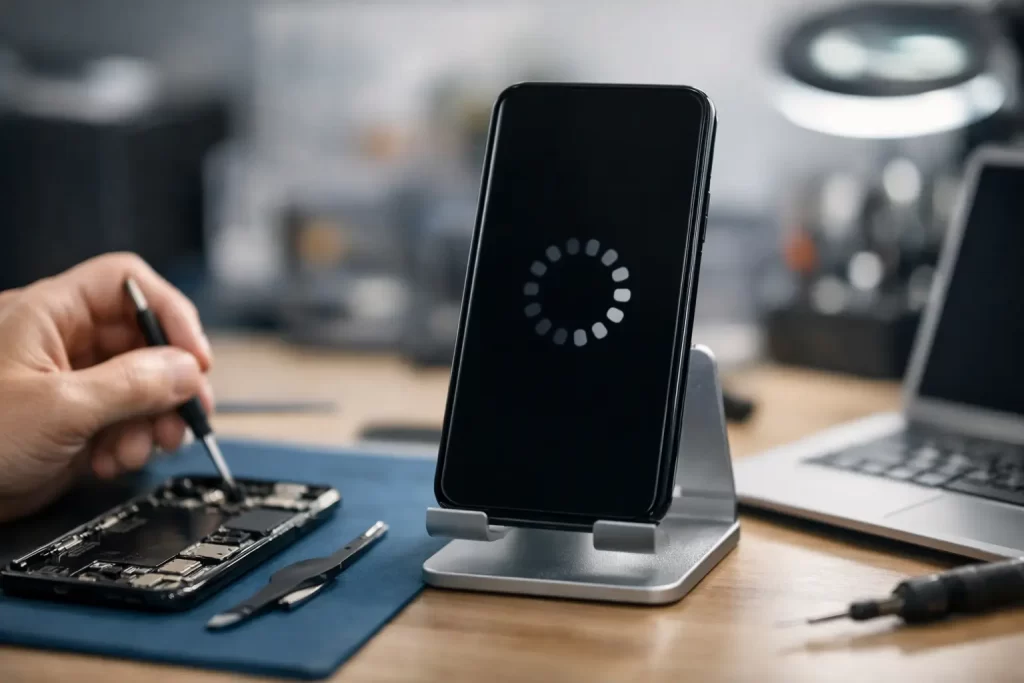
A phone that keeps showing the logo, restarting, then doing it all again is not just annoying – it can shut down your whole day. If you are searching for how to fix boot loop problems, the first thing to know is this: some cases are software-related and recoverable at home, while others point to battery failure, storage faults or motherboard damage that need proper diagnostics.
A boot loop happens when a device starts to power on but cannot complete the startup process. Instead of loading into the home screen or desktop, it crashes, restarts and repeats the cycle. We see this across iPhones, Samsung phones, iPads, MacBooks and Windows laptops. The cause matters, because the right fix for a failed update is very different from the right fix for a damaged logic board.
How to fix boot loop without making it worse
The biggest mistake people make is repeatedly forcing the device to restart and hoping it will suddenly come good. That can make heat build-up worse, drain an already weak battery and, in some cases, push corrupted data even further. Start with the lowest-risk checks first.
If the device recently updated, ran flat, got wet, overheated or was dropped, that detail matters. A boot loop that started straight after a software update often has a different repair path from one that started after impact or liquid exposure. If you know what happened just before the fault began, you are already narrowing the diagnosis.
For phones and tablets, connect the device to a known-good charger and cable and leave it for at least 20 to 30 minutes. Low voltage can cause unstable startup behaviour, especially on devices with worn batteries or damaged charge circuits. If the battery health was already poor, the phone may not be able to maintain the power needed to complete boot.
Next, try a forced restart once – not ten times in a row. On iPhones, the button sequence depends on the model. On many Android devices, holding power and volume down can trigger a restart or recovery menu. On laptops, a full shutdown followed by disconnecting accessories can help rule out a peripheral conflict. If the device returns to normal, back up your data straight away. A temporary recovery does not always mean the issue is gone.
Common causes of a boot loop
Software corruption is one of the more common causes. A failed operating system update, interrupted restore, bad app behaviour or corrupted system files can all stop startup halfway through. This is the best-case scenario because software faults are often repairable without board work, although some fixes may erase data.
Battery and power faults are another major cause. A battery with unstable voltage may let the device turn on but not stay stable during startup. On some phones, damaged charge management circuits can create the same symptom. That is why a boot loop is not always a software issue, even if it looks like one.
Storage failure is more serious. If a phone, tablet or laptop cannot reliably read key startup files from its memory or SSD, it may restart again and again. This can happen on ageing devices, after overheating, or following liquid damage. At that point, a reset is unlikely to solve the root problem.
Board-level damage is where proper repair experience matters. A drop can crack solder joints. Water can corrode components. Previous repair attempts can cause pry damage or connector issues. On iPhones in particular, boot looping can be linked to failing subsystems, damaged flexes, charge circuits or logic board faults that need microsoldering and deeper fault-finding.
iPhone and iPad boot loop fixes
If an iPhone or iPad is stuck on the Apple logo and restarting, begin with a forced restart and then recovery mode if needed. Recovery mode can allow an update or restore through a computer. An update is usually the safer first option because it attempts to reinstall iOS without wiping user data. If that fails, a full restore may be the next step, but that can erase everything.
This is where trade-offs matter. If the device contains photos, notes, business apps or two-factor authentication access you cannot afford to lose, do not rush into restoring it. A boot loop can sometimes be caused by hardware, and restoring a hardware-faulty phone may not fix it anyway. Worse, it can reduce your data recovery options if storage is failing.
On iPhones, we also see boot loops triggered by damaged charging ports, poor-quality replacement parts, battery faults and board issues after liquid damage. If the phone gets hot near the logic board, only boots while connected to power, or restarts during restore attempts, that points away from a simple software problem.
How to fix boot loop on Android devices
Android boot loops vary more because brands, recovery tools and firmware versions differ. Start by removing the case, charger and any accessories, then force restart the device. If it will enter safe mode or recovery mode, you may be able to clear cache or uninstall a recently added app. If the issue started after installing software or after storage warnings, software corruption is more likely.
If the phone was dropped or exposed to moisture, be more cautious. Samsung and other Android models can boot loop due to battery instability, faulty charging circuits, eMMC or UFS storage faults, and motherboard damage. Factory reset is often suggested online, but it is not a magic fix. It helps when software is the cause. It does not fix failing hardware.
A useful clue is whether the device can stay on in recovery mode. If it remains stable there but crashes in normal startup, software is more likely. If it restarts everywhere, including recovery, the fault may be power-related or board-level.
MacBook and Windows laptop boot loop issues
Laptops can boot loop too, and the same rule applies: do not assume it is just software. A MacBook that shows the Apple logo, progress bar and then restarts may have a corrupted macOS install, SSD issue, battery problem or logic board fault. A Windows PC caught in automatic repair or restart cycles may be dealing with failed updates, driver corruption, bad RAM, SSD failure or motherboard issues.
Start by disconnecting external devices. For laptops, try to access recovery or startup options. If the system can load diagnostics or recovery tools, you may be able to repair startup files or reinstall the operating system. If it cannot stay powered long enough to complete those steps, the problem may be hardware.
Watch for signs such as random shutdowns, fan spin with no display, overheating, liquid exposure history or previous charging problems. Those details help separate a repairable software loop from a deeper board or storage fault.
When not to DIY
If the device contains important data, has signs of water damage, gets unusually hot, or has already failed during update and restore attempts, stop there. That is especially true if it has been opened before or repaired elsewhere. A boot loop in those cases often needs diagnostics rather than more guesswork.
This is where specialist repair matters. Boot loop faults can involve power rails, NAND or storage communication, charge ICs, damaged connectors, shorted components and other motherboard-level failures. Those faults will not be fixed by another hard reset. They need proper testing equipment and someone who can do more than swap screens and batteries.
At iSmashed, this is exactly the sort of issue we handle – from standard software recovery paths through to microsoldering and logic board repair when the fault sits deeper. That matters when the goal is not just to get the device turning on, but to do it quickly, affordably and with the best chance of preserving data where possible.
What to do before you book a repair
If the device still responds at all, note what happened just before the boot loop started. Update, drop, water, battery swelling, overheating, low storage, repair history – every one of those details helps. Bring chargers if charging behaviour is part of the problem, and avoid attempting repeated resets on the way in.
If data is critical, say that upfront. The right repair path may be different when preserving files matters more than simply restoring factory function. Sometimes the fastest route to a working device is a full software restore. Sometimes that is the wrong move. It depends on what failed and what is stored on the device.
Boot loops feel dramatic because the device looks half alive, but they are often very fixable once the actual cause is identified. The smart move is not to keep forcing it to restart – it is to get a clear diagnosis and choose the fix that matches the fault.