
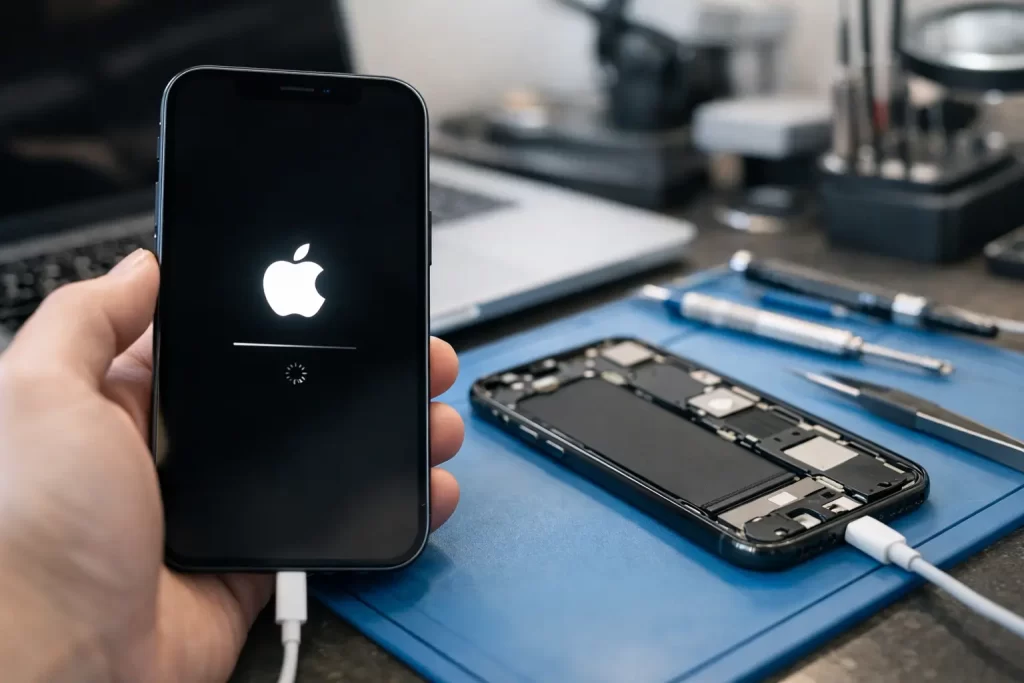
Your iPhone shows the Apple logo, goes black, restarts, and keeps doing it. No home screen. No calls. No access to work apps, messages, photos, banking, or your booking details for the day. That is not just annoying – it is a hard stop.
A boot loop usually means the phone is failing during startup. Sometimes the fix is simple. Sometimes it points to a battery fault, storage issue, failed update, charge circuit problem, water damage, or logic board damage that needs proper diagnostics. Good iphone boot loop repair is not about forcing a restart ten times and hoping for the best. It is about finding the actual fault and fixing it properly.
What an iPhone boot loop usually means
An iPhone boot loop happens when the device cannot complete its startup sequence. It powers on, reaches the Apple logo or a black screen, then resets before loading iOS fully. In some cases it will briefly show a low battery symbol, a restore screen, or flicker between the logo and a blank display.
The cause can be software, hardware, or both. A failed iOS update can trigger it. So can corrupted system files, very full storage, a degraded battery, a damaged charging subsystem, or liquid exposure. We also see boot loops after drop damage, poor-quality previous repairs, and board faults that only show up once the phone tries to initialise key components.
This is why repair needs to be led by diagnosis, not guesswork. Restoring the phone may fix one device and wipe another device for no benefit at all.
Before you book iphone boot loop repair
There are a few safe checks worth trying first. They do not solve every case, but they can help separate a temporary software crash from a deeper failure.
Start with a force restart. On newer models, press volume up, then volume down, then hold the side button until the Apple logo appears. If the phone returns to the loop immediately, move on.
Next, try a different charging cable and charger and leave the phone connected for at least 20 to 30 minutes. A failing battery or unstable power input can make startup worse, especially if the charge level is already low.
If a computer recognises the phone, recovery mode may be possible. That can allow an update of iOS without immediately erasing data. But there is a trade-off here. If the underlying problem is hardware, update or restore attempts can fail halfway, leave the device stuck, or push a recoverable issue into a more complex one.
If the phone has been dropped, exposed to moisture, heated up unusually, or repaired elsewhere recently, stop there. Repeated restore attempts are rarely the smartest next move.
When the problem is software
Software-related boot loops do happen. They are more common after interrupted updates, low-storage events, beta software issues, or transfer problems during setup from an old device.
In these cases, repair may involve putting the device into recovery mode, updating iOS, or completing a restore if data is already backed up. This can be the quickest route when the hardware is healthy.
But software is only half the story. A phone can look like it has a software fault while actually failing because one component is not responding correctly during boot. That is where generic advice online tends to fall apart.
When the problem is hardware
This is the part many people miss. An iPhone can boot loop because a physical component is failing or because the logic board is detecting an abnormal condition and restarting to protect itself.
A worn battery is a common example. If voltage drops too sharply under load, the phone may restart during startup. Charge port faults can also interrupt stable power delivery. After water damage, corrosion can affect tiny board-level lines that control startup. On some models, damaged flex cables, shorted sensors, or failed ICs can trigger a loop before the phone ever reaches the lock screen.
This is where proper bench testing matters. Board-level diagnostics, current draw analysis, known-good part substitution, and micro-soldering capability all make a difference. Without that, many shops can only try a restore and call it a day.
Signs you should skip DIY and get it checked properly
If your iPhone gets hot around the logo screen, is not recognised consistently by a computer, started looping after a drop, or shows signs of water exposure, it needs more than a restart guide. The same applies if the phone was repaired recently and the issue began soon after.
Another red flag is when the phone occasionally boots, then crashes during use, or only boots when plugged in. That often points to battery, power management, storage, or board instability rather than a one-off software problem.
For business users, there is also the downtime factor. If the phone carries your authenticator apps, work messages, booking systems, or customer contacts, spending hours on trial-and-error can cost more than the repair.
How professional repair usually works
A proper assessment starts with symptoms, history, and model-specific testing. What happened just before the loop started matters. Did it follow an update? A battery drain? A splash at the pool? A cheap charging cable? A previous repair?
From there, the phone is tested for power behaviour, charge response, screen output, connection to diagnostic tools, and any visible signs of damage. If a software recovery is suitable, that may be tried first. If not, the repair path shifts to hardware isolation.
That can mean battery testing, dock or charge-port testing, disconnecting faulted peripherals, or moving into logic board diagnostics if the failure pattern points there. In more advanced cases, iphone boot loop repair may involve micro-soldering, trace repair, corrosion treatment, or replacement of failed board-level components.
The goal is simple – stable startup, not a temporary workaround.
Data matters more than most people realise
A lot of customers only think about the phone itself until they cannot get back into it. Then the real problem appears: photos, notes, WhatsApp chats, work files, two-factor codes, and contacts may all be trapped on the device.
That is why repair strategy matters. If data is important and there is no confirmed backup, pushing straight into a full restore is risky. In some cases, the better option is fault-finding aimed at getting the phone to boot long enough for backup or data extraction.
This is especially relevant after water damage or board faults. A quick software wipe might make the phone start, or it might do nothing while removing one of the safer recovery options. It depends on the device, the fault, and whether the storage itself is still healthy.
Fast service matters, but so does doing it once
Most people with a boot looping phone want one thing: a fast fix. Fair enough. If it is your only handset, every hour matters.
Speed helps, but only when the diagnosis is right. A same-day repair is useful when the fault is identified cleanly and the required parts or board work are handled properly. A rushed misdiagnosis just means you are back to square one a day later.
That is why local repair matters. If you are in Darwin and need the phone back quickly, having access to both everyday repairs and advanced logic board work saves time. You are not bouncing between one shop for a battery check and another for micro-soldering. At iSmashed, that combination is exactly what makes complex faults more practical to deal with.
The most common questions customers ask
One of the first questions is whether a boot loop means the phone is dead. Not always. Many boot looping devices are repairable. The key issue is whether the fault is limited to software, power delivery, a replaceable part, or a board-level failure.
The next question is whether data can be saved. Sometimes yes, sometimes no. If the storage and board are still communicating properly, there is often a path. If the device has severe liquid damage or failed storage, the chances drop. Early assessment helps.
Then there is the cost question. That depends on the fault. A software recovery is very different from a battery replacement, and both are very different from micro-soldering on the logic board. Anyone giving a firm price for all boot loops before testing is guessing.
What to do next if your iPhone is stuck looping
Do not keep forcing restarts for an hour. Do not keep plugging it into random chargers. And if there is any chance the data matters, avoid a blind restore unless you understand the risk.
Bring the phone in with as much history as you can provide. Mention drops, water exposure, update attempts, battery issues, and previous repairs. That information shortens the diagnostic process and improves the chance of a first-time fix.
A boot loop is frustrating, but it is usually not random. There is a reason the phone cannot finish startup. Find the reason, fix that, and the repair has a much better chance of lasting.