
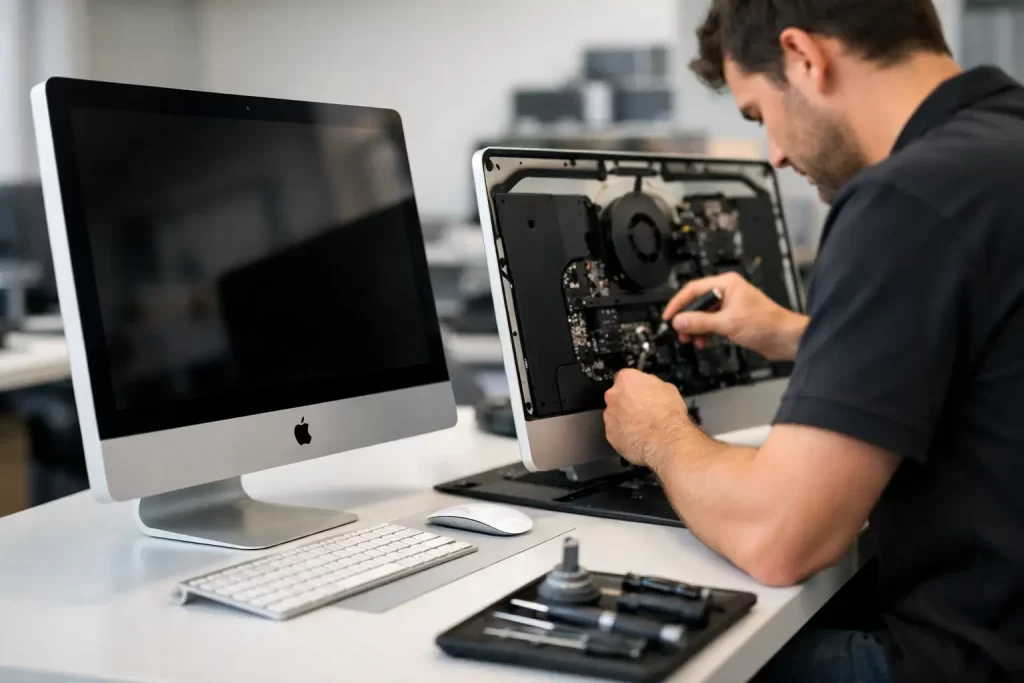
When your iMac goes down, everything stops with it. Work files, study, bookings, creative projects, payroll, emails – suddenly you are staring at a black screen, a flashing folder, strange fan noise or an iMac that refuses to boot. Waiting weeks for an answer is not realistic when you rely on that machine every day.
That is where local, capable repair matters. If you need iMac repair Darwin customers can count on, the real question is not just who can replace a part. It is who can diagnose the fault properly, explain the options clearly, and get you back up and running without wasting time or money.
What iMac repair in Darwin usually involves
iMac faults are not all the same, even when the symptoms look similar. A machine that will not turn on could have a failed power supply, logic board damage, SSD failure, RAM issues or liquid damage. An iMac with lines on the display may need a screen replacement, but it could also point to graphics-related board faults depending on the model.
That is why proper diagnostics come first. Fast service is useful only when it is accurate. A rushed guess can turn a repairable iMac into a more expensive problem.
At iSmashed, the focus is on practical outcomes. Identify the fault. Quote clearly. Repair what makes sense. If a board-level issue is present, that needs to be recognised early rather than hidden behind vague advice or a blanket replacement recommendation.
Common iMac problems we see
Some faults are straightforward. Others need deeper testing. In Darwin, heat, dust, age and constant daily use all play a part, especially for machines used in offices, reception areas, retail counters and home workspaces.
iMac not turning on
This is one of the most common repair bookings. Sometimes the issue is a failed power supply. Sometimes the logic board is at fault. In other cases, the machine appears dead but is actually stuck during startup with no usable display output.
A proper bench assessment helps separate a simple hardware failure from a more complex board-level problem.
Slow iMac performance
A slow iMac does not always mean it is dying. Older models often become frustrating because of ageing hard drives, limited memory, software corruption or failing storage. In many cases, an SSD upgrade or internal replacement can make the machine feel dramatically faster.
That said, performance complaints can also mask early drive failure. If your iMac is freezing, beachballing constantly or taking far too long to boot, backing up data quickly is a smart move.
Cracked or faulty screen
An iMac display can crack from impact, but not all screen issues are physical damage. Flickering, vertical lines, black patches, poor brightness or no image at all may point to panel failure, internal display faults or board issues.
The fix depends on what failed. Replacing a screen when the real issue sits on the board is wasted money.
SSD or hard drive failure
If you are seeing a flashing folder, repeated boot errors or the system cannot find the startup disk, storage failure is high on the list. Older mechanical drives are especially prone to this. The good news is that many of these faults are repairable, and replacing old storage with an SSD can improve both reliability and speed.
Overheating and loud fan noise
iMacs can run hot when dust builds up internally, cooling components degrade or sensors stop reporting correctly. Constant fan noise, random shutdowns and sluggish performance are not things to ignore. Heat can shorten component life and push an already weak board or drive over the edge.
Data recovery after failure
For many customers, the files matter more than the machine. Family photos, business records, invoices, design work and uni assignments are often the real priority. If an iMac has failed, the safest path depends on the cause. Powering it on repeatedly can make recovery harder in some cases, especially with failing drives or liquid damage.
Why accurate diagnostics matter more than quick guesses
A lot of repair frustration starts with bad diagnosis. You are told it needs a screen, then it still does not work. You are told it needs a new drive, then the machine keeps crashing because the logic board was the real issue all along.
Good iMac repair in Darwin needs more than general computer knowledge. Apple desktop repairs often involve layered faults, adhesive-sealed displays, power supply issues, ageing storage, thermal concerns and, in some cases, micro-soldering level board work.
That depth matters when the repair is not obvious. It also matters when you want a cost-effective result. Sometimes the best option is replacing a failed part. Sometimes a board-level repair saves a much more expensive assembly replacement. Sometimes the sensible advice is that the repair cost outweighs the value of the device. Honest guidance is part of the service.
Screen, storage and logic board repairs under one roof
One of the biggest delays in computer repair happens when a shop can only handle basic work. If the problem goes beyond a simple part swap, the job gets outsourced, delayed or declined.
That is not ideal when your iMac is central to work or study. A better repair path is one that covers both standard and advanced faults in the same place – screen replacement, SSD upgrades, power issues, logic board diagnostics and data recovery.
That broader capability reduces downtime and cuts out the back-and-forth. It also gives you a clearer answer sooner.
When board-level repair makes sense
Not every iMac with a board fault should be repaired at motherboard level. It depends on the model, the damage, the parts involved and the value of the machine. But when it does make sense, micro-soldering and component-level repair can be the difference between saving the device and replacing it altogether.
This is especially relevant for customers with important data, business-use machines or models where replacement cost is still high.
Fast service matters – but so does realistic advice
Most people looking for iMac repair Darwin services are not after a long technical lecture. They want to know three things: what is wrong, what it costs, and how fast it can be sorted.
That should be simple.
At the same time, desktop repairs can vary more than phone repairs. Some jobs are straightforward and quick. Others need testing, part sourcing or board-level work. The right repairer will move fast, but will not promise a fantasy turnaround just to win the booking.
The practical approach is clear communication from the start. If the issue can be resolved quickly, say so. If it needs deeper work, explain why. If your data is at risk, prioritise that first.
Who needs iMac repairs most in Darwin
The people who bring in iMacs are usually the ones who cannot afford downtime. Small business owners using them for front desk tasks, quoting, admin or design work. Students with assignments due. Remote workers whose whole day runs through one desktop. Families who have years of photos sitting on an ageing machine that has suddenly stopped booting.
For those customers, convenience matters as much as technical skill. A local Darwin repair service is easier to deal with, easier to reach, and far more practical than shipping a machine away and waiting for updates.
That local factor matters even more when the fault is urgent and the files are critical.
What to do before booking an iMac repair
If your iMac is still turning on, back up your data straight away if you can. If it is making clicking noises, failing to boot, showing severe display issues or has had liquid exposure, avoid repeated restart attempts. Those can make some faults worse.
Write down the symptoms clearly. Does it power on? Is there a chime? Are there lines on screen? Is it overheating? Did it become slow over time or fail suddenly? Small details help speed up diagnosis.
If you need help quickly, https://www.ismashed.com.au offers Darwin customers a straightforward path to professional assessment and repair, with a strong focus on fast turnaround, competitive pricing and a 3-month parts warranty.
Choosing the right iMac repair Darwin service
The best repair option is not always the cheapest quote or the fastest promise. It is the service that can actually diagnose the issue properly, repair the right fault, and stand behind the work.
Look for clear communication, realistic turnaround times, experience across both common and advanced failures, and a warranty that gives you confidence after the repair is done. That combination matters more than sales talk.
If your iMac has stopped working, gone painfully slow, cracked its screen or started showing signs of storage or logic board failure, getting it checked early usually gives you more options. Leave it too long and a simple fix can become a bigger job. Act early, get a proper diagnosis, and give the machine the best chance of a clean, cost-effective repair.