
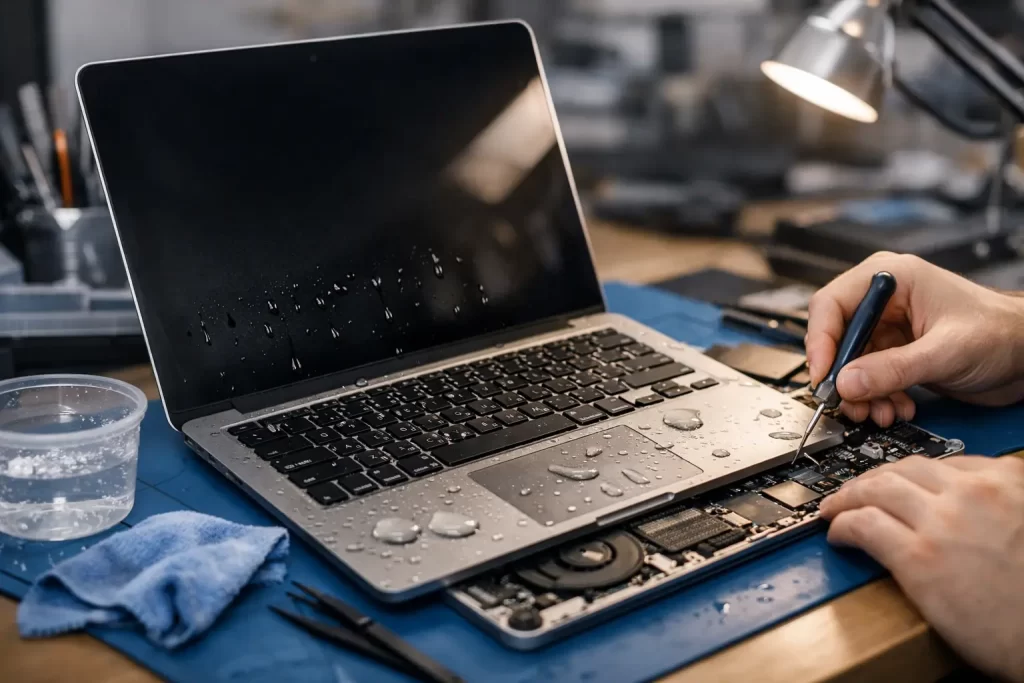
A splash on the keyboard. A coffee knocked over during a deadline. Condensation after travel. MacBook liquid damage usually happens in seconds, but the real damage often spreads over the next few hours. That is why timing matters.
If you need MacBook water damage repair, the goal is simple – stop corrosion early, protect your data, and avoid turning a repairable fault into a dead logic board. Some machines come in with minor keyboard or trackpad issues. Others have shorted power rails, backlight failure, charging faults, or no power at all. The difference often comes down to what happened straight after the spill.
What to do immediately after a spill
First, switch the MacBook off. If it is already off, leave it off. Do not keep testing it, plugging in the charger, or pressing the power button every half hour to “see if it works yet”. Liquid and live current are a bad mix, and repeated power attempts can turn a localised issue into board-level damage.
Unplug every accessory. Remove the charger. If the machine is a model with a removable external device connected through USB-C or Thunderbolt, disconnect it. Then place the MacBook on a flat surface and let excess liquid drain away from the keyboard area.
Do not attack it with a hair dryer. Do not pack it in rice. Rice does not remove residue from under chips, connectors, or shielded board sections. Warm air from a dryer can also push moisture deeper into the machine or stress delicate components.
The best next step is professional assessment as soon as possible. Fast action improves the chance of saving the board and recovering your files.
Why MacBook water damage repair is rarely just about drying
A lot of people assume a wet MacBook only needs time to dry out. That would be nice, but it is rarely how liquid damage works.
Water is only part of the problem. Coffee, soft drink, beer, juice, and even plain water can leave minerals and conductive residue behind. Once that residue sits on the logic board, corrosion starts. Tiny components can fail days or weeks later, even if the laptop appears to come back on.
That is why proper MacBook water damage repair usually involves opening the device, inspecting for liquid ingress, cleaning affected areas, testing for short circuits, and checking whether board-level repair is needed. In many cases, drying alone does not address the real failure point.
Common damage patterns after liquid exposure
The symptoms depend on where the liquid travelled and how long the MacBook stayed powered. We regularly see power issues, battery not charging, keyboard faults, trackpad failure, speaker distortion, backlight faults, fan spin with no boot, and complete no-power faults.
On more serious jobs, liquid reaches the logic board and causes corrosion around power management circuits, charging ICs, backlight circuits, or connector lines. This is where micro-soldering and board-level diagnostics matter. Replacing a top case or battery will not fix a shorted rail on the motherboard.
Signs your MacBook needs urgent repair
Sometimes the damage is obvious. Other times the warning signs are subtle.
If the MacBook will not turn on, shuts down unexpectedly, runs hot, shows a dim or black screen, fails to charge, types the wrong keys, or has a clicking trackpad after a spill, it needs attention. The same applies if it works on battery but not charger, if liquid has entered through the vents, or if there is visible residue around the keyboard or ports.
A delayed fault still counts. It is common for a MacBook to seem fine on day one, then fail later once corrosion spreads. If there has been any liquid exposure, getting it checked early is the safer move.
What a proper repair process looks like
The right repair depends on the model, the type of liquid, and how long the machine was left powered. There is no honest one-size-fits-all answer.
A proper assessment starts with disassembly and internal inspection. The technician checks for visible corrosion, affected connectors, liquid markers, and signs of shorting. From there, ultrasonic or targeted board cleaning may be needed, followed by electrical testing.
If the logic board has damage, board-level repair may involve replacing failed components, repairing corroded pads or traces, or restoring power lines through micro-soldering. If the spill mainly affected the keyboard, battery, trackpad, or display assembly, those parts may need replacement instead.
The key point is this: a good repair is based on diagnosis, not guesswork. Swapping random parts gets expensive quickly and often misses the actual fault.
Can your data still be saved?
In many cases, yes. Even when the MacBook itself will not power on, data recovery is often still possible if the storage is intact or the board can be stabilised long enough to access the drive.
This matters for business files, study materials, photos, and anything not backed up properly. Water damage repair is not only about getting the laptop running again. Sometimes the priority is recovering the data first, then deciding whether full repair makes financial sense.
Is DIY worth trying?
For most people, no. Basic first aid at home is useful – power off, unplug, stop using it, get it inspected. Beyond that, DIY gets risky fast.
Modern MacBooks are tightly packed devices with delicate flex cables, battery adhesive, layered assemblies, and board components that do not forgive rough handling. Opening the machine without the right tools can cause pry damage, torn connectors, or punctured batteries. Cleaning with the wrong product can leave residue or strip coatings from the board.
There is also the issue of false confidence. A MacBook that powers back on after a spill is not automatically fixed. Corrosion can keep working in the background.
Repair or replace? It depends on the damage
This is the question most customers ask, and the honest answer is that it depends.
If the spill was caught early and damage is limited, repair is usually the better value. If the machine needs cleaning, a few component-level fixes, or replacement of one affected part, repair can be far cheaper than replacing the whole laptop.
If the board has extensive corrosion across multiple circuits, the display is affected, and the battery or keyboard also need replacing, the economics can shift. Older models with low resale value may not justify major work unless the stored data is especially important. Newer or high-spec MacBooks are often well worth repairing, particularly when board-level work can save the device without replacing the full motherboard.
That is why transparent assessment matters. You want a clear diagnosis, realistic repair path, and an upfront sense of whether the job is worth doing.
Why fast turnaround matters in Darwin
For a lot of people in Darwin, a dead MacBook is not a minor inconvenience. It is work stopped, assignments delayed, bookings missed, invoices stuck, and travel plans disrupted. Waiting weeks for a manufacturer pathway does not suit everyone.
Fast, local repair makes a real difference when downtime costs more than the repair itself. That is especially true for small business owners, students, shift workers, and anyone relying on one main device every day.
At iSmashed, we handle liquid-damaged Macs with the same practical approach we bring to phones, tablets, PCs, and board-level jobs – assess it properly, explain the fault clearly, and get moving on the best repair option without wasting time.
How to improve the odds before you bring it in
If the spill has just happened, time is on your side only if you use it well. Keep the MacBook switched off. Do not charge it. Do not keep testing it. Bring it in as soon as you can.
If the machine contains critical files, say that upfront. A repair strategy may change if data recovery is the main priority. If the liquid was anything other than plain water, mention that too. Sugary drinks, alcohol, and salty moisture can create different cleaning and corrosion issues.
Even if the MacBook still turns on, that is not a reason to wait. Early treatment can prevent a much bigger repair later.
A wet MacBook is not always a write-off. But it is one of those jobs where speed, proper diagnostics, and board-level capability make all the difference. The sooner it is assessed, the better your chances of saving the machine, the data, or both.