
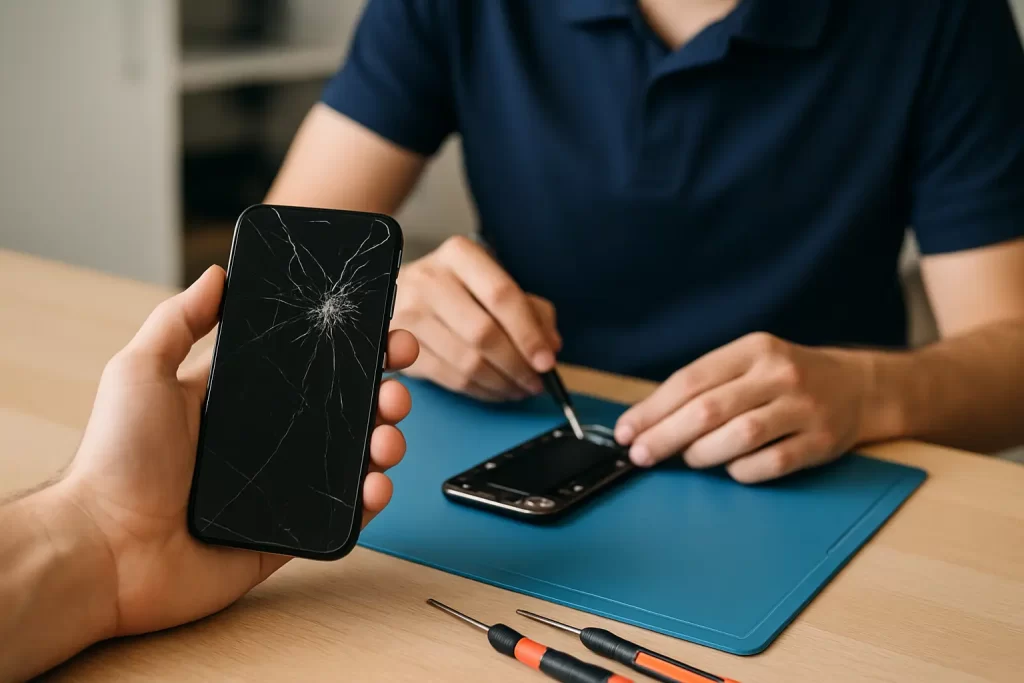
You hear it before you see it – that dry crunch when your iPhone hits the footpath outside the pub, the car park at Cas, or the tiles at home. Then comes the moment of truth: the screen lights up, but the glass looks like it’s been through a dry season storm. If you’re in Darwin, you’ve usually got two priorities straight away: keep your phone usable for work and messages, and get it sorted without losing days to downtime.
This is the practical reality of iPhone screen repair Darwin. The right next step depends on what actually failed – not just what it looks like – and that’s where a quick, confident plan saves you time and money.
First check: is it only cracked glass, or a bigger failure?
A cracked front can be cosmetic, or it can be a warning sign that the display underneath is compromised. The difference matters because using the phone can make the damage worse.
If the image is perfect and touch works everywhere, you may be dealing with surface glass damage. It’s still worth addressing quickly because cracks can spread, moisture can creep in (Darwin humidity is not your mate), and sharp edges can cut fingers.
If you’re seeing black patches, coloured lines, flickering, “ink” blobs, a screen that goes bright then dim, or touch that randomly stops responding, that’s a display failure. That’s not a “leave it for a week” situation – the phone can become unusable with one more knock, and the repair can become more complex if the device starts registering phantom touches.
Watch for these Darwin-common symptoms
Heat and moisture don’t usually cause a cracked screen, but they can accelerate the consequences once the seal is compromised. If you notice the display lifting at the edge, condensation under the glass, or the phone getting unusually warm during charging, treat it as urgent. The earlier you stop using it and get it assessed, the better the odds of keeping the repair straightforward.
What you should do immediately (and what not to do)
If the screen is cracked but still on, your goal is to prevent further damage and protect your data.
Turn the brightness down and avoid pressure on the glass. If you have a screen protector handy, apply it carefully – not to “fix” the crack, but to stabilise shards and reduce the chance of glass splinters. If the display is bleeding or touch is erratic, power the phone off and leave it off.
Avoid “DIY glass-only” kits. Modern iPhones don’t repair nicely with heat guns and suction cups on the kitchen bench. Face ID components, earpiece speaker assemblies, and delicate flex cables sit right where people pry. One slip can turn a normal screen replacement into a more expensive job, or introduce new faults like a dead proximity sensor or intermittent touch.
Also skip the temptation to keep using it with a badly cracked screen “until it dies”. Cracked glass can let dust and moisture in, and Darwin conditions make that risk very real. A simple front repair can become a broader clean-up if corrosion starts.
When a screen repair is the right call – and when it isn’t
Most of the time, a screen replacement is the correct fix. But sometimes the screen isn’t the only issue.
If your iPhone dropped and now won’t charge properly, won’t hold battery, or keeps restarting, you may have more than front damage. Impacts can partially dislodge internal connectors, damage charge ports, or trigger logic board issues that only show up after a few hours.
If the phone has been wet as well as dropped – think sweat, rain on a scooter, or the classic “fell out of the pocket at the pool” – the priority is assessment and treatment, not just the screen. A new screen on a wet phone can fail later if moisture remains inside.
This is where a repairer with board-level capability matters. Some shops only do basic swaps. If your device has taken a hit and is showing multiple symptoms, you want someone who can diagnose properly and handle micro-soldering or logic board faults if needed, rather than guessing.
What affects the price of iPhone screen repair in Darwin?
People usually want a straight number, and that’s fair. But there are a few real variables that change the quote, and knowing them helps you make an informed choice.
Model is the biggest driver. Newer iPhones and Pro models typically cost more because the screens themselves are more expensive. The second driver is the type of display and the quality level selected for the repair. Then there’s the condition of the phone – bent frames, missing screws, prior poor-quality repairs, or damage to the housing can add labour and parts.
There’s also a practical point most people don’t consider: a badly damaged frame can stop a new screen sitting flush. If the phone has copped a hard corner impact, the housing may need attention so the new screen bonds properly and doesn’t lift later.
If you want fast and predictable outcomes, ask for a quote based on your exact model and symptoms, and be clear about whether there are any extra issues (battery swelling, charge problems, water exposure, intermittent touch). The best quotes are the ones that don’t change because the job was assessed properly up front.
Speed matters in Darwin – what turnaround should you expect?
For most standard screen replacements, same-day service is achievable, and many repairs can be done in under an hour depending on the model and workload. That’s not just a convenience – it’s the difference between staying online for work rosters, two-factor logins, and family comms, or being stuck borrowing a handset.
If the phone also needs diagnostics, water-damage treatment, or board work, expect longer. That’s normal. Proper troubleshooting takes time, and it’s better to get the right fix than a quick one that fails.
If speed is your priority, tell the repairer you’re time-limited. A good shop will either book you a realistic window or tell you straight if the queue won’t allow a one-hour turnaround.
“Will I lose Face ID?” and other common worries
This is the stuff that makes people hesitate – understandably.
If the repair is done correctly, you shouldn’t lose Face ID just from replacing a screen. The risk comes from damage to the front sensor assembly or mishandling during the repair. That’s why experience and careful process matter more than flashy promises.
Another concern is data. A screen replacement doesn’t normally require wiping the phone. Still, if your screen is failing, it’s smart to back up as soon as you can. If touch is dead and you can’t unlock it, a repair is often the only way to access the phone again – which is exactly why you don’t want to wait until the display completely gives up.
Finally, people ask about glass quality and feel. You want a screen that looks right, responds correctly, and holds up. Ask what parts are being used and what warranty is included. A clear parts warranty isn’t a marketing line – it’s your safety net if something isn’t right after the repair.
Choosing a repairer in Darwin: what to look for
Darwin has no shortage of “quick fixes”, but not all repairs are equal. You’re trusting someone with your daily driver, so choose based on capability and accountability.
Look for a shop that does more than screens – battery and charge-port repairs, water-damage treatment, data recovery, and especially micro-soldering or logic board repair. Even if you only need a screen today, that breadth usually signals real diagnostics skill and higher standards on reassembly.
Also pay attention to practical convenience. If you’re juggling shifts or can’t leave the office, a come-to-you option can be the difference between getting it done this week or putting it off for a month.
If you want a local option that’s built for fast turnaround and proper troubleshooting, iSmashed is Darwin-based with a CBD location, offers a free come-to-you option, and backs repairs with a clear 3-month parts warranty. For urgent screen issues, that mix of speed and accountability is exactly what most people are chasing.
After the repair: how to stop this happening again
Accidents happen, but repeat screen repairs usually come down to two things: no case, or a case that’s all looks and no protection.
Use a case with a raised lip around the display and a decent screen protector. If you work outdoors, in hospitality, or on job sites, treat your phone like a tool. Dust and grit in pockets can also grind against cracked edges, so if your screen breaks, don’t keep it loose with keys and coins.
If you’ve dropped it hard once, check your charging cable fit and speaker quality after the screen is repaired. Impacts can create secondary issues that don’t show up immediately. It’s better to catch them early than to come back a week later when the fault is intermittent and harder to pin down.
If your screen is cracked right now, the most useful move is simple: stop the damage from spreading, protect your data, and get it assessed while the phone is still usable. The sooner you act, the more likely it stays a straightforward repair – and you get your normal day back.