
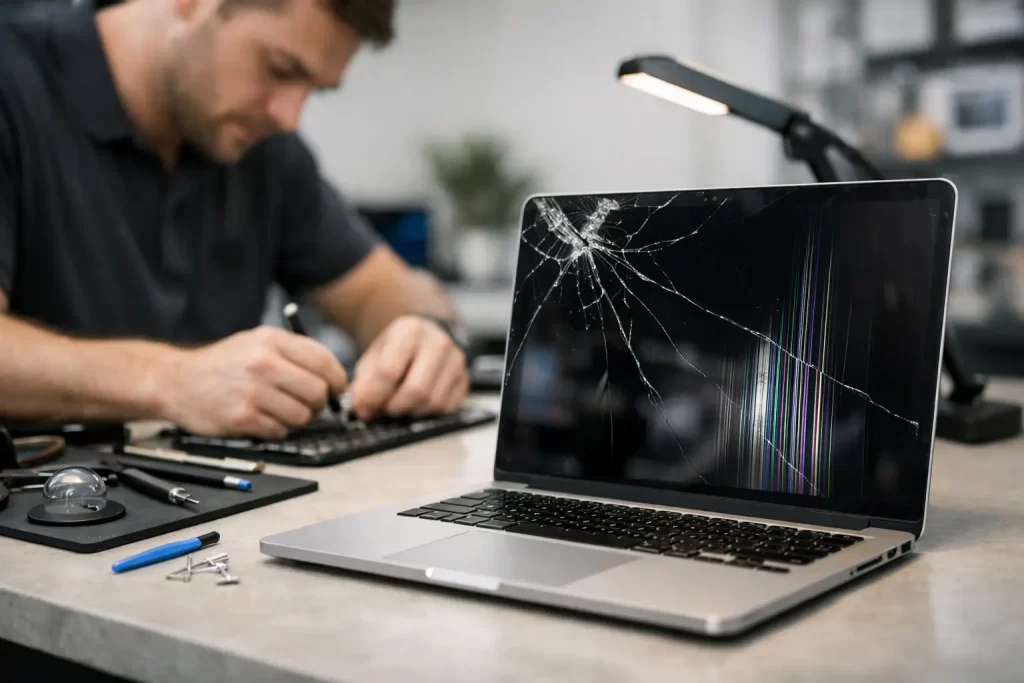
A cracked MacBook screen rarely happens at a convenient time. It happens before a deadline, mid-semester, on a work trip, or right when your laptop is the one thing keeping the day moving.
If your display is smashed, flickering, showing lines, bleeding black patches or staying blank, speed matters. So does getting the fault diagnosed properly. Not every MacBook display problem is just “a broken screen”, and replacing the wrong part wastes time and money.
MacBook screen repair Darwin for real-world faults
When people search for macbook screen repair darwin, they are usually dealing with one of two situations. The first is obvious physical damage – cracked glass, impact marks, pressure damage or a screen that has stopped working after being dropped. The second is less obvious – lines across the display, a dim image, backlight failure, flickering, ghosting or a black screen that may be linked to the display assembly, flex cables or the logic board.
That difference matters. A MacBook can power on and still show no usable image because of a failed LCD, a damaged backlight circuit, liquid exposure, hinge strain, or board-level faults. If a repair shop only handles basic part swaps, they may not catch the underlying issue. That is how customers end up paying for a screen and still having the same problem.
A proper repair starts with identifying the actual failure mode. On some models, especially the slimmer MacBooks, the display assembly is tightly integrated. On others, what looks like a dead screen may point to a cable issue or liquid damage affecting the board. The right repair depends on the model, the fault, and what happened just before the problem started.
What screen damage looks like on a MacBook
Some faults are easy to recognise. A cracked panel with spiderweb lines or black liquid-like blotches usually means the LCD has been physically damaged and needs replacement. Pressure damage can happen without a dramatic drop. A charger, pen, earphones or small object left on the keyboard can crack the panel when the lid closes.
Other faults are more deceptive. Vertical lines, uneven brightness, pink tints and intermittent flicker may show up gradually. The screen may work at one angle and fail at another. You may also notice the keyboard lights and charging sound are normal, but the display stays dark. In those cases, the issue may sit with the screen assembly, the backlight circuit or internal connectors affected by wear or impact.
Liquid damage complicates things further. Even a small spill can travel into the display area or the logic board. Sometimes the screen fails straight away. Sometimes corrosion builds over time and causes delayed faults days later. That is why a quick visual check is not always enough.
Why same-day assessment matters
For most people, a MacBook is not a spare device. It is where the uni work lives, where the invoices get sent, where the roster gets checked, and where the client files sit. Waiting a week or more for a basic diagnosis is not practical.
Fast assessment shortens downtime, but it also helps protect the device. If the display issue is tied to water damage, backlight failure or a board-level problem, leaving it can make things worse. A flickering screen today can become a no-display fault tomorrow. A minor liquid issue can turn into a major corrosion repair if it sits untouched.
That is why a local repair option matters. If you need MacBook screen repair in Darwin, you want clear answers quickly – what is damaged, whether it is repairable, how long it will take, and what it is likely to cost. No vague timelines. No sending it away for weeks if the fault can be dealt with locally.
Not every MacBook screen issue needs the same repair
This is where experience counts. Some jobs are straightforward screen replacements. Others need deeper testing before any parts are fitted.
For example, if the screen is cracked after a drop but the laptop still outputs fine to an external monitor, a display assembly replacement may be the correct fix. If the screen is black and there is no external image, the problem may go beyond the display. If there are signs of liquid, the technician may need to inspect for corrosion and test board-level circuits before quoting the final repair path.
There are also cases where previous repair attempts have caused extra damage. Pry damage, torn connectors, poor-quality replacement parts and incomplete assembly can all affect the final result. A proper workshop should be comfortable handling both standard MacBook screen replacement and more technical faults involving micro-soldering or logic board diagnostics.
That breadth matters because it saves time. You do not need one shop for the screen and another for the board fault sitting underneath it.
What to expect from a professional MacBook screen repair Darwin service
A good repair process should feel straightforward. You bring in the MacBook or arrange a convenient option, the fault is assessed, and you get a clear explanation of the issue and the repair path. If the screen is the problem, the repair should focus on quality parts, careful fitting and proper post-repair testing.
Testing is not a box-ticking exercise. After a MacBook display repair, the unit should be checked for image quality, brightness consistency, camera function where relevant, hinge movement, lid alignment and general stability. If the device came in after impact or liquid exposure, wider checks also make sense because secondary faults are common.
Turnaround matters too. Many customers are not looking for a long technical lecture. They want the laptop working again as fast as possible, at a fair price, with confidence that the repair is backed. That is why warranty-backed work is a practical advantage, not a marketing extra.
Cost, quality and the usual trade-offs
Cheap quotes can be tempting, especially when a MacBook screen repair is unexpected. But price on its own does not tell you much. The real questions are what part is being used, whether the fault has been diagnosed properly, and whether the repairer can handle complications if the issue goes beyond the screen.
Sometimes the lowest quote only covers the obvious damage and leaves out related faults. Sometimes the part quality is poor, which can show up later as weak brightness, odd colours or fitment issues. And sometimes the delay costs more than the repair itself if you are left without a working laptop for too long.
That does not mean every repair needs to be expensive. It means the best value usually sits where pricing is competitive, the repair is done properly, and the result is backed by warranty. For busy customers in Darwin, convenience is part of value too. A repair that gets your MacBook back into use quickly is worth more than a cheaper option that drags on.
Choosing the right local repairer
If you are comparing options for macbook screen repair darwin, look for a repairer that handles more than the easy jobs. Screen replacement is one thing. Diagnosing backlight faults, liquid damage, board issues and failed previous repairs is another.
You should also expect practical service. Clear communication. Fast turnaround where possible. Transparent pricing. A proper workshop setup. Warranty-backed repairs. If your workday depends on your laptop, those things matter more than flashy promises.
A local business with both everyday repair capability and advanced board-level skills can usually give you a more accurate answer from the start. That reduces the chance of misdiagnosis and saves you from bouncing between repairers. For Darwin customers, that local speed and accountability make a real difference.
At iSmashed, that is exactly the point – fast, affordable, professional repairs backed by a 3-month parts warranty, with the technical depth to deal with more than just the obvious crack.
When to stop using the MacBook immediately
If the screen damage happened with a spill, if the laptop smells burnt, if the display is glitching badly, or if opening and closing the lid changes the fault, stop using it and get it checked. Continuing to power it on can worsen board damage or make data recovery harder.
The same applies if the screen is badly cracked and showing ink-like black spread. That damage tends to worsen with pressure and movement. Backing up your data is ideal if you still have access, but do not force the issue if the machine is unstable.
The best move is usually simple. Get it assessed early, get the right repair, and get back to using your MacBook without second-guessing whether the screen will fail again halfway through the week.