
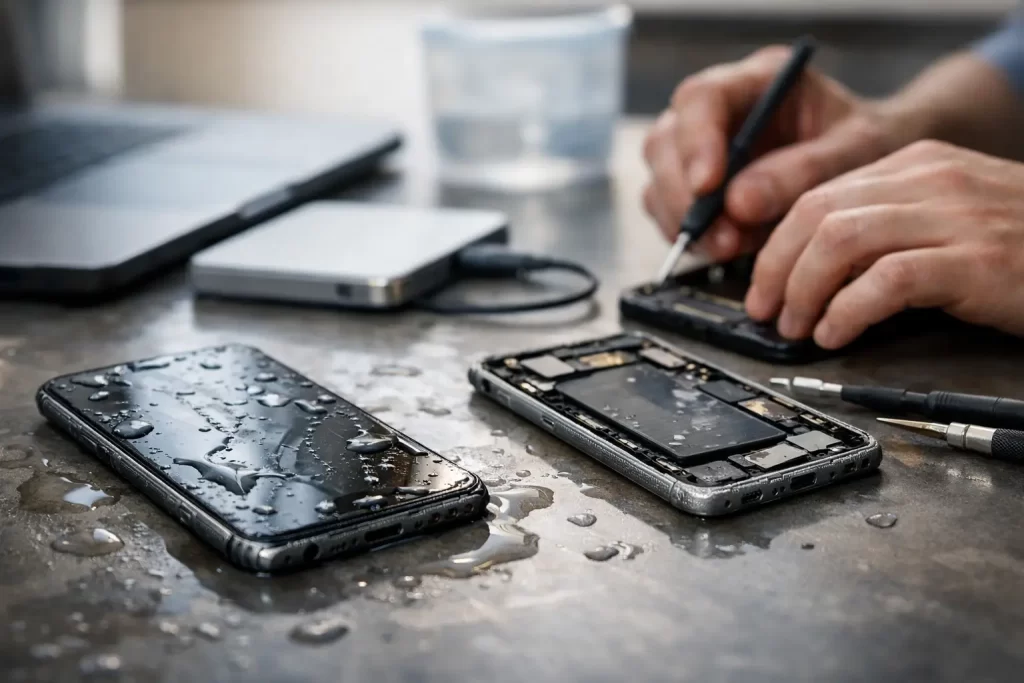
A wet iPhone can go from working fine to completely dead in a few hours. You might still care about the phone, but for most people the real panic is the data – photos, notes, work apps, messages, contacts, and two-factor logins you need today, not next week.
That is where data recovery after water damage iPhone cases become different from a standard repair. The goal is not always to make the handset perfect again. Sometimes the job is to stabilise the board, restore power safely, and get enough function back to extract what matters before corrosion spreads further.
What water damage actually does inside an iPhone
Water damage is rarely just about water. In Darwin, humidity, salt, minerals, and contamination from drinks or pocket moisture can all make things worse. Once liquid gets past the seals, it can bridge components that should never be connected, trigger short circuits, and start corrosion on the logic board.
The tricky part is timing. Some phones fail instantly. Others seem fine for a day or two, then stop charging, lose touch, boot loop, or go black with no warning. That delayed failure catches a lot of people out. They assume the phone survived, keep charging it, and the damage gets deeper.
On newer iPhones, the board is compact and densely layered. That means liquid exposure can affect charge circuits, display lines, Face ID systems, storage access, and power management in different ways. From a data perspective, the biggest issue is whether the logic board and storage remain readable. If they do, recovery is often possible. If key board sections are heavily corroded or burnt, the job becomes more complex and success depends on exactly which circuits are affected.
First steps for data recovery after water damage iPhone problems
If your iPhone has been exposed to liquid, what you do in the first 30 minutes matters.
Turn it off straight away if it is still on. Do not test every button, do not plug it in to see if it charges, and do not keep trying to restart it. Power running through a wet board is what turns a recoverable issue into a more serious short.
Remove the case and dry the outside with a clean cloth. If there is visible liquid in ports or around the camera, leave it alone rather than poking around. Shaking the phone or blasting it with heat can push moisture deeper.
Do not put it in rice. Rice does not remove corrosion, does not clean the board, and often delays proper treatment while the damage continues underneath. The same goes for hairdryers and ovens. Too much heat can damage adhesives, screens, batteries, and flex cables before you have solved the actual fault.
If the phone is already dead, leave it off. If it is on and the screen still works, resist the urge to back everything up manually unless you are certain there was only very light splash exposure and the phone is behaving normally. In many cases, every extra minute powered on increases the risk.
When DIY stops helping
There is a point where home fixes stop being useful. If the iPhone shows no signs of life, keeps rebooting, gets hot, will not charge, has no image, or was submerged rather than lightly splashed, professional assessment is the safer move.
That is because water-damaged data recovery is often a board-level job, not a cosmetic one. The work may involve opening the handset, disconnecting the battery, cleaning contamination with the correct solvents, inspecting under microscope, tracing shorted rails, and repairing failed components using micro-soldering. In other cases, the screen or charge port also needs to be replaced temporarily just to access the data.
This is why cheap, generic cleaning is not always enough. If a device has damage to Tristar, charging lines, display connectors, backlight circuits, or power management areas, surface cleaning alone will not bring it back. Proper diagnostics matter.
Can data still be recovered if the iPhone will not turn on?
Often, yes. A dead iPhone does not automatically mean the data is gone.
Apple devices store data in encrypted form, tied closely to the original logic board and security hardware. That means simple chip-off recovery is generally not a realistic path for modern iPhones. The usual route is different – repair the original board enough to let the phone boot, stay powered, and accept input so the data can be backed up or transferred.
That is why board preservation is so important. A rushed repair attempt, poor-quality soldering, or repeated charging on a shorted board can make the original hardware harder to recover from. For data jobs, the priority is controlled, minimal intervention with the original board wherever possible.
Success depends on what failed. If corrosion is localised and storage-related circuits are intact, the odds are better. If there is severe board burn, battery connector damage, layered board separation, or long-term corrosion under critical chips, recovery can be difficult. Honest assessment matters here. No serious repairer should promise every water-damaged phone is recoverable.
Common signs the data may still be recoverable
A good sign is when the phone shows some life – vibration, Apple logo, charging chime, computer detection, screen image, or intermittent booting. Even if it cannot stay on, those signs suggest the board may still be recoverable with targeted repair.
Another positive sign is selective failure. For example, the phone may power up but have no touch, no backlight, or no charge response. That can point to a damaged peripheral circuit rather than total board loss. In those cases, temporary parts or board repair may be enough to get access.
A bad sign is heavy corrosion after a long delay, especially if the phone was left wet, repeatedly charged, or previously opened by someone without board-level capability. Still, even difficult cases can sometimes be recovered if the right diagnostic work is done early enough.
Why speed matters more than people think
With water damage, there is a recovery window. It is not always a few hours, but waiting rarely improves the outcome.
Corrosion keeps working after the phone dries out. Minerals and residue stay on the board, battery current can keep feeding damaged areas, and hidden moisture trapped under shields can continue to attack components. A phone that only needed cleaning and a minor circuit repair on day one can need major micro-soldering a week later.
For business users, that delay can cost more than the repair. Lost access to banking apps, client contacts, authenticator tools, and work chats can slow everything down. For families and travellers, it is usually photos, WhatsApp history, notes, and account access that hurt most. Fast action gives you a better chance of getting the data before the damage spreads.
What a proper recovery process should look like
A professional water-damage data job should start with triage. The device is opened, power is isolated, and the board is inspected for contamination, corrosion, and obvious short points. From there, the technician can determine whether the phone needs cleaning only, component-level repair, temporary replacement parts, or more advanced logic board work.
The next step is controlled testing. That may include current draw behaviour, charging response, thermal checks for shorted components, and microscope inspection around common failure zones. On iPhones, this is where experience matters. Water damage can mimic battery faults, screen faults, charge-port faults, and CPU or storage issues. Guesswork wastes time and can put the data at risk.
Once the board is stable enough, the aim is usually to get the phone to boot reliably and stay operational long enough for backup. Sometimes that means a full device image. Sometimes it means extracting the customer’s priority data first because the phone may only be stable for a limited window.
At iSmashed, this kind of board-level thinking matters because water-damage work is not just about replacing parts quickly. It is about knowing when a dead phone needs cleaning, when it needs micro-soldering, and when the right move is to focus purely on data access rather than a full economical repair.
Is repair worth it, or should you recover data and move on?
It depends on the phone, the extent of damage, and what you need most.
If the iPhone is relatively new and the liquid exposure was caught early, a full repair may be good value. If the board can be stabilised and the rest of the handset is in decent condition, you may get both the phone and the data back.
If the device is older, heavily corroded, or likely to suffer ongoing issues later, a data-first approach can make more sense. In those cases, the practical goal is to recover photos, contacts, documents, and app access, then replace the phone rather than invest in a long-term fix on compromised hardware.
That trade-off should be explained clearly. The cheapest quote is not always the cheapest outcome if it misses the real problem or leaves the board unstable.
How to improve your chances right now
If your iPhone has had any liquid exposure, stop charging it, stop testing it, and get it assessed as soon as possible. Mention exactly what happened – rain, sink, sea water, soft drink, washing machine, or humidity exposure – because contamination type changes the repair approach.
If the phone has already been to another shop, say that too. Previous opening, missing screws, torn flexes, or pry damage can affect both repair time and recovery options. A proper technician would rather know the full history than waste time chasing the wrong fault.
The key thing is simple. A water-damaged iPhone is not always lost, and the data is often still within reach if the original board is handled properly. The sooner the phone is powered down and assessed, the better your odds of getting back what actually matters.