
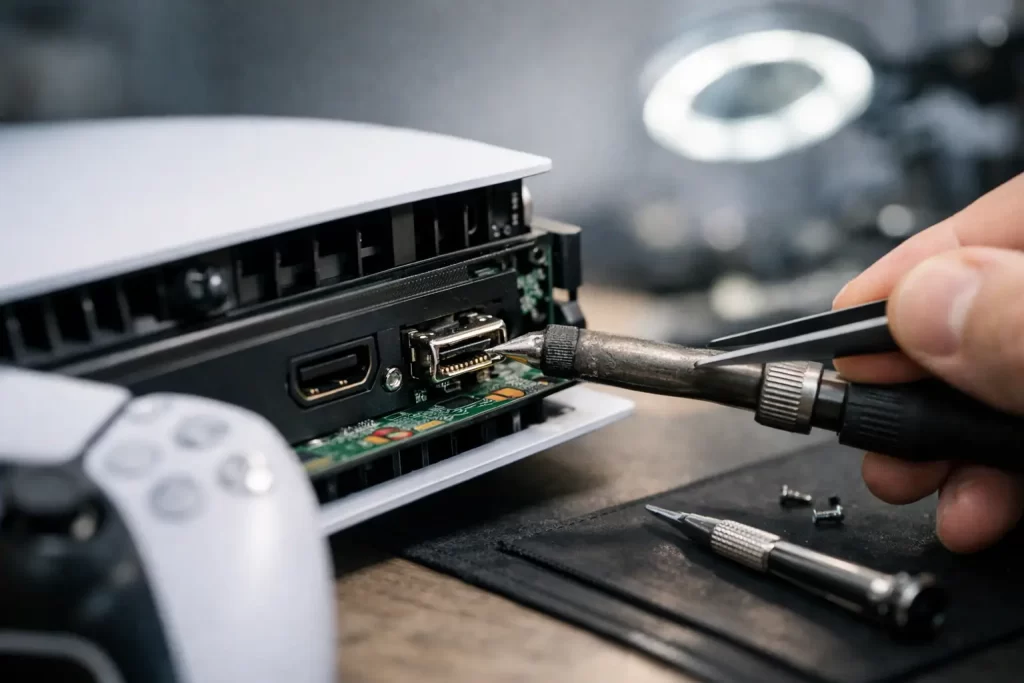
A PS5 with no picture usually causes the same reaction – swap the cable, try another TV, restart the console, then realise the problem is probably the port. When that happens, proper PS5 HDMI port repair matters. A loose, bent or torn HDMI port can stop your console from displaying at all, and forcing the cable in further only makes the damage worse.
For most people, this fault starts small. The image cuts in and out. You need to hold the cable at a certain angle. The screen flickers, drops signal, or shows nothing even though the console powers on with a white light. That is often the point where the HDMI port has already shifted, cracked, or pulled away from the board.
Why PS5 HDMI port repair needs proper board-level work
A PS5 HDMI port is not a simple clip-in part. It is soldered directly to the motherboard, with multiple anchor points and tiny signal pins that need clean, accurate attachment. If the port has been hit, forced, or repeatedly stressed, the damage may not stop at the outer shell. Pads can lift. Pins can shear. Traces near the connector can tear.
That is why PS5 HDMI port repair is not the same as a basic console clean or a parts swap. It is micro-soldering work. The old port has to be removed without damaging the board, the area has to be inspected under magnification, and any related faults need to be identified before a new connector is fitted. If that process is rushed, you can end up with a new port on a board that still has broken connections underneath.
This is also where cheap repair attempts go wrong. A low quote can look appealing until you find out the port was replaced without dealing with pad damage, cold joints, or trace issues. The console may work briefly, or not at all. Then the next repair becomes harder and more expensive because the board has already been disturbed.
Common signs your PS5 HDMI port is damaged
In many cases, the symptoms are obvious. The PS5 turns on, but there is no display on the TV or monitor. You may hear startup sounds or see the console light sequence, but nothing appears on screen. Other times the signal cuts in and out, especially if the cable moves.
Physical damage is common too. The port can look bent, pushed in, loose, or uneven. Some customers notice one side of the HDMI cable sits higher than the other, or the cable no longer clicks in firmly. If a console has been dropped while plugged in, that impact often transfers straight to the port and motherboard.
There are also cases where the port looks normal from the outside but still fails. Internal pin damage, cracked solder joints, or board-level faults can all produce the same no-image result. That is why visual inspection alone is not enough.
Not every no-signal fault is the port
This is where diagnosis matters. A PS5 can lose display output because of HDMI encoder issues, filter damage, previous repair mistakes, or motherboard faults caused by impact or liquid exposure. The symptom may look identical to a damaged port, but the repair path is different.
A decent repairer should tell you that upfront. If the console needs more than a connector replacement, you want clear communication before work goes ahead. That saves time, avoids guesswork, and gives you a better idea of cost and turnaround.
What happens during a proper PS5 HDMI port repair
The first step is confirming the fault. That usually means checking the port itself, testing display behaviour, and inspecting the board for cracked joints, missing pads or surrounding damage. If the port is the issue, the damaged connector is carefully removed using the right heat control and shielding to protect nearby components.
Once the old port is off, the board needs to be cleaned and inspected. This part matters more than many people realise. If any pads are damaged or traces are compromised, they need repair before the replacement port goes on. Otherwise the new connector is sitting on top of an unresolved fault.
The new HDMI port is then aligned and soldered in place with proper pin contact and anchor strength. After that, the console is tested for stable image output. A quick boot is not enough. You want confirmation that the signal is consistent and the port is secure.
Why DIY repair is risky
There is a reason this job gets handed to micro-soldering technicians. PS5 motherboards are dense, heat-sensitive, and unforgiving if the wrong tools are used. A household soldering iron, too much force, or uneven heat can lift pads and ruin a repairable board.
Online videos make it look easy because they skip the hard part – knowing what to do when the damage is worse than expected. If the port has ripped traces or pad damage, that is not beginner work. At that point, a failed DIY attempt often turns a straightforward repair into a more involved motherboard job.
How long does PS5 HDMI port repair take?
That depends on the extent of the damage and whether the fault is limited to the connector. If it is a standard port replacement with no board complications, turnaround can be relatively quick. If there is trace repair, prior repair damage, or a secondary HDMI circuit fault, it can take longer.
The practical question is not just how fast the repair can be done, but whether it is being done properly. A rushed same-day promise means very little if the board has not been inspected or tested properly. Good repair work balances speed with accuracy.
For Darwin customers, convenience matters just as much. If your console is your evening downtime or your family’s weekend entertainment, being without it for days is frustrating. That is why local diagnosis, clear quoting and realistic turnaround are worth more than vague promises.
Choosing the right repairer for PS5 HDMI port repair
You do not need a flashy pitch. You need someone who actually does board-level repairs and can explain the difference between a simple port replacement and deeper motherboard work. Ask whether they handle micro-soldering in-house, whether they inspect for pad and trace damage, and whether the repair is warranty-backed.
That last point matters. A repair warranty does not guarantee every console fault is simple, but it does show the business stands behind the work performed. It also gives you confidence that the repair is being treated as more than a quick solder job.
Price matters too, but only in context. If one quote is far lower than the rest, ask what is included. Does it cover full diagnosis? Does it include trace repair if needed? Is it using a proper replacement port? Cheap can become expensive very quickly if the board needs another round of work.
Local repair that gets the console back in use
At iSmashed, PS5 HDMI port repair is handled with the same approach used across advanced device repairs – diagnose first, repair properly, and keep the process clear. That means board-level assessment, micro-soldering capability, competitive pricing, and a 3-month parts warranty. For Darwin customers, there is also the practical advantage of local service, with an in-store CBD option and a free come-to-you service where suitable.
That combination matters because console faults rarely happen at a convenient time. If your PS5 stops displaying before a weekend, during school holidays, or right when you finally get a night off, you want a repair path that is fast but not careless.
When to stop testing and book the repair
If you have already tried another HDMI cable and another display and the PS5 still shows no image, further home testing usually does not help. The same goes if the port feels loose, looks bent, or only works when the cable is held in place. Continuing to plug and unplug the console can add more wear and increase the chance of board damage.
The better move is to have it checked before the fault gets worse. A damaged HDMI port does not fix itself, and early repair can be simpler than dealing with a connector that has been forced until the board underneath is compromised.
A black screen does not always mean the console is finished. Quite often, it means the port needs skilled hands, the right tools, and a proper diagnosis. Get that part right, and your PS5 has a good chance of being back where it belongs – connected, stable, and ready to play.