
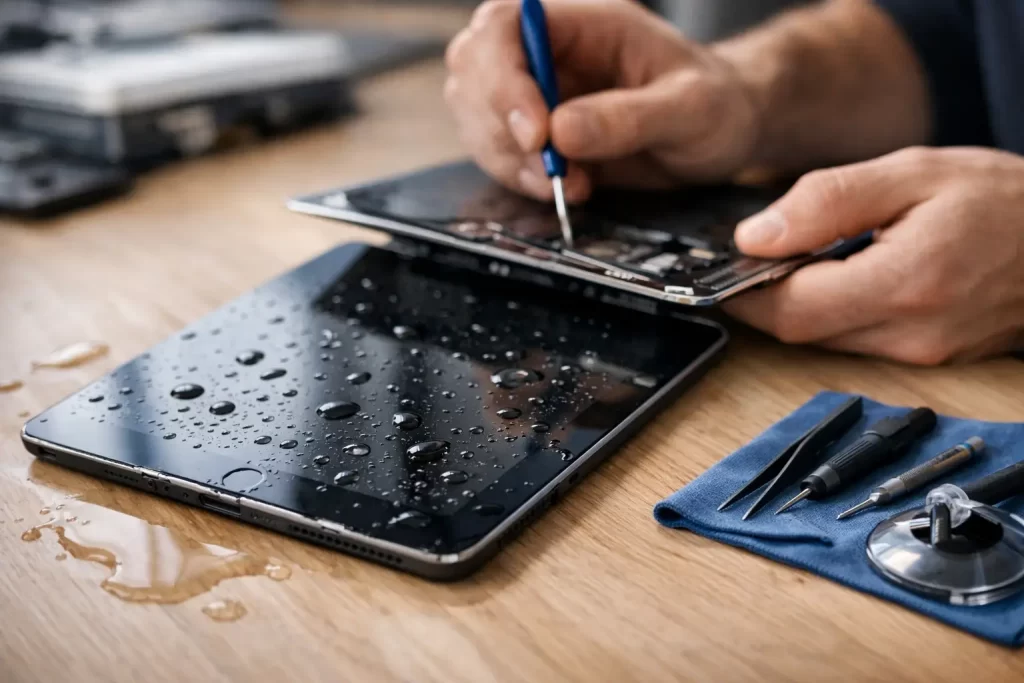
An iPad that has taken a splash, a spill or a full drop in water can go from perfectly fine to completely dead in a few hours. That is why timing matters. If you need to repair water damaged iPad issues, the first few steps make a real difference to whether the device can be stabilised, cleaned and brought back without major board failure.
Water damage is rarely just about water. In Darwin, humidity, condensation, salt air, soft drink spills, coffee, bath water and pool water all leave behind residue that starts corroding internal components. Sometimes the iPad still turns on at first, which gives people false confidence. Then Face ID stops, charging fails, the screen flickers, touch becomes erratic or the device shuts down and never boots again.
What to do the moment your iPad gets wet
First, get it out of the liquid and power it down if it is still on. Do not keep testing the screen. Do not charge it. Do not connect it to a computer. If a cable is already plugged in, remove it carefully and leave the iPad off.
Dry the outside with a clean cloth and remove any case or accessories. Stand the device in a dry, ventilated area. That helps with surface moisture, but it does not fix what is happening inside. Liquid often seeps under the display, around the battery connector, into charging circuits and under shielded sections of the logic board where corrosion starts quietly.
The biggest mistake is waiting too long because the iPad seems normal. Another common one is putting it in rice. Rice does not clean residue, does not stop corrosion and can leave dust in ports. A fan can help with external drying, but internal liquid contamination still needs proper inspection.
Can you repair water damaged iPad problems at home?
Sometimes you can limit the damage at home. You usually cannot complete the repair properly without tools, experience and board-level inspection.
If the iPad only had a very light splash and never lost function, you may get lucky. But if there are any signs of charging issues, no power, screen distortion, heat, boot looping, no touch, speaker crackle or fast battery drain, the problem is already beyond simple drying.
Opening an iPad is also not like popping the back off an old phone. The display is strongly adhered, internal flex cables are vulnerable, and pry damage can turn a recoverable job into a much more expensive one. On water damaged units, rushed opening often tears cables or cracks the LCD, which adds avoidable cost.
Why water damage on iPads gets worse over time
Liquid creates two separate problems. The first is immediate shorting. The second is delayed corrosion.
Shorting can happen the moment power moves through wet components. That may kill charging ICs, backlight circuits, touch filters or power rails straight away. Corrosion is slower but just as destructive. Mineral deposits and contaminants start eating at pads, connectors and solder joints. That is why an iPad can work for a day or two, then fail suddenly.
This is also why cheap, surface-level cleaning is not always enough. If residue remains under chips or around connectors, faults often return. A proper water damage job may involve full disassembly, ultrasonic cleaning, board diagnostics, microsoldering and replacement of damaged components rather than just swapping obvious parts.
Common faults after liquid exposure
Water damaged iPads do not all fail the same way. The symptoms depend on where the liquid went and how long power remained in the system.
A screen that lights up but shows lines or dark patches may have display or backlight damage. An iPad that vibrates but shows nothing may have image failure while the board is still partially alive. If it charges intermittently, the charge port or charging circuit may be corroded. If it reboots constantly, there may be board-level instability. If there is no sound, no microphone input or no touch response, those circuits may have taken the hit.
Battery issues are also common. Liquid can damage the battery itself or create drain elsewhere on the board, making it look like a battery fault when the real problem is a shorted line. That is why proper diagnosis matters. Throwing parts at the problem wastes time and money.
What a professional water damage repair should include
A proper assessment starts with opening the iPad safely and checking the internal condition, not just the outside. From there, the technician should inspect connectors, shields, battery state, display lines, charging response and logic board condition.
If corrosion is present, the board usually needs specialist cleaning. In more serious cases, board-level work is required to restore damaged pads, replace failed chips or rebuild broken lines. This is where microsoldering matters. A standard repairer may be able to replace a screen or battery. Water damage often needs more than that.
Good repair work is also about honesty. Some iPads are economical to fix. Some are better treated as data recovery jobs. Others have damage so severe that the cost of restoration is not sensible compared with replacement. A dependable repair shop should tell you which situation you are in quickly.
Repair vs replacement – when is it worth it?
It depends on the model, the extent of the damage and what is on the device.
A newer iPad with liquid damage is often worth attempting, especially if the screen and housing are still in good condition. If the issue is localised to charging, backlight or a small section of the board, repair can make financial sense. The same applies if the iPad contains important business files, study notes, photos or app data that has not been backed up.
An older iPad with severe corrosion across multiple areas may be a different story. If it needs a display, battery, charge port and board repair all at once, replacement may be the smarter option. The key is getting a proper diagnosis before making that call.
Speed matters more than most people think
The longer liquid sits inside, the lower the repair success rate tends to be. That does not mean every wet iPad is doomed after a day, but it does mean delays work against you.
Fast attention gives technicians a better chance to clean contamination before corrosion spreads and before secondary failures appear. That is particularly important for customers who rely on their iPad for work, school, point-of-sale use, travel documents or everyday communication. Downtime has a cost, and not just in repair dollars.
For Darwin customers, convenience matters too. If your device has taken a spill at home, on-site, at work or while travelling through the CBD, a quick handover to a local repair team is usually the best move. iSmashed handles water damage treatment, data recovery and microsoldering repairs with a service model built around fast turnaround and practical advice.
How to improve the odds before booking a repair
Keep the iPad switched off. That is the big one. Even if it powers on, leave it off. Every extra power cycle increases risk if moisture is still inside.
Do not heat it aggressively with a hair dryer or place it in direct sun. Excessive heat can warp components, weaken adhesive and push moisture deeper. Avoid charging docks and cables. If the iPad has been exposed to anything other than clean water, mention that when booking the repair. Coffee, wine, soft drink and salt water usually cause more aggressive corrosion than plain fresh water.
If you have critical data on the device, say that upfront. The repair approach may change if data recovery is the priority rather than full device restoration.
Choosing the right repair shop for a water damaged iPad
Not every shop that replaces screens can properly handle liquid damage. Ask whether they do board-level diagnostics, microsoldering and data recovery in-house. Ask whether they deal with no-power faults, charging IC faults, boot looping and connector corrosion regularly. Those details tell you whether the shop is set up for real water damage work or just basic parts replacement.
A warranty matters too, but so does turnaround and communication. You want clear advice, realistic expectations and a straight answer on cost versus value. The best repair outcome is not always the biggest repair bill. Sometimes it is a targeted fix. Sometimes it is recovering the data. Sometimes it is telling you not to sink money into a device that is too far gone.
If your iPad has been wet, do not wait for it to get worse before acting. The best next step is the simple one – keep it off, stop charging it, and get it assessed while the damage is still manageable.