
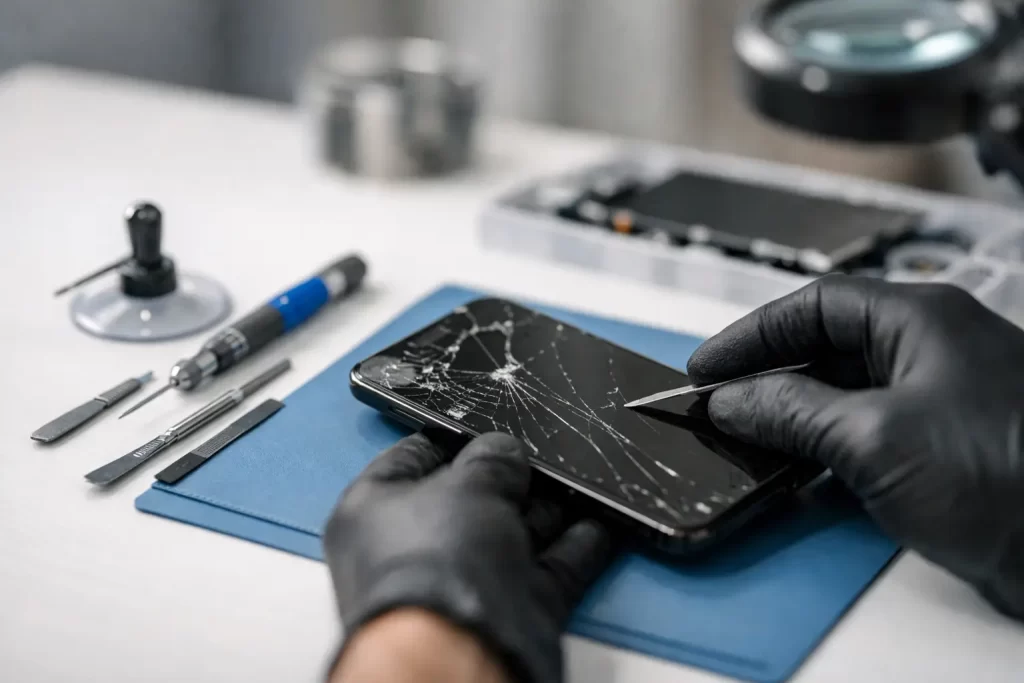
Your phone screen cracks at the worst possible time – on the way to work, during a school run, or right before you need a banking code. If you’re searching for how to fix broken phone screen damage, the first job is working out whether it needs a quick temporary measure or a proper replacement now.
A cracked screen is not always just cosmetic. Sometimes the glass is damaged but the display still works. Sometimes the OLED or LCD underneath has failed, which is why you see black spots, green lines, flickering, dead touch, or half a screen that no longer responds. That difference matters, because the right fix depends on what has actually broken.
How to fix broken phone screen without making it worse
The biggest mistake people make is continuing to use a damaged device as if nothing happened. Fine cracks can spread quickly in a pocket, bag, or work ute. A small impact point can turn into lifted glass, touch issues, or moisture entry after one humid Darwin day.
Start by checking the basics. If the phone still powers on, test the touchscreen across the full display. Open the keypad and press every area. Look for discolouration, ink-like bleeding, bright lines, screen lift, or flickering. If Face ID, front camera, fingerprint sensor, or proximity sensor has stopped working after the drop, the damage may go beyond the outer glass.
If shards are exposed, stop pressing on the screen. Put a temporary screen protector or even clear tape over the cracked area to reduce the risk of cuts and keep loose glass in place. This is not a repair. It is simply damage control while you arrange the proper job.
It is also worth backing up your data straight away if the device is still functional. A cracked screen does not automatically mean data loss, but if the display worsens or the phone takes another knock, recovery becomes more complicated.
When a DIY fix can work – and when it cannot
There is a reason so many people look up how to fix broken phone screen issues at home. On paper, the repair kits seem cheap. In practice, the result depends on the model, the type of damage, and how confident you are opening modern devices packed with adhesive, fragile flex cables, and easily damaged face sensors.
A basic DIY screen replacement may be possible on some older phones if you have the correct part, proper tools, heat control, and patience. Even then, there are trade-offs. Aftermarket screens vary in brightness, touch response, colour accuracy, and durability. Water resistance is usually compromised once the phone is opened, especially if it is not resealed correctly.
For newer iPhones, premium Samsungs, and other laminated OLED devices, screen repair is less forgiving. One slip can tear a flex, damage the housing, affect biometric functions, or create pry damage around the frame. If the phone has already bent, taken water exposure, or suffered a hard corner impact, the visible crack may only be part of the problem.
DIY makes the least sense when the device is valuable, still relied on daily, or showing signs of deeper failure. If your screen is black but the phone vibrates, if touch works by itself, or if the battery drains rapidly after the drop, you may be looking at more than a glass issue.
Signs your broken screen needs professional repair
Some damage is straightforward. Broken top glass, normal image underneath, and full touch function often points to a screen assembly replacement. Other cases need proper diagnostics before anyone orders parts.
If your phone has lines through the display, ghost touch, no image, partial backlight failure, or random restarts after impact, the board or connectors could also be involved. On some models, a severe drop can affect charge ports, earpiece lines, face recognition components, or the logic board itself.
That is where repair experience matters. A screen replacement done fast is useful only if the technician also catches hidden faults before you pay twice. Advanced issues such as torn FPC connectors, backlight damage, boot loop behaviour after impact, or board-level faults need a different skill set from a standard front glass swap.
What happens during a proper phone screen repair
A professional repair should start with inspection, not guesswork. The technician checks whether the frame is bent, whether the battery is safe, and whether the new screen will seat correctly. If the housing is distorted, fitting a fresh display without addressing the frame can leave pressure points that crack the replacement early.
The damaged screen is then removed with controlled heat and the right tools, not brute force. Internal components are inspected for impact damage. On quality repairs, the new display is tested before final sealing so brightness, touch, cameras, sensors, and charging behaviour can be confirmed.
On some devices, programming or calibration is also part of the job. That can affect brightness control, True Tone style functions, fingerprint readers, and general screen behaviour depending on brand and model. This is one reason a cheap repair quote is not always the cheapest result.
A good repair should also come with clear warranty terms. If a business is confident in the parts and workmanship, it should say so plainly.
Cheap fix or proper fix?
Price matters. Everyone wants an affordable repair. But there is a difference between value and cutting corners.
The cheapest screen available is usually not the one you want on a device you use all day for calls, maps, banking, messages, and photos. Low-grade panels can have dim displays, poor touch sensitivity, fast battery drain, or fragile glass that fails again too easily. If you rely on your phone for work, study, or travel, downtime costs more than the gap between a poor part and a decent one.
That does not mean every phone needs the highest-cost option. For an older handset, a budget-conscious repair can still make sense if the part quality is explained properly and the rest of the device is in fair condition. It depends on the age of the phone, its resale value, and how long you need it to last.
Should you keep using a cracked phone?
You can, but it is often a false economy. Tiny cuts from chipped glass are common. Moisture and dust can get in through cracked edges. Touch failures tend to get worse, not better. On OLED screens especially, one black spot can spread until the display becomes unreadable.
There is also the battery risk. If the phone took a strong hit and the display is lifting away from the frame, do not assume it is just the screen. Swelling, internal pressure, or housing distortion needs urgent inspection. Stop charging it until it has been checked.
For parents handing cracked tablets to kids, and for workers carrying damaged phones on site, replacement should happen sooner rather than later. Safety and reliability matter more than squeezing out another few weeks.
The fastest way to fix a broken phone screen
If you need the phone back quickly, the fastest path is simple. Stop using it more than necessary, protect the cracked glass, back up what you can, and get it assessed by a repairer who handles both standard screen replacements and deeper board-level faults.
That last part matters. Not every broken screen is just a screen. A shop with experience across Apple, Android, tablets, laptops, micro-soldering, and logic board repair is more likely to identify the real issue early, especially if the device has had a hard drop, prior repair, or moisture exposure.
For Darwin customers, convenience counts too. A repair that is completed the same day – often in under an hour for common models – makes far more sense than being without your phone for days. If the job is backed by a 3-month parts warranty, the risk is lower and the outcome is clearer.
At iSmashed, that is exactly the approach: fast turnaround, practical advice, and proper diagnostics when a cracked screen turns out to be something more.
If your phone screen is broken, the smart move is not to hope it holds together. Get it checked while the damage is still manageable, and you will usually save time, hassle, and money.