
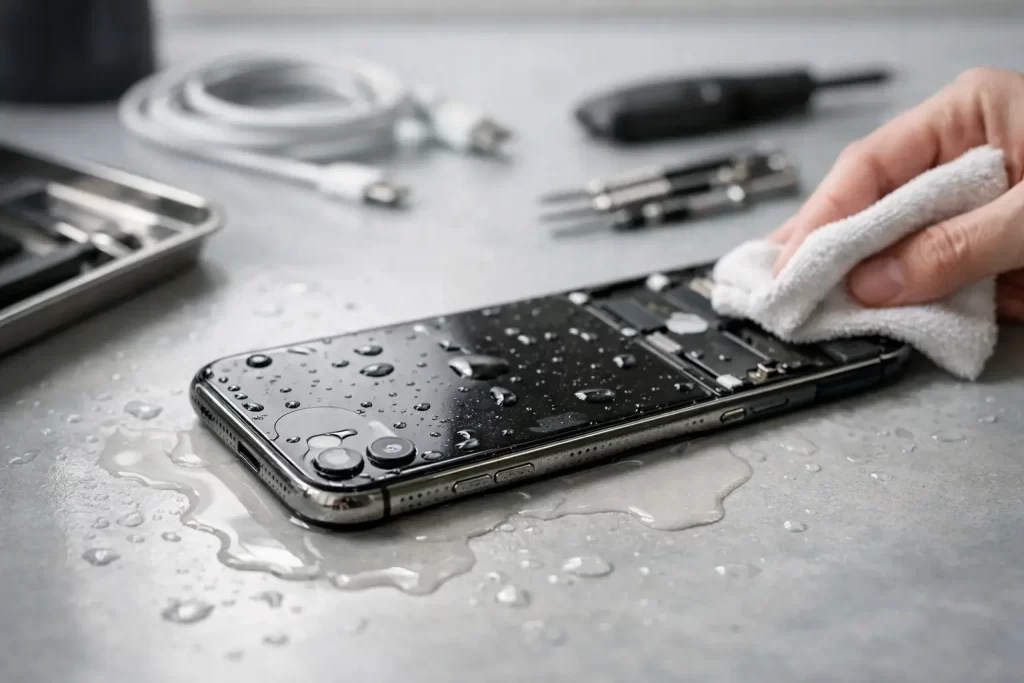
One splash can turn a normal day into a race against time. If you are searching for how to restore liquid damaged iPhone, the first thing to know is this – speed helps, but the wrong move can make the damage worse. Water damage is not just about drying the outside. The real problem is what happens inside the phone once liquid reaches the battery, connectors, charging circuit, screen layers or logic board.
A lot of iPhones survive liquid exposure if they are handled properly in the first few minutes. Others seem fine at first, then fail days later because corrosion keeps spreading. That is why a practical response matters more than internet myths.
How to restore liquid damaged iPhone without making it worse
Start by getting the iPhone out of the liquid straight away. If it is plugged into charge, disconnect power first if it is safe to do so. Do not keep pressing buttons to check whether it still works. Every extra press can push liquid deeper into the device or trigger a short on the board.
Turn the phone off if it is still on. If the screen is black already, leave it alone and do not try to force a restart. Remove the case, wipe the outside with a clean dry cloth, and take out the SIM tray if possible. That gives trapped moisture one more path to escape.
Then place the phone in a dry, airy spot. A fan can help move air across the device, but avoid aggressive heat. Hairdryers, ovens, heaters and direct sun can damage the battery, warp internal seals and make the repair bill worse.
If the phone has been exposed to anything other than clean water, the urgency goes up. Salt water, soft drink, coffee, beer, pool water and soapy water are all harder on the internals. They leave residue, increase corrosion risk and often create sticky deposits around connectors and chips. In those cases, proper internal cleaning is usually more important than simply letting the phone sit.
What not to do after iPhone liquid damage
The biggest mistake is charging it too soon. People often think the phone looks dry from the outside, plug it in, and the charging circuit shorts immediately. That can turn a recoverable water-damage job into a board-level repair.
The next common mistake is the rice trick. Rice does not remove corrosion, it does not clean contaminated liquid, and it does not reliably dry moisture trapped under shields or connectors. At best, it wastes time. At worst, it delays the proper fix until internal damage has spread.
It is also best not to shake the phone, tap it hard on a bench, or keep testing Face ID, speakers, cameras and charging. Liquid damage is one of those faults where repeated checking can cause more faults.
What actually happens inside a liquid damaged iPhone
Modern iPhones have some resistance to splashes, but they are not immune to liquid ingress. Seals degrade with age, heat, drops and previous repairs. Once liquid gets inside, several things can happen at once.
The battery connector area may short. The screen backlight circuit may fail. Charge-port lines can corrode and stop charging or data transfer. Audio circuits may go intermittent. On more severe jobs, corrosion reaches the logic board and starts eating away at pads, filters, connectors and IC lines.
This is why one liquid damaged iPhone might only need cleaning and a battery, while another needs micro-soldering and data recovery. It depends on the type of liquid, how long it stayed inside, whether the phone was powered at the time, and whether someone tried charging it afterwards.
Can you fix a liquid damaged iPhone at home?
Sometimes you can improve the odds at home. You can power it down, dry the exterior, remove accessories, keep it off and get it assessed quickly. That part is useful.
What you usually cannot do properly at home is the internal repair. A genuine liquid-damage restoration often involves opening the phone, disconnecting the battery, inspecting under magnification, cleaning corrosion from connectors and board areas, testing current draw, checking line behaviour, and replacing damaged parts where needed. If corrosion has migrated under shielded areas or affected board components, that moves into logic board repair and micro-soldering territory.
So the honest answer is that home care can prevent further damage, but it rarely completes the repair. If the phone holds important photos, work apps, messages or two-factor authentication access, leaving it untreated for days is risky.
Signs your iPhone needs professional liquid-damage repair
Some liquid damaged phones fail immediately. Others show delayed symptoms. If you notice any of these issues after exposure, the phone needs more than surface drying.
The screen may flicker, dim, show lines or stay black while the phone still vibrates. Charging may be slow, intermittent or dead. The battery may drain quickly or heat up more than usual. Speakers can sound muffled, microphones can cut out, and cameras may fog internally. Face ID may stop working, or the phone may get stuck in a boot loop.
There are also subtler failures. Random restarts, no service, touchscreen ghosting, green screen issues, missing True Tone after a previous repair, or a phone that only powers on when connected to a charger can all trace back to liquid damage. These faults often point to corrosion, damaged flexes, or board-level issues rather than a simple parts swap.
How a proper repair shop restores a liquid damaged iPhone
A professional assessment usually starts with opening the device and isolating the battery. From there, the internal condition tells the real story. Some phones show minor oxidation around the charge port or display connector. Others have visible liquid markers triggered across multiple zones and corrosion near key power rails.
The first goal is stabilisation. That means stopping ongoing corrosion and preventing further shorts. Internal cleaning is done with proper techniques and solutions designed for electronics, not household products. After cleaning, the technician checks which functions are still healthy and which components have failed.
If the damage is limited, the repair may involve replacing a battery, screen, charge port or other affected part. If the board itself is damaged, more advanced work may be needed. That can include tracing shorted lines, replacing corroded connectors, repairing torn pads, or replacing failed chips. For phones that contain critical data, the priority may shift from full restoration to temporary stabilisation so the data can be recovered first.
That is where a shop with board-level capability makes a difference. Screen replacement shops can handle simple faults. Liquid damage often is not simple.
Timing matters more than most people think
A phone dropped in water at breakfast and brought in the same morning usually has a better chance than one left in a drawer for three days. Corrosion does not wait politely. It keeps reacting with metals on the board, especially if the phone is still holding charge.
There is also a practical point here. The longer moisture and residue remain inside, the more likely one failed part turns into several. A battery issue becomes a charging issue. A charging issue becomes a board issue. A board issue becomes a data-recovery job.
If the phone has been in salt water or any sugary liquid, quick action matters even more. Those are some of the worst cases because they leave conductive and corrosive residue behind.
Is restoring a liquid damaged iPhone always worth it?
Not always. It depends on the age of the device, the extent of the damage, the value of the data and the repair path required. If an older iPhone has severe logic board corrosion and multiple failed parts, replacement can make more financial sense.
But if the phone is newer, contains important business or personal data, or only has localised damage, repair can be the smarter option. The key is getting an accurate diagnosis before making that call. Guesswork wastes time and often money.
For Darwin customers who need a fast answer, this is where a proper liquid-damage assessment helps. A service-led repair shop can tell you whether the issue is a straightforward clean-up and parts repair, a board-level job, or a data-first case that needs specialist handling.
The safest next step
If your iPhone has had any contact with liquid, keep it off, do not charge it, and do not rely on rice or luck. The best version of how to restore liquid damaged iPhone is not a trick – it is a fast, controlled response followed by the right level of repair.
At iSmashed, that can mean anything from water-damage treatment to micro-soldering and data recovery, depending on what the phone actually needs. The sooner the device is assessed, the better your chances of saving both the handset and what is on it.
A wet phone is stressful, especially when it holds your work, your banking apps and half your life. Act quickly, keep it simple, and give the device the best chance before corrosion decides the outcome.