
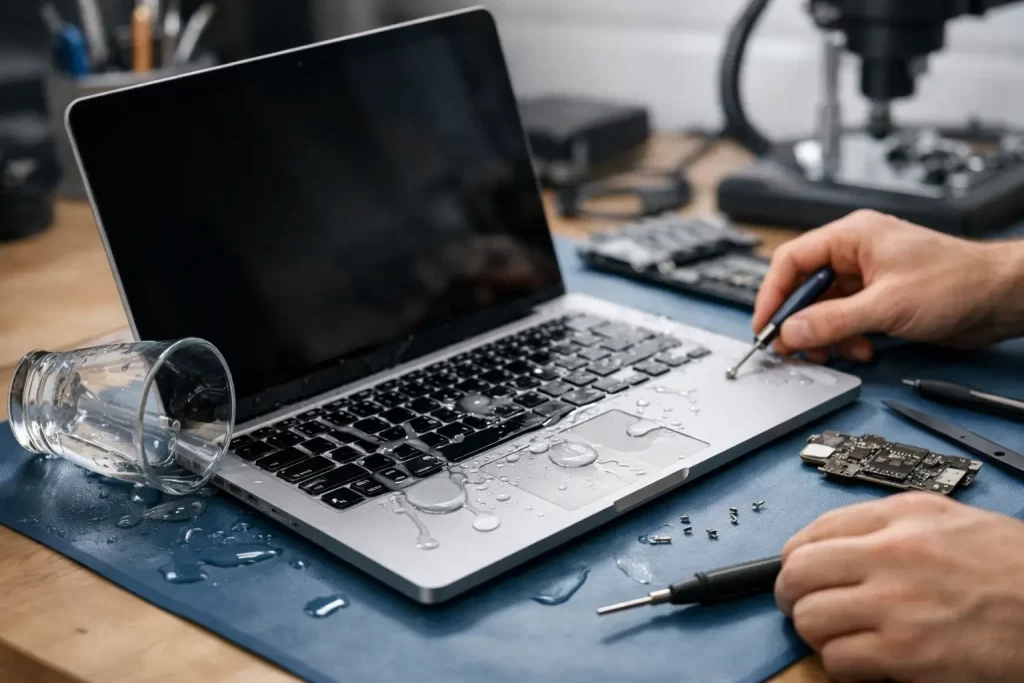
Coffee lands on the keyboard, the screen flickers, and suddenly a normal workday turns into a data-loss scare. This MacBook liquid spill repair example shows what actually happens inside the machine after a spill, what a proper repair process looks like, and why speed matters more than most people realise.
A real MacBook liquid spill repair example
A common Darwin job looks like this: a customer brings in a MacBook Air after spilling a sweet iced coffee across the left side of the keyboard. The laptop turned off by itself a few minutes later. After that, it would only show a charger symbol, the trackpad clicked but the screen stayed black, and there was visible stickiness around several keys.
From the outside, that can look minor. Internally, it often is not. Liquid does not need much time to move through the keyboard layers and onto the logic board, battery connector, trackpad line, display backlight circuit, or SSD area depending on the model. Drinks with sugar are worse than plain water because they leave conductive residue behind, and that residue keeps causing problems long after the spill dries.
In this case, the first step was not turning it on again to “test it one more time”. That is where damage often gets worse. A powered board with active liquid residue can short rails, burn components, and take a repairable machine into full board replacement territory.
What technicians check first after a spill
A proper assessment starts with safe isolation and disassembly. The lower cover comes off, the battery is disconnected, and the board is inspected under magnification. On a spill job, the question is not just “is there liquid?” It is where it travelled, how long it sat there, and which lines were live when the spill happened.
On this MacBook, corrosion was visible around the keyboard connector area and one section of the logic board near the power rail. There was also residue creeping under a nearby IC. The battery connector itself showed early signs of contamination, and the keyboard backlight line had obvious liquid marks.
That matters because MacBook liquid damage is rarely a single-part problem. A machine might need a board clean, a keyboard replacement, a trackpad cable, a screen assessment, or component-level work on the charging and power circuits. Sometimes the machine powers on after cleaning but still has no image, no backlight, no battery charging, random shutdowns, or USB-C negotiation faults. Each symptom points to a different failure path.
Why quick action changes the repair outcome
The difference between same-day attention and waiting three days can be huge. Corrosion keeps working after the spill. Residue bridges pins, weakens pads, and eats into solder joints. In humid conditions, that process can move faster.
For customers, the instinct is often to leave the MacBook open in front of a fan or put it in rice. Neither fixes the contamination on the board. Dry does not mean safe. A machine can appear normal for a day, then fail once corrosion reaches a critical area or a short develops under load.
That is why a fast, professional inspection gives the best chance of saving both the device and the data. If the SSD is soldered to the board, as it is on many newer MacBooks, board-level recovery can be the only path to getting files back.
The actual repair process in this example
This MacBook liquid spill repair example ended up needing more than a surface clean. The logic board was removed and cleaned professionally to strip residue from affected areas. Under microscope inspection, one damaged component in the power section showed heat stress and corrosion at adjacent pads. That component was replaced using micro-soldering.
The keyboard assembly had also taken in liquid. A few keys were sticking, and the corrosion path suggested the issue would return even if the board repair succeeded. Replacing the affected top-case components avoided a repeat failure and stopped the customer paying twice.
After board work, the machine was tested stage by stage. First came power draw and short checks, then charging behaviour, then display output, keyboard response, trackpad function, speaker output, Wi-Fi, ports, and battery cycling. On liquid jobs, intermittent faults are common, so a quick boot is never enough. It has to be stable under proper testing.
The result in this case was a successful board repair, restored charging, normal display output, and full data retention. That is the best-case outcome after a spill – but only because the machine was shut down and brought in before repeated power-on attempts caused wider damage.
What can fail after a MacBook spill
Liquid damage is unpredictable, but the failure patterns are familiar. The keyboard and trackpad usually show the earliest obvious signs because that is where the spill enters. Underneath, the more expensive risk is the logic board.
A small spill can trigger no power, battery not charging, fan spin with no image, no backlight, distorted display, dead USB-C ports, or rapid battery drain. On some jobs, the board powers on but cannot communicate properly with the battery or the screen. On others, the machine works until heat builds up, then shuts down.
The drink itself matters too. Water is bad. Coffee, wine, beer, juice, soft drink and milk-based drinks are usually worse because of sugar, acidity, and residue. Even if the customer wipes the exterior quickly, liquid often reaches areas that cannot be cleaned properly without full disassembly.
When repair is worth it and when it depends
Not every spill leads to a sensible repair. Sometimes the board damage is contained to a handful of components and the repair is straightforward. Sometimes corrosion has spread under multiple chips, pads have lifted, or several subsystems are affected at once. That is where honest diagnostics matter.
If the machine is relatively recent and the data matters, board-level repair is often worth pursuing first. If the MacBook is older, heavily corroded, and needs a board repair plus keyboard plus battery plus screen work, the numbers can shift. In those cases, the best option may be data recovery first, then a decision on the device itself.
For small businesses, students, and anyone working off one main laptop, there is also the downtime factor. A cheaper repair that fails again is not cheaper once you count lost work. A proper diagnosis at the start saves time.
What you should do straight after a spill
If liquid hits a MacBook, switch it off immediately. Unplug the charger and any accessories. Do not keep pressing keys to test what still works. Do not keep opening and closing apps. Every extra minute powered on can make board damage worse.
If possible, place the device so excess liquid does not pool deeper into the internals and get it assessed quickly. Avoid home remedies. Rice does not remove residue from under ICs, connectors, or shielding. Heat can make things worse. So can attempting to charge it because “it ran flat overnight”.
The goal is simple: stop current flow, limit corrosion time, and get a real inspection before the damage spreads.
Why board-level capability matters in a MacBook liquid spill repair example
This is where many repair outcomes separate. Basic cleaning without component-level testing can miss the real fault. A machine may come back on for a short time, only to fail later because a corroded power line, backlight circuit, or charging IC was never repaired.
Board-level diagnostics and micro-soldering matter because MacBooks are densely packed and fault chains are rarely obvious from the outside. A liquid spill can damage a connector, a fuse, a charging circuit, or a tiny component that controls a major function. Replacing whole assemblies is not always necessary if the actual failed component can be identified and repaired properly.
That approach can also be the difference between saving irreplaceable files and losing them. For customers in Darwin who need a fast answer, that matters as much as the hardware itself.
The practical takeaway from this repair
The lesson from this MacBook liquid spill repair example is straightforward. Spills are time-sensitive, residue matters, and “it seems fine now” is not a reliable test. The earlier the machine is isolated and inspected, the better the chance of a cost-effective repair.
At iSmashed, this is exactly why advanced diagnostics, water-damage treatment, data recovery and micro-soldering sit alongside everyday repairs. A liquid-damaged MacBook is not just a clean-up job. It is a fault-tracing job.
If your MacBook has taken a spill, act fast and get it checked properly. The best repair is often the one done before the damage has time to settle in.