
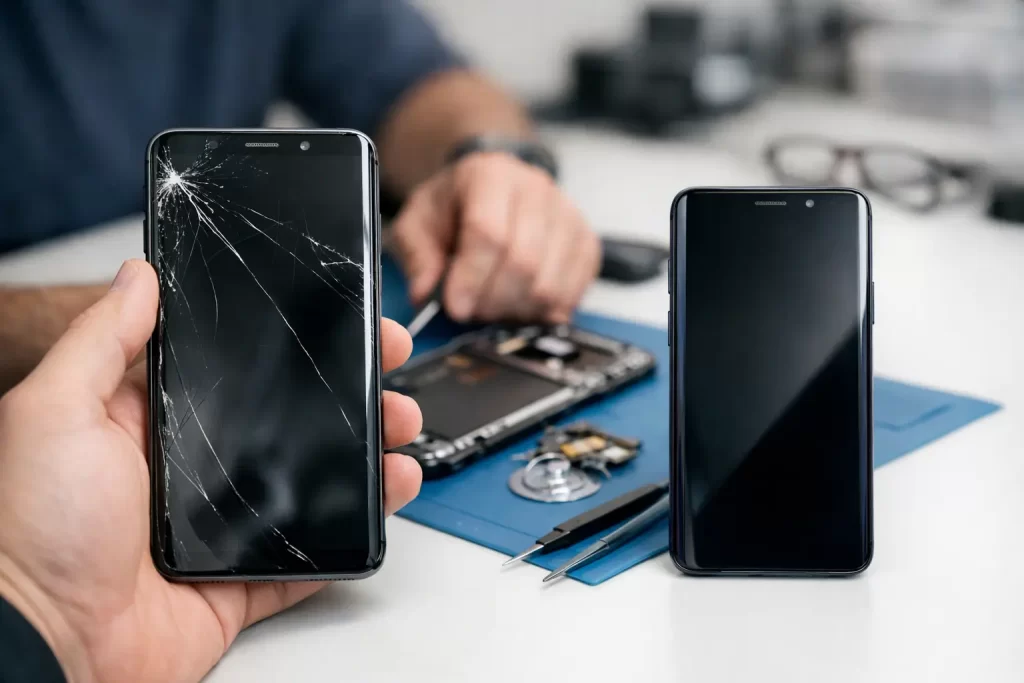
A cracked Galaxy screen is rarely just a cosmetic problem. Touch can start missing taps, the display may flicker or bleed black, and a small crack can compromise the phone’s protection against dust and moisture. This Samsung screen replacement review looks at what actually matters when choosing a repair: screen quality, fingerprint performance, turnaround, price, warranty and whether your phone is worth repairing at all.
For most Darwin users, a professional screen replacement makes sense when the phone still charges, holds a reasonable battery life and does everything else you need. The right repair should get you back to work, messages, banking and maps quickly – not create a new set of problems.
Samsung Screen Replacement Review: What You Are Paying For
Samsung displays are not all built the same. A budget Galaxy A-series phone may use an LCD or a lower-cost OLED panel, while many Galaxy S, Note and Fold models use high-resolution AMOLED displays with in-display fingerprint sensors. That difference affects both the repair price and what a good result looks like.
A proper screen replacement is more than fitting a piece of glass over the front. The technician needs to transfer or test components, fit the display correctly in the frame, reconnect the screen without damaging delicate flex cables, and check touch response across the full panel. On compatible models, they should also test brightness, proximity sensing, front-camera operation and fingerprint recognition.
The best outcome is simple: the phone should feel normal again. Colours should look right, touch should respond accurately, the screen should sit flush, and the frame should not be left with sharp edges or loose adhesive. If the repair solves the crack but leaves poor brightness, dead touch zones or unreliable fingerprint scanning, it is not good value.
Original-Quality, Aftermarket and Glass-Only Repairs
The screen choice is usually the biggest trade-off in any Samsung repair. There is no single best option for every model or budget.
Original service-pack displays are generally the closest match to the screen fitted when the phone was new. They are normally the strongest choice for premium Galaxy devices where display quality, brightness, refresh rate and fingerprint performance matter. They also tend to cost more, particularly for newer S-series Ultra phones and foldable devices.
High-quality aftermarket displays can be a practical option for some models. They may reduce the repair cost and are often suitable when you need a dependable phone for work, study or travel without spending close to the device’s resale value. However, quality varies. On lower-grade panels, colours, outdoor brightness, viewing angles or fingerprint performance may not match the original screen.
Glass-only repair sounds appealing because the visible damage is often just the front glass. In reality, separating cracked glass from a working OLED panel requires specialist equipment and careful control. It can be viable in specific cases, but it is not automatically the cheapest or safest fix. If the display already has lines, black blotches, flickering, touch faults or an ink-like spread beneath the glass, the screen assembly needs replacing.
A good repairer should explain the available part options before work starts. Clear pricing beats a cheap headline figure followed by surprises at collection.
How Long Should a Samsung Screen Repair Take?
For common Samsung models with parts available, screen replacement can often be completed the same day, and many straightforward repairs take under an hour. The actual timing depends on the model, the extent of the damage and whether the frame has bent on impact.
A phone that has been dropped hard may have more than a cracked screen. The housing can twist, the battery can be damaged, cameras can lose focus, or the charge port can become loose. On an S-series device, a cracked rear glass panel can also let in moisture, even if the front display still works.
This is where a quick inspection matters. Rushing a new screen onto a bent frame can place pressure on the replacement display and shorten its life. A professional repair may take a little longer when the device needs frame work, battery checks or cleaning after exposure to water, but that is better than paying twice.
For people working shifts, travelling through Darwin or relying on a phone for business calls, convenience matters as much as repair time. iSmashed offers in-store Darwin CBD repairs and a free come-to-you option, helping reduce the downtime that comes with a damaged Galaxy.
The Checks That Separate a Proper Repair From a Basic Swap
Before handing over your Samsung, describe every symptom, not only the crack. Mention if the phone is overheating, restarting, failing to charge, showing green or white lines, or behaving oddly after water exposure. These details help identify whether the fault is limited to the display.
After the screen is fitted, test the device before you leave. Open a white image and then a dark image to check for unusual patches, lines or inconsistent brightness. Type a message to test the keyboard across the screen. Make a call and listen for the earpiece, test the front camera, plug in a charger and try the fingerprint sensor if your model has one.
Do not ignore problems that appear minor at the counter. A screen that lifts at one corner, a touch issue near the edge or a fingerprint sensor that suddenly fails should be raised straight away. These faults are easier to assess immediately than days later after another drop or spill.
A written parts warranty is also worth checking. It should explain how long the replacement part is covered and what is excluded, such as fresh physical damage, liquid damage or misuse. A clear 3-month parts warranty gives customers a sensible level of protection without vague promises.
Is Screen Replacement Worth It for Your Galaxy?
The answer depends on the phone, not just the crack. Repair is usually worthwhile for a recent Galaxy S, Note, Z or higher-spec A-series model that is otherwise functioning well. These devices still have capable cameras, useful performance and software life left, so a new screen can be far cheaper than replacing the handset.
It may be less attractive for an older entry-level phone with a weak battery, charge-port faults and declining performance. If the cost of a screen approaches the value of a replacement phone, ask for an honest quote and compare the total. Sometimes combining a screen repair with a battery replacement makes sense. Sometimes putting that money towards a newer device is the better call.
Data is another factor. Even if you plan to replace the phone, repairing the screen can be the quickest way to access photos, messages, two-factor authentication apps and work files. If the device will not boot after the drop, screen replacement may not be the only issue. It could need motherboard diagnostics, connector repair or data recovery work instead.
Our Verdict on Samsung Screen Replacement
A Samsung screen replacement is worth it when the repair uses a suitable-quality part, the phone is properly tested and the price reflects the model and condition of the device. The cheapest option is not always the affordable option if it delivers weak brightness, poor touch response or no meaningful warranty.
For a modern Galaxy that you depend on every day, choose a repair service that can assess the full device rather than treating every fault as a simple glass swap. Ask what part will be fitted, how long the job should take, whether fingerprint functionality will be tested and what warranty applies. Then you can make the decision with a clear idea of the result you are paying for.
A broken screen should not leave you cut off from work, family or the services stored on your phone. Get the fault checked early, protect the device from further damage and choose a repair that gets your Samsung working properly again.