
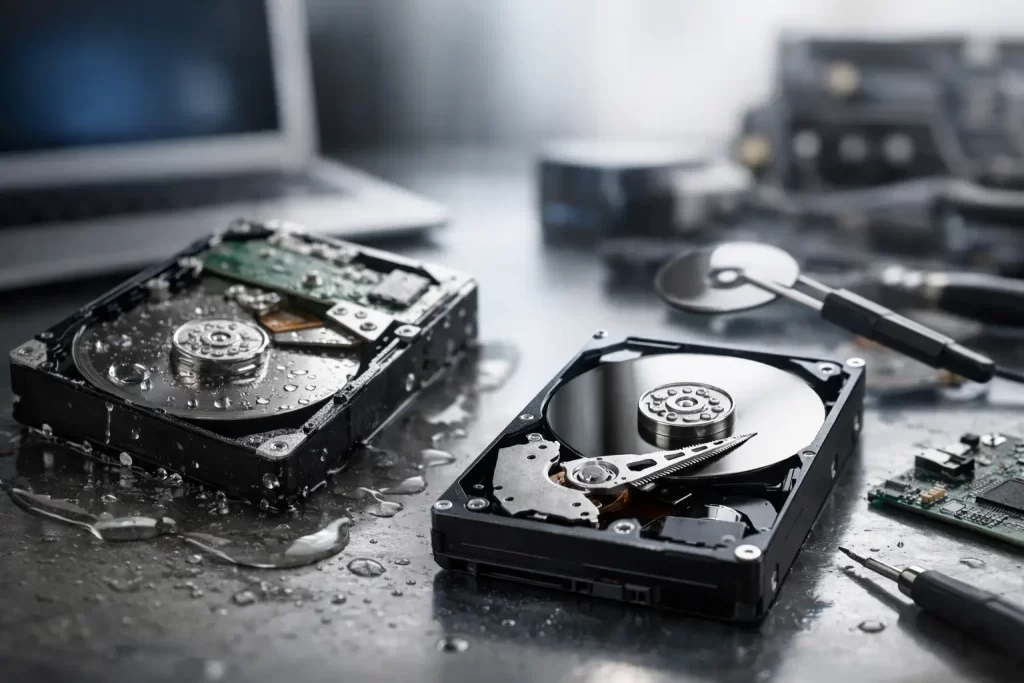
A phone dropped into water can look completely dead within minutes. But dead screen does not always mean lost photos, work files or messages. This water damage data recovery example shows why the first repair decision matters more than simply trying to turn the device back on.
A Darwin customer brought in an iPhone after it slipped from a pocket into a sink. It had been underwater only briefly, but the display was black, the phone would not charge and it became warm when a cable was connected. The customer’s priority was not a new screen or getting the phone replaced. It was recovering years of family photos, business contacts and notes that had not been backed up recently.
The phone was recoverable, but not because it was plugged in, dried with heat or left in rice. Those actions can make a board-level fault worse. Recovery started by stopping further electrical damage, assessing the logic board and working towards one goal: getting the original phone stable enough to access its encrypted data.
Water damage data recovery example: what happened first
Water is not the only problem inside a wet device. Once power is present, minerals and contaminants in the liquid can create short circuits between components. Corrosion then continues after the phone appears dry, particularly around connectors, charging circuits, display lines and power-management components.
In this case, the customer had tried charging the iPhone before bringing it in. That is understandable. Most people need their phone working immediately. But the heat near the charging port suggested a short on a power rail, so charging was stopped straight away.
The device was opened and disconnected from power. The logic board was inspected under magnification for corrosion and liquid residue. The visible damage was concentrated near the lower section of the board and display connector area, but water damage is rarely limited to what can be seen from the outside.
A standard screen replacement would not have solved this fault. The display itself had failed, but the phone was also drawing abnormal current. Fitting a new screen and attempting repeated boots could have placed more stress on an already compromised board. For data recovery, the safer path was diagnosis first, repair second.
The repair path: stabilise, test, then recover
The board was cleaned using professional equipment and tested with a bench power supply. This lets a technician monitor the way a device draws power during startup instead of relying on a battery and charger. An abnormal current pattern can point towards a shorted component, a failed charge circuit or a damaged power line.
After cleaning, the phone still would not boot normally. Board-level testing identified a fault in the display-related circuit along with corrosion affecting a small component on a power line. This is where micro-soldering matters. The damaged component was removed, the affected area was repaired and the board was retested before a known-good display was connected.
The goal was not to rebuild the phone cosmetically before checking the data. It was to achieve a stable boot long enough for the customer to unlock the device and create a backup. Modern iPhones encrypt data using hardware tied to the original logic board. Moving the storage chip to another phone is not a simple shortcut. In many cases, the original board must be repaired sufficiently to start and authenticate normally.
Once the phone booted, it was kept on charge under observation while a full backup was created. The customer confirmed that their photos, contacts, notes and recent work documents were present. Only after the data was secured did the conversation move to whether a full device repair was worthwhile.
That order of work reduced the risk. If a repair becomes uneconomical, if hidden corrosion creates later faults or if the handset is better replaced, the important files are already protected.
Why a quick fix can be the wrong fix
Some water-damaged phones need only a charging-port clean, battery replacement or screen replacement. Others have a failed backlight circuit, audio IC issue, boot loop, no-power condition or corrosion beneath board shields. The right approach depends on where the liquid travelled, whether power was applied and how long the device sat before treatment.
There is a trade-off between speed and certainty. If a customer needs the device back for a shift that afternoon, a technician may first assess whether a straightforward repair is safe and realistic. If the device contains irreplaceable photos or critical small-business records, preserving data should take priority over getting it looking normal quickly.
That is also why a device can appear to recover after drying, then fail days later. Moisture may evaporate, but corrosion does not simply disappear. A phone that switches on after a night near a fan can still have weakened components or residue causing intermittent faults. Back up the data immediately if it boots, then have it assessed.
What to do when a phone or laptop gets wet
Your first few actions can improve the chance of recovery. Do not keep testing whether it works. Do not plug it in for one more try.
- Turn the device off if it is still powered on, then disconnect chargers, headphones and accessories.
- Remove the case, SIM tray and any easily removable external parts. Gently wipe visible moisture from the outside.
- Keep it away from heat guns, ovens and direct sun. High heat can damage batteries, screens, seals and delicate board components.
- Bring it in for assessment as soon as possible, especially if it is warm, will not charge, shows lines on the screen or repeatedly restarts.
Rice is not a repair method. It does not remove corrosion from a logic board, and loose dust can enter charging ports and speakers. Silica packets may reduce surface moisture in a sealed container, but they do not replace professional cleaning or diagnostics when the device has been powered while wet.
For laptops, the advice is even more urgent. Shut the machine down, disconnect the charger and avoid opening and closing the lid repeatedly. Liquid can reach the keyboard, battery, motherboard and SSD. A Windows laptop or MacBook may store important files locally, so early assessment can make a real difference.
Data recovery is not always guaranteed
A professional technician should be clear about the limits. Water damage can destroy components that are essential for startup, and severe corrosion can continue beneath chips or inside layered boards. If a device has been exposed to saltwater, sugary drinks or detergent, the contamination can be more aggressive than clean tap water.
Data recovery can also be limited by a forgotten passcode, failed Face ID-related security components on certain devices, damaged storage hardware or a device that cannot be brought to a stable boot state. A repairable phone is not automatically a recoverable-data phone, and vice versa.
The positive part is that no-power does not automatically mean no chance. Advanced diagnostics and micro-soldering can often address failures that sit beyond routine parts replacement. At iSmashed, the assessment focuses on the actual failure mode – whether that is a shorted line, charge-port damage, failed display circuit, boot loop or deeper logic board fault – before recommending the most sensible next step.
Protect the data once it is back
The successful recovery in this example was only half the job. After the backup was complete, the customer enabled automatic cloud backup and copied key documents to a separate location. That gives you options if a future device is lost, damaged or stolen.
For small businesses, keep critical files outside a single phone or laptop wherever possible. Customer contacts, invoices, job photos and authentication details can all cause serious disruption when they live on one device. A simple backup routine costs far less than emergency recovery work.
If your wet device still turns on, use that window to back it up. If it is black, hot, boot-looping or refusing to charge, leave it off and get it assessed before another charging attempt turns a recoverable fault into a harder one.