
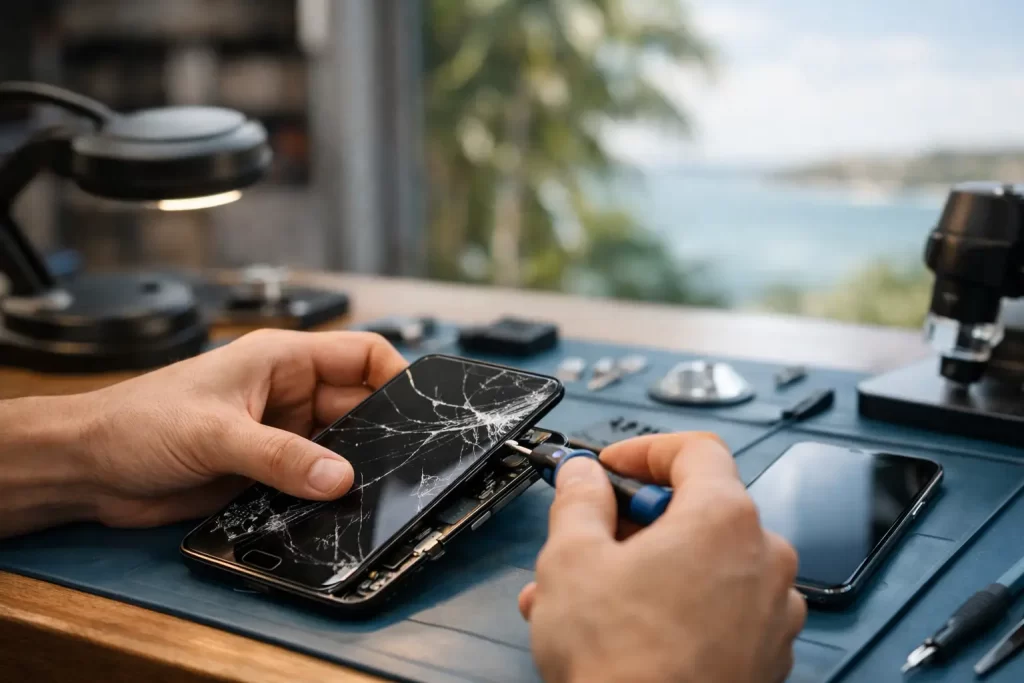
A cracked Samsung screen is not always just a cosmetic problem. A fine fracture can spread across the display after one more knock, while black patches, flashing, ghost touches or a dead touch area can make the phone unreliable when you need it for work, travel, banking or family calls. This guide to Samsung screen repair explains what has likely failed, what a proper repair involves, and when it is time to get the device checked rather than keep using it.
What counts as Samsung screen damage?
Samsung phones and tablets use several layers to create the screen you see and touch. The outer glass provides protection, the touch layer registers your input, and the display panel produces the image. On many newer Galaxy models, these parts are closely integrated. That is why a phone can look cracked but still work, or look physically intact yet show a black screen after a drop.
A damaged front panel commonly shows up as cracked glass, coloured lines, ink-like black spots, flickering, green or white display flashes, dead pixels, dim sections or touch areas that no longer respond. If the display is fully black but the phone still rings, vibrates or makes notification sounds, the device may be operating normally behind a failed screen.
Do not assume every issue is the screen itself. A hard impact can damage the display connector, frame or logic board. Water exposure can also cause corrosion around display circuits. That distinction matters because fitting a new screen will not fix a board-level fault.
Cracked glass with a working display
If the image and touch functions still work, it is tempting to wait. That can be reasonable for a small crack away from the viewing area, provided there are no sharp edges and the phone remains usable. But cracked glass weakens the front assembly. Moisture and dust can enter more easily, and a minor bump can turn a small crack into display failure.
Use a screen protector only as a short-term safety measure. It can hold loose glass together, but it does not restore the structural strength or original seal of the phone.
Black spots, lines and flickering
Black spreading patches usually mean the OLED or LCD layer has been physically damaged. Vertical or horizontal lines, colour distortion and intermittent flashes point to a display fault too. These symptoms rarely improve on their own. Continued pressure on the screen, such as carrying the phone in a tight pocket, can make the affected area spread.
Back up your data as soon as you can. If the touch screen still responds, connect to Wi-Fi, save photos and check that your cloud backup has completed. If it does not, a repair technician may be able to connect a known-good display temporarily to help recover access, depending on the model and the wider damage.
A practical guide to Samsung screen repair options
The right repair depends on the Galaxy model, the symptoms and the condition of the phone around the screen. Samsung’s range covers compact Galaxy A devices, S-series flagships, Note models, tablets and foldables. Parts, repair methods and pricing vary significantly between them.
For most models, professional repair means replacing the complete screen assembly. This provides new glass, display and touch functionality together, rather than trying to separate a cracked layer from a delicate panel. It is generally the more dependable option when there are display marks, flickering or touch faults.
Glass-only repair can sound cheaper, but it is not always suitable. It requires specialist separation equipment and only works where the underlying display is confirmed undamaged. On a curved OLED panel or a screen with hidden pressure damage, attempting a glass-only repair can create more risk than value.
A proper assessment should confirm the exact model and check more than the image on screen. The technician should test touch response, cameras, charging, speakers, microphones, proximity sensor, fingerprint function where applicable, buttons and frame alignment. This helps identify damage that occurred in the same drop and avoids surprises after the screen is replaced.
Genuine, premium and budget parts
Not all replacement displays are equal. The available part type depends on your Samsung model. A quality screen should provide clear brightness, stable colour, accurate touch response and a secure fit. Cheaper aftermarket options may be available for some devices, but can involve trade-offs in brightness, colour accuracy, refresh rate, durability or fingerprint performance.
For a newer premium Galaxy, display quality matters more because the original panel has advanced OLED technology and often an in-display fingerprint sensor. For an older or lower-value phone, a cost-effective compatible part can be sensible if the goal is to keep a reliable device running without overspending.
Ask what part is being fitted and what warranty applies. A clear parts warranty gives you a practical path if a supplied component develops a fault. It does not normally cover a new drop, liquid damage or physical impact after repair.
When a screen repair is worth it
Screen replacement is usually worthwhile when the phone is otherwise reliable, holds charge reasonably well and receives the software support you need. It is often the fastest route back to a familiar device with your apps, photos and settings already in place.
The decision changes if the phone has multiple issues. A smashed display plus rapid battery drain, bent frame, failing charge port or water damage may need a broader quote. In that situation, repair can still be the better value option, but only after the faults are diagnosed properly.
For business users, the cost of downtime matters too. Replacing a screen on a working Galaxy can be cheaper and less disruptive than setting up a new handset, restoring accounts and reconfiguring work apps. The same applies to students relying on a tablet and travellers who need maps, bookings and contact access while in Darwin.
Foldable Samsung phones need particular care. A crease line, lifting protector, black section or hinge-related display issue should be assessed before anyone tries to peel, press or glue anything down. Foldable screens and hinges are specialised assemblies, not a standard phone screen swap.
What to do before bringing in your Samsung
First, stop pressing on a damaged screen. Avoid tape directly over exposed display areas, superglue and DIY heat treatments. These can cause further damage, contaminate internal components or make a later repair harder.
If the device is still accessible, back it up and remove your SIM card if preferred. Make a note of any existing problems, such as a camera that was not focusing or a charge port that was already loose. This gives the technician a clearer starting point and helps separate pre-existing faults from impact damage.
You may need to provide your passcode for full post-repair testing. If you are not comfortable doing that, ask what can be tested without access and what checks will need to be completed while you are present. A reputable repairer should treat your privacy carefully and explain the process plainly.
Do not rely on a cracked screen to remain water-resistant. Even phones originally rated for water resistance can lose that protection after impact. A professional repair can restore the display assembly and adhesive seals where applicable, but no repair should be treated as a guarantee against water damage. Keep the device dry, especially before and after the repair.
Fast Samsung repairs without guesswork
For a straightforward Samsung screen replacement, the priority is accurate diagnosis, the correct part and careful testing – not simply getting the phone open as quickly as possible. Many common repairs can be completed quickly when stock is available, while complex impact, water or board-level faults may need additional assessment.
At iSmashed, Samsung screen repairs are handled alongside battery, charge-port, water-damage and micro-soldering work. That broader capability matters when a drop has caused more than broken glass. If the replacement screen does not resolve a no-display issue, the problem may sit at connector or logic board level and needs a technician who can diagnose beyond the front panel.
If your Galaxy is cracked, flickering, showing black spots or no longer responding to touch, get it checked before a manageable repair becomes a full device failure. A quick, professional assessment can give you a clear repair path and get an essential device back in your hands with less downtime.