
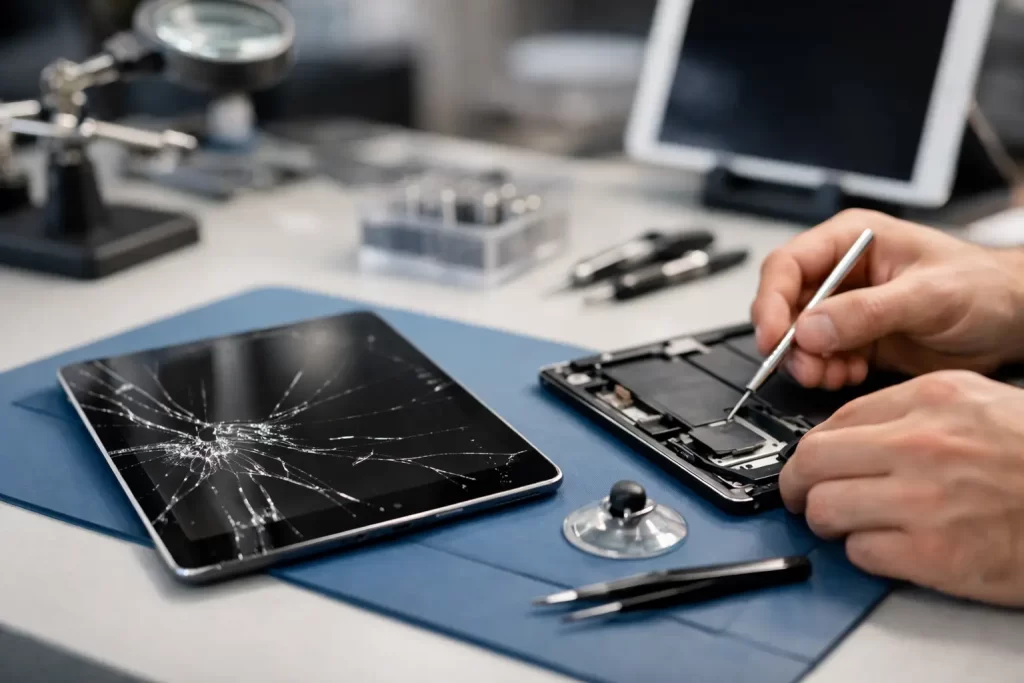
A cracked iPad rarely happens at a convenient time. One drop at work, in the car, or at home with the kids, and suddenly the screen is splintered, touch stops responding properly, and you are wondering how to fix cracked iPad damage without making it worse.
The short answer is this: some cracked screens are only surface damage, but many involve the digitiser, LCD, frame, or even internal board connections. That is why the right fix depends on what actually failed. If you guess wrong, a simple screen repair can turn into a more expensive job.
How to fix cracked iPad damage without causing more problems
The first step is not repairing it. It is stopping further damage.
If the glass is lifting, flaking, or shedding small shards, put a screen protector or clear tape over the damaged area to contain the glass. That is not a repair, but it helps prevent cuts and stops loose fragments from pressing deeper into the display. Then power the iPad down if the crack followed a hard impact, especially if the screen is blacking out, flickering, or showing lines.
Do not keep charging it if the housing is bent or the battery area looks swollen. A drop can shift more than the front glass. On some iPads, impact damage can also affect the frame, battery, proximity components, front camera alignment, and the touch layer.
At this point, inspect three things: whether touch still works, whether the image underneath looks normal, and whether the chassis is bent. Those details tell you a lot about what kind of repair is actually needed.
What is actually cracked on your iPad?
People often say the screen is cracked, but on an iPad that can mean different parts.
On some models, the front glass and touch digitiser are separate from the LCD. In those cases, the image can still look perfect while the outer glass is smashed. On other models, the display assembly is more integrated, so impact damage may mean replacing the full screen unit rather than just one layer.
If your iPad still shows a clear picture but touch is erratic, dead in certain spots, or ghosting on its own, the digitiser is likely damaged. If there are black blotches, coloured lines, white patches, or no image at all, the LCD has probably been hit too. If the corners of the body are dented or twisted, frame damage can stop a new screen from fitting correctly unless the housing is corrected first.
That is where a lot of DIY repairs go wrong. The visible crack is only part of the problem.
Can you fix a cracked iPad yourself?
Sometimes, but it depends on the model, the damage, and your tolerance for risk.
If you are searching how to fix cracked iPad screens because you want the cheapest option, DIY can look tempting. Replacement parts are widely available, and plenty of videos make the job seem straightforward. In reality, iPad screen repairs are fiddly. Adhesive strength matters. Heat control matters. Cable routing matters. So does knowing how much force the frame can take before the LCD cracks during removal.
Older iPads with separate glass and LCD assemblies are generally more forgiving than newer, thinner models. Even then, opening one up without damaging the home button assembly, front camera bracket, antenna flex, or display cable takes care. If Touch ID is involved, one mistake can create a much bigger issue than a cracked screen.
For most people, DIY only makes sense if the device is older, the value is low, and you are comfortable with the chance of total screen failure during the process. If the iPad is used for work, school, travel, bookings, payments, or keeping the family organised, downtime usually costs more than the repair itself.
The risks of DIY iPad screen repair
A cracked iPad is one of those jobs that looks simple from the outside. Remove broken screen, fit new screen, done. That is not how it usually goes.
The most common issue is additional breakage during opening. Cracked glass does not lift cleanly, and once the adhesive starts resisting, it is easy to damage the LCD underneath. Another common problem is a poor-quality replacement part. Cheap screens can have weak touch response, poor brightness, incorrect colour, or premature failure.
Then there is frame damage. If the aluminium edge is even slightly bent, the replacement screen may not sit flush. That leads to lifting corners, pressure spots, or repeat cracking. In more serious drops, the board itself can take a hit. If the iPad has no backlight, no touch, boot loops, or charging faults after impact, the repair may move beyond the screen and into diagnostics, micro-soldering, or logic board work.
That is the trade-off. DIY may save money on paper, but only if everything goes right the first time.
When professional repair is the better call
Professional repair is usually the better option when the iPad is newer, the display shows image damage, the frame is bent, or the device is still important to your day-to-day life.
A proper repair is not just fitting a new panel. It starts with checking whether the housing is true, whether the LCD is intact, whether the battery is safe, and whether there are secondary faults from the drop. That is especially relevant if the iPad was already weakened by a previous repair, battery swelling, water exposure, or pry damage.
A good technician will also match the repair to the actual fault. Sometimes that means replacing the glass and touch layer. Sometimes it means a full display assembly. Sometimes the impact has damaged charging components, board connectors, or backlight circuitry, and the screen is only one part of the job.
That is why speed matters, but diagnosis matters more. Fast is useful. Fast and correct is what saves money.
How to fix cracked iPad screens the smart way
If you want the simplest answer to how to fix cracked iPad screens, it is this: get the damage assessed before you decide whether to repair, replace, or retire the device.
For a relatively minor crack with normal image and touch, a screen replacement is often straightforward. For impact damage with lines, blank display, touch failure, frame distortion, or charging problems, the right path may involve more than a front panel swap. If the iPad contains important photos, school files, notes, business apps, or customer data, preserving the device properly during repair should be part of the conversation too.
This is where a local repairer with both standard screen repair capability and board-level experience has an advantage. If the problem turns out to be more than glass, you are not starting the process again somewhere else.
For Darwin customers who need a quick turnaround, that practical side matters. You want a clear quote, a realistic timeframe, and a repair backed by warranty rather than guesswork.
Signs your cracked iPad needs urgent attention
Not every cracked iPad is an emergency, but some are worth dealing with quickly.
If the screen is lifting away from the frame, that can worsen fast with normal use. If touch is activating on its own, the device may become difficult to back up or unlock. If there are black spots spreading across the image, LCD damage can deteriorate over time. If the iPad gets hot after the drop, stops charging properly, or the chassis is visibly bent, stop using it until it has been checked.
The same goes for devices used by children. A heavily shattered front glass is not just annoying. It is a safety issue. Tiny fragments can keep working loose, and repeated tapping on broken glass can push damage deeper into the display stack.
Is it worth repairing a cracked iPad?
Usually yes, but it depends on the model and the extent of the damage.
If the iPad is still current enough to serve your needs, a quality repair is often much cheaper than replacement. That is especially true for families, students, and small businesses trying to avoid the cost of a brand-new device. If the iPad is very old, already slow, or has multiple faults on top of the cracked screen, replacement may be the better value.
The useful question is not just, can it be fixed? It is, what will the total repair involve, and does that stack up against the life you will get from the device afterwards?
A trustworthy repair shop should be direct about that. If it is worth fixing, they should say so. If it is not, they should say that too.
What to do next
If your iPad is cracked but still working, avoid pressing on the damaged area, keep it dry, and back it up as soon as you can. If touch is failing, the image is distorted, or the frame is bent, stop using it and get it assessed before more components are affected.
At iSmashed, we see plenty of iPads that started as a simple cracked screen and turned into a bigger repair after a DIY attempt or too much use in a damaged state. The good news is that many can still be repaired quickly and affordably when the issue is caught early.
A cracked iPad does not always mean a dead one. The trick is getting the right fix the first time, so you can get back to work, study, or keeping the household running without unnecessary downtime.