
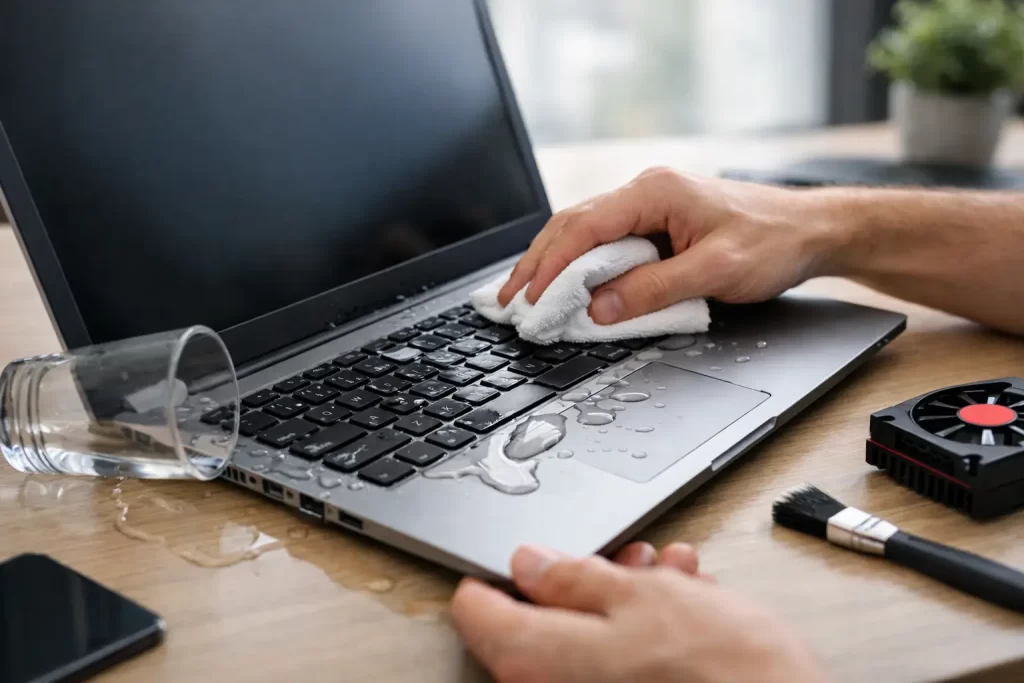
Tea across the keyboard. Rain in the backpack. A knocked-over water bottle five minutes before a meeting. If you are searching for how to save water damaged laptop, speed matters more than guesswork. The right first moves can reduce corrosion, protect your data, and give the device a real chance of recovery. The wrong ones can turn a repairable laptop into a dead logic board.
A liquid-damaged laptop is not always finished. Some survive with basic cleaning and part replacement. Others need board-level diagnostics, micro-soldering, or data recovery. The outcome depends on what liquid got in, how much entered the machine, how long power stayed on, and whether corrosion has started spreading across the board.
How to save water damaged laptop in the first 10 minutes
Your first job is simple – stop power, stop spread, and avoid making it worse.
Turn the laptop off immediately. If the screen is still on, hold the power button down until it shuts off. Do not keep testing keys, clicking the trackpad, or trying to save files. Every second with power running through wet components increases the risk of a short.
Unplug the charger and remove every accessory. That includes USB devices, SD cards, HDMI cables, headphones, and anything else connected to the machine. If the battery is removable, take it out straight away. On many modern laptops the battery is internal, so if you cannot remove it safely, leave it alone rather than damaging the casing.
Now place the laptop on a flat surface and gently blot visible liquid with a clean, lint-free cloth. Do not shake it around. Do not press keys to “see what still works”. If the spill was across the keyboard, open the laptop carefully and angle it so excess liquid can drain away from the screen and deeper board areas. A tent or inverted V position often works better than laying it flat.
If the liquid was plain water, that is the best-case scenario. If it was coffee, soft drink, wine, beer, or anything sugary, sticky, or acidic, the urgency goes up. Those liquids leave residue behind, and residue keeps causing damage long after the visible moisture is gone.
What not to do after a spill
A lot of laptops are lost not by the spill itself, but by the next decision.
Do not turn it back on to check if it still works. Do not plug in the charger “just to see”. Do not use a hair dryer, heater, oven, or direct sun. High heat can warp plastics, damage the battery, and push liquid further into connectors and under chips.
Skip the rice. It does not clean residue, it does not remove moisture trapped under ICs, and rice dust inside a laptop is not helping anything. Also avoid spraying random cleaning products through the keyboard. Water damage treatment is about controlled disassembly and proper cleaning, not home remedies.
If you are comfortable opening electronics, you can remove the bottom cover on some models. But that only makes sense if you have the right tools and know how to disconnect the battery safely. For many people, forcing a cover off causes more damage than the spill did.
How water damages a laptop
People often assume the danger ends once the machine dries. That is not how it works.
Liquid causes problems in two main ways. First, while the laptop is still powered, it can create immediate short circuits. That can burn out charging circuits, keyboard lines, backlight circuits, SSD rails, or major board components in seconds.
Second, after the spill, minerals and contaminants start corrosion. That corrosion eats away at pads, connectors, traces, and component legs. A laptop may appear fine on day one, then lose charging, audio, keyboard response, Wi-Fi, or display output days later. This is why a machine that “came back on after drying” is not automatically repaired.
Sugary or salty liquids are worse than clean water because they conduct electricity differently and leave aggressive residue. Coastal humidity can also speed up corrosion once contamination is inside the device, which is one reason quick action matters in Darwin conditions.
Drying it out is not the same as fixing it
Leaving a laptop open for 24 to 48 hours may help surface moisture evaporate. It does not remove contaminants from the board, keyboard membrane, battery connector, or charging area. If the liquid reached the motherboard, proper cleaning is usually the difference between a temporary reprieve and an ongoing fault.
That cleaning often involves disassembly, inspection under magnification, and targeted treatment of affected areas. In more serious cases, it can also mean ultrasonic cleaning, replacing corroded connectors, repairing blown components, and testing rails on the logic board. If you need the laptop for work or study, hoping for the best is rarely the fastest path back to reliable use.
Signs your laptop may still be recoverable
Not every spill ends the same way. A laptop often has a good chance of recovery if you powered it off quickly, the spill volume was small, and the liquid did not reach deeper board sections.
Positive signs include no burnt smell, no visible smoke, and no obvious cracking or swelling around the battery area. Even if it will not boot, that does not mean the data is gone. In many cases the SSD is intact, or the board can be stabilised long enough for data recovery.
On the other hand, if the laptop was left running while soaked, kept on charge after the spill, or has visible corrosion around the charging port or board, the repair may be more complex. Still possible, yes. Just less likely to be a quick clean-and-go job.
When to get professional help
If the machine is valuable, contains important files, or was hit by anything other than plain water, professional assessment is the smart move. The same applies if it shows any of these fault patterns after drying:
- no power
- keyboard keys pressing on their own
- fan spinning but no display
- charging light on, but no boot
- trackpad or USB ports not responding
- screen backlight failure or flickering
- burning smell or unusual heat
These symptoms often point to board-level damage rather than a simple keyboard issue. That is where diagnostics matter. A proper repair shop can test whether the failure sits in the power circuit, keyboard matrix, display line, storage, or another affected area. If corrosion has spread under chips or connectors, micro-soldering may be required to restore the laptop safely.
For urgent cases, fast turnaround matters just as much as technical skill. A local repairer with water-damage treatment, logic board repair, and data recovery capability can often give you a clearer answer sooner than a standard swap-only service.
Can you save the data if the laptop cannot be saved?
Often, yes.
If the motherboard is too badly damaged to make full repair economical, the data may still be recoverable. On some laptops, the storage drive can be removed and read separately. On others, especially newer models with soldered storage or encrypted chips, recovery is more complex and may depend on the board being repaired enough to access the files.
This is why repeated power-on attempts are risky. Every failed boot can worsen the damage and reduce recovery options. If the files matter, stop experimenting early.
How to save water damaged laptop without making repair costs worse
The cheapest outcome usually comes from quick, sensible action. Turn it off. Disconnect power. Do not charge it. Do not heat it. Do not wait a week while corrosion spreads.
If you can get it assessed quickly, do that. Early cleaning can prevent failures that later require component replacement. Left too long, a manageable spill can turn into a dead charging circuit, keyboard failure, trackpad damage, speaker issues, and board corrosion across multiple zones. That is when costs climb.
It also helps to be honest about the liquid involved. Plain water, coffee with sugar, soft drink, alcohol, and pet accidents all leave different contamination behind. Telling the technician exactly what happened gives them a better shot at targeted repair from the start.
The reality with liquid damage
There is no honest promise that every water-damaged laptop can be saved. Sometimes the spill is minor and the fix is straightforward. Sometimes the machine powers on after cleaning but later needs a keyboard, battery, display cable, or board repair. Sometimes full device recovery is not viable, but the data is.
That is the trade-off with liquid damage – the sooner you act, the more options you keep open. Fast shutdown protects circuits. Proper cleaning limits corrosion. Accurate diagnostics stop money being wasted on the wrong part.
If your laptop has taken a spill, treat it like an urgent repair, not a waiting game. A calm first response gives the device – and your files – the best chance of coming back.