
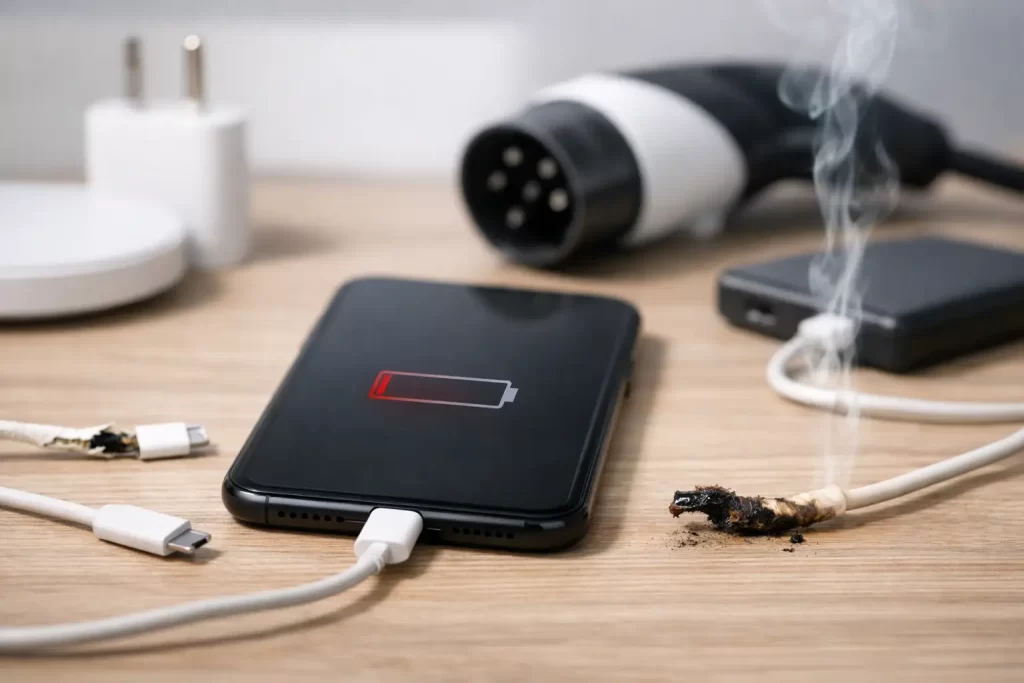
Your phone says it is charging, then drops a few per cent anyway. Your tablet only powers up if the cable sits at a strange angle. Your laptop charger gets warm, but the battery never moves. These are the top causes of charging failure, and the sooner you narrow them down, the better your chance of avoiding a bigger repair bill.
Charging faults are rarely random. In most cases, the problem sits in one of four places – the charger, the charging port, the battery, or the board that manages power. The tricky part is that the symptoms can overlap. A dead battery can look like a bad port. A cheap cable can mimic a motherboard fault. That is why guessing often wastes time.
Top causes of charging failure in everyday devices
The most common cause is still the simplest one: a failed cable or power adaptor. Cables bend near the connector, internal wires break, and adaptors lose stable output over time. This is especially common with heavily used phone and tablet chargers that live in bags, cars, and power boards.
Not every bad charger fails completely. Some supply enough power to trigger the charging symbol, but not enough to actually charge the device under use. That is why a phone may hold steady at 8 per cent or charge only when switched off. Fast-charging devices are even more sensitive here. If the charger does not negotiate the correct voltage and current, charge speed drops sharply or stops altogether.
The next major issue is debris in the charge port. Pocket lint, dust, sand, and compacted grime can stop the connector from seating properly. In Darwin conditions, heat, humidity, and day-to-day dust do devices no favours. We often see ports that are not broken at all – they are simply packed tight enough to block the cable from locking in.
Then there is wear inside the port itself. Repeated plugging and unplugging loosens internal pins. A cable yanked sideways from a couch, desk, or car mount can damage the port housing. USB-C ports, Lightning ports, and laptop DC jacks all suffer wear, just in slightly different ways. Once contact becomes inconsistent, charging cuts in and out with the slightest movement.
Battery failure is another big one. Batteries degrade with age, heat, and charging habits. After enough cycles, they stop accepting charge normally, report incorrect percentages, or shut down under load. Sometimes the device appears not to charge at all when the battery is actually too worn or unstable to hold the incoming power.
Finally, there are board-level faults. These are less common than cable or port issues, but they matter because they are often misdiagnosed. A damaged charging IC, blown filter, shorted line, corrosion from liquid exposure, or previous repair damage can all stop a device from charging even when the port looks fine. This is where proper diagnostics matter.
Why charging failure is not always a port problem
People usually blame the port first, and fair enough – it is the visible part. But charging is a chain. Power has to leave the wall adaptor, travel through the cable, pass the port, move through charging circuits, and finally reach a battery that can accept it. If one link fails, the whole system looks dead.
That is why symptoms need context. If the cable only works at a certain angle, yes, the port may be worn. But the same symptom can come from a split cable head. If the device gets warm but does not charge, that could be a battery issue, a board short, or a poor-quality adaptor delivering unstable power. If wireless charging works but cable charging does not, the fault leans more towards the port or charge management path.
This is also why online cleaning videos and generic advice can get people into trouble. A light clean can help when lint is the problem. Digging around aggressively with metal tools can bend pins, break the port, or short something out. A simple issue becomes a proper repair very quickly.
Water damage changes the picture
Liquid exposure deserves its own mention because it can create charging faults days after the spill. A phone dropped in water may seem fine at first, then later stop charging, overheat, or show accessory errors. Corrosion keeps spreading after the event, especially if moisture sits inside the port or on the board.
Rice does not fix this. Drying the outside does not reverse corrosion on internal lines, charging filters, or connector pads. If a device has had contact with water, charging failure may be the first warning sign of a deeper board issue.
Cheap accessories can cause repeat problems
Low-quality charging accessories are not just slower. They can be inconsistent, run hot, and place extra stress on ports and power management circuits. In some cases, they trigger intermittent charging for months before the real damage becomes obvious.
There is a trade-off here. Not every third-party charger is bad, and not every original charger is worth the price for every user. But ultra-cheap cables and adaptors often cost more in the long run if they contribute to port wear or unstable charging behaviour.
How to tell what is actually wrong
Start with the obvious checks, but keep them controlled. Test a known good cable and adaptor, ideally one that matches your device’s charging standard. If you swap three unknown chargers, you have not ruled much out.
Look at the port under good light. If the connector does not sit flush, lint may be packed inside. If the cable feels loose, the port may be worn or damaged. If charging cuts in and out when the plug moves, that points to either connector wear or broken internal solder joints.
Battery-related signs are different. The device may jump percentages, switch off before hitting zero, charge very slowly, or get hot during charging. On laptops, you may also see battery warnings or a machine that runs only while plugged in. On phones and tablets, a swollen battery can add pressure inside the frame and cause secondary issues.
Board faults tend to show a wider mix of symptoms. No charge response at all with multiple known good chargers. Charging current present but battery not increasing. Fast drain even while connected. Heat around the board rather than the battery. A history of water exposure, drops, or failed previous repair attempts. These are all signs that the issue may go beyond a basic port swap.
When a charging issue needs proper repair
If your device only charges at an angle, stops charging after a drop, has visible corrosion, or has already been through a cable and charger change with no improvement, it is time for diagnostics. The same goes for devices that charge slowly, overheat, or lose power despite showing the charging icon.
Port cleaning is quick when debris is the real fault. Port replacement is common when the connector is physically worn. Battery replacement solves a large share of older-device charging complaints. But if those parts are healthy, the next step is usually board-level testing – tracing lines, checking for shorts, measuring current draw, and identifying failed charging components.
That matters because replacing the wrong part wastes money and delays the real fix. A customer might fit a new battery, then a new charger, then a new port, only to find the actual problem was a charging IC or liquid-damaged line on the motherboard. Shops with micro-soldering capability can usually go further than standard parts replacement, which is important for data-critical devices and higher-value laptops.
At iSmashed, that practical approach matters. If it is lint, say so. If it needs a port, fit the port. If it is a board fault, diagnose it properly and explain the repair path clearly. Fast turnaround only helps when the diagnosis is right the first time.
Preventing repeat charging failure
A few habits make a real difference. Use decent-quality cables, avoid forcing connectors in the dark, and do not keep using a charger that cuts in and out. Keep ports away from dust and sand where possible, and be careful with charging in bed or on soft surfaces where heat builds up.
For laptops, strain on the charging cable is a major issue, especially near desks and couch edges. For phones, charging while gaming or running navigation in a hot car puts extra stress on both battery and charging circuits. None of this guarantees failure, but it accelerates wear.
If your device has already started showing intermittent charging, do not leave it until it stops completely. A loose port can sometimes be a straightforward repair. Leave it too long, and repeated movement can damage pads or lines underneath, turning a simpler job into a more involved one.
When your device will not charge properly, the smartest move is not guessing harder. It is isolating the fault quickly, fixing the right part, and getting back to normal without unnecessary downtime.