
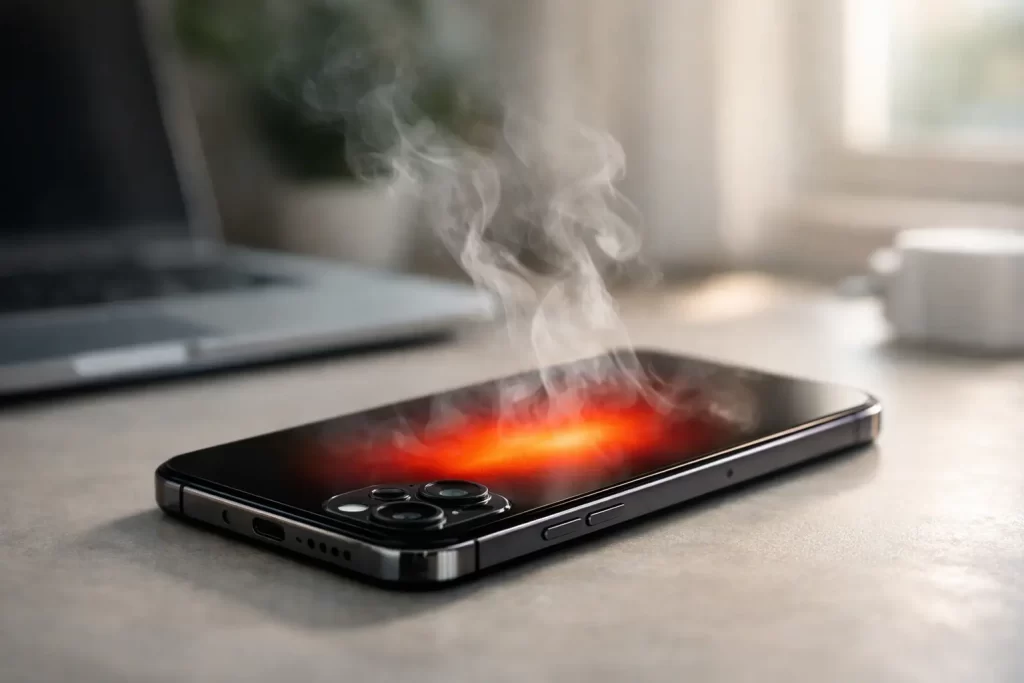
Your iPhone feels hot in the hand, the screen dims, charging slows down, and suddenly everything starts lagging. If you’re asking why is my iPhone overheating, the answer is usually simpler than people expect – but not always harmless. Some heat is normal. Excess heat, repeated heat, or heat that shows up with battery drain, freezing, or random restarts usually means something needs attention.
In Darwin, heat from the environment can make the problem show up faster. A phone left in a car, used in direct sun, or pushed hard on charge can go from warm to genuinely unstable in no time. The key is knowing the difference between normal operating warmth and a fault that is starting to get worse.
Why is my iPhone overheating during normal use?
An iPhone generates heat whenever it is working. Streaming video, gaming, video calls, GPS navigation, mobile hotspot use, and charging all create warmth. That alone is not a fault. What matters is how often it happens, how hot it gets, and whether performance drops with it.
If the phone only heats up during heavy tasks, that can be normal. If it gets hot while sitting idle, checking messages, or charging overnight, that points to a problem. In most cases, overheating comes down to one of four areas: software load, battery stress, charging issues, or hardware damage.
Background activity can push the phone harder than you think
A common cause is excessive background processing. After an iOS update, a phone may spend hours reindexing photos, syncing data, or refreshing apps. If dozens of apps have background refresh enabled, heat and battery drain can rise together.
Poor mobile signal can also make an iPhone run hotter. When reception is weak, the phone works harder to maintain connection to the network. That is especially noticeable when travelling, working in patchy coverage areas, or using 5G in places where signal strength fluctuates.
Charging habits matter
Fast charging creates more heat than standard charging. That is expected. The issue starts when fast charging is combined with heavy use, cheap charging accessories, or a worn battery. Using the phone for navigation, video, or gaming while charging is one of the quickest ways to raise internal temperatures.
Non-genuine or low-quality charging cables and adaptors can also cause unstable power delivery. Sometimes the result is just slow charging. Other times it creates heat around the charge port, battery area, or logic board.
The most common reasons an iPhone overheats
Software is often the easiest place to start, but it is not the only possibility. If overheating keeps returning, one of these causes is usually behind it.
A battery that is ageing or failing
Older batteries do not regulate power as efficiently as healthy ones. As battery health drops, the phone may heat up more during charging and everyday use. If the device gets hot and the battery drains unusually fast, that is a strong sign the battery is under strain.
In more serious cases, a failing battery can swell. You might notice the screen lifting slightly, pressure marks on the display, or the phone rocking on a flat surface. That is no longer a wait-and-see issue.
A charging port or charging circuit fault
If heat builds near the bottom of the phone, the charge port may be contaminated or damaged. Dust, lint, corrosion, and bent pins can interfere with charging efficiency. On some devices, the issue is not the port itself but the charging IC or surrounding board-level circuitry.
This is where overheating becomes less about apps and more about electrical behaviour. If the phone heats up every time it is plugged in, stops charging intermittently, or only charges at certain cable angles, a proper inspection is the smart next step.
Water exposure or corrosion
Not all water damage causes immediate failure. A phone may seem fine for days or weeks before corrosion starts affecting power management. That can lead to heat, battery drain, touch issues, boot loops, or sudden shutdowns.
Liquid damage often sits behind “mystery” overheating cases, especially if the phone was exposed to rain, humidity, spills, or steam and never had internal cleaning or treatment afterwards.
Logic board faults
Persistent overheating with no obvious software trigger can indicate a board-level issue. Power management faults, shorted components, damaged ICs, or previous poor-quality repairs can all create abnormal heat. These problems are less common than battery wear, but when they happen, the phone usually shows other symptoms too.
You may see restarts, no service, rapid battery drop, charging instability, camera failure, audio faults, or a device that becomes hot even in standby. That is not something a settings reset will fix.
What to do if your iPhone is overheating
Start with the simple checks. Turn the phone off for a few minutes and move it out of direct sunlight. Remove a thick or poorly ventilated case. Stop charging it and close any demanding apps, especially games, camera use, hotspot, or navigation.
Then check battery health in Settings. If the battery capacity is low and performance management warnings are showing, the battery may be part of the problem. Also look for pending iOS updates, as software bugs can occasionally cause unusual heat or drain.
If the phone has recently been restored, updated, or set up from backup, give it some time. Short-term warmth during indexing can settle down on its own. If it is still overheating after a day or two of light use, the issue is likely deeper.
It is also worth testing your charging setup. Swap to a known good cable and adaptor. If heat appears only with one charger, the accessory may be the culprit. If it happens with every charger, the fault is more likely in the phone.
When overheating is a warning sign
There is a difference between “running warm” and “something is wrong”. If your iPhone displays a temperature warning, keeps dimming the screen, drops brightness on its own, or refuses to charge until it cools down, it is protecting itself. Apple builds these limits in for a reason.
You should stop using the phone and avoid charging it if you notice heat combined with any of the following: swelling, a chemical smell, random shutdowns, touch issues, flickering, charging only at certain angles, or heat without active use. Those signs suggest battery failure, charge-port damage, corrosion, or motherboard trouble.
Repeated overheating also shortens the life of other components. It can accelerate battery wear, stress the display, and in some cases worsen an existing board fault. Waiting rarely makes it cheaper.
Why is my iPhone overheating after a repair?
If your iPhone started overheating after a screen replacement, battery replacement, or charge-port repair, the work itself may need to be checked. A poor-quality battery, damaged flex, missing thermal shielding, trapped debris, or incorrect installation can all contribute to heat problems.
That does not mean every post-repair warm phone is faulty. Some devices run slightly warmer for a short period after setup or system updates. But if the heat is new, persistent, and clearly worse than before the repair, it is worth having the device inspected properly.
This matters even more if the phone has had previous repair history from more than one shop. Layered faults are common. A weak battery might hide a charging issue, and a charging issue might be sitting on top of corrosion or board damage.
When a quick fix is enough, and when you need a technician
If overheating is caused by heavy app use, environmental heat, signal hunting, or a temporary software task, a few changes can solve it. Lower screen brightness, reduce background app refresh, avoid using the phone while charging, and keep it out of enclosed hot spaces like cars and work vans.
If the phone overheats regularly for no clear reason, especially during charging or idle time, it needs more than a settings tweak. That is where proper diagnostics matter. A battery test, charge-port inspection, and board-level assessment can identify whether the issue is simple wear or something more technical.
At iSmashed, that is exactly the sort of fault we see every day – from straightforward battery replacements to charge-port faults, liquid damage treatment, and micro-soldering for board-level power issues. Fast diagnosis saves time. It also helps prevent a heat problem from turning into data loss or total device failure.
A hot iPhone is not always an emergency, but it should never be ignored when the pattern keeps repeating. If the heat is new, getting worse, or showing up with charging problems and battery drain, trust what the phone is telling you. Early action usually means a simpler repair, a faster turnaround, and less downtime.