
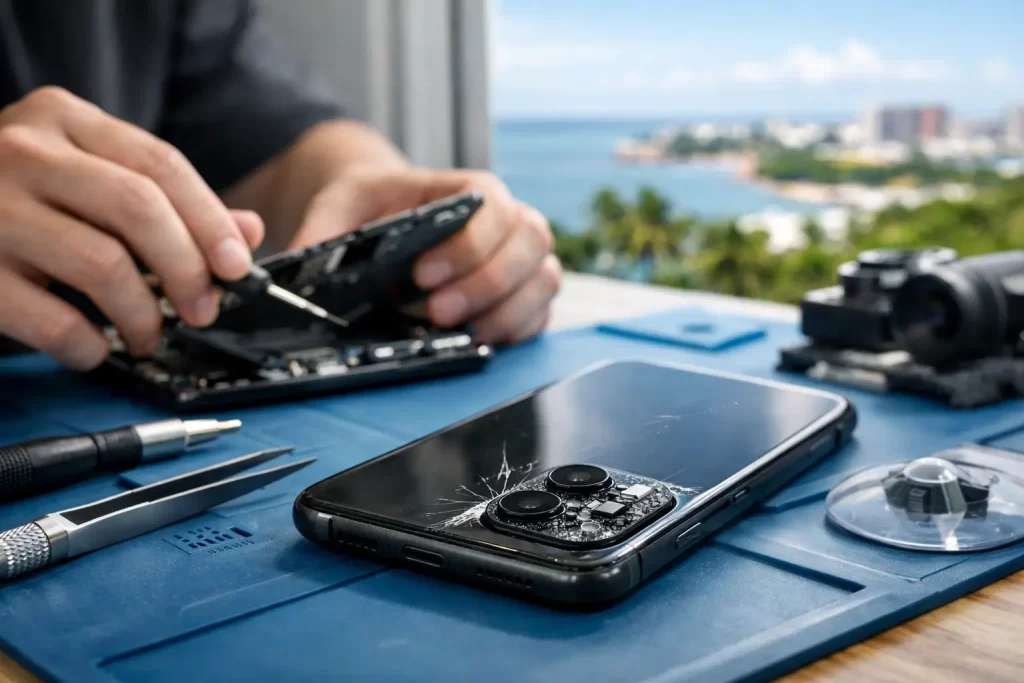
Your camera fails just as the kids do something worth filming, you need proof of a delivery, or you are trying to scan a work document. The best fixes for broken phone cameras depend on what the fault is actually doing. A blurry image, black preview screen, cracked lens cover and camera app that will not open can look similar from the outside, but they require very different repairs.
The good news is that not every camera fault means your phone needs replacing. Some problems take two minutes to rule out. Others need professional diagnostics, especially after a drop, water exposure or a failed repair. Start with the safe checks below, then get the device assessed if the fault persists.
Best fixes for broken phone cameras start with the simple checks
Before assuming the camera module has failed, remove the case and any lens protector. Thick cases can partly block a lens, while cheap or scratched lens protectors can create glare, haze and poor focus. Wipe every lens gently with a clean microfibre cloth. Do not use paper towel, abrasive cloths or household cleaners.
Open the camera app and switch between the front and rear cameras. Then try each available zoom level. On phones with multiple lenses, a failed ultra-wide or telephoto camera may only become obvious at a specific zoom setting. Testing each lens helps narrow down whether the issue is software-wide or isolated to one camera.
Next, restart the phone. A restart clears temporary app crashes and can restore a camera preview that has frozen or gone black. If the camera works in one app but not another, check that app’s camera permissions in Settings. Social media and video-call apps can lose permission after an update or privacy setting change.
Make sure there is free storage available as well. A phone with almost no space can struggle to save photos, record video or process images correctly. Delete files you no longer need or move them to secure storage before testing again.
When a software problem is the likely cause
A camera that suddenly stops working after an operating system update, or works intermittently without physical damage, may be dealing with software rather than hardware. Update the phone and the affected app where available. This can correct known camera bugs, compatibility issues and processing faults.
If the camera crashes only in one app, delete and reinstall that app after confirming your account details and important drafts are safe. If every app shows a black screen, test the built-in camera first. A factory reset can sometimes resolve deep software corruption, but it should be a last resort and only after a complete backup. Resetting a phone will not repair a damaged camera sensor, torn flex cable or faulty logic board.
Be cautious with so-called camera repair apps. They cannot repair cracked glass, water damage or failed components. At best, they may identify a permissions problem. At worst, they fill your device with ads and delay a proper diagnosis.
Blurry photos usually point to the lens cover or focus system
If your photos are blurry, cloudy or covered in flare, inspect the outer camera glass under good light. The glass over the lens is separate from the camera module on many phones. A crack, deep scratch, chip or loose coating can distort every photo even when the sensor underneath is working perfectly.
Replacing damaged lens glass is often more cost-effective than replacing the full camera assembly. It also protects the inside of the phone from dust and moisture. Leaving a cracked lens cover open to Darwin humidity, rain or pocket dust can turn a small repair into corrosion inside the device.
Blurry images can also come from a failed autofocus mechanism. You may notice the camera hunting for focus, clicking, shaking or taking sharp photos only at certain distances. On stabilised cameras, a hard drop can damage the optical image stabilisation system. In that case, cleaning the lens and changing settings will not solve it. The camera module needs testing and, where appropriate, replacement.
A black camera screen can be more than an app fault
A black preview screen is one of the most common phone camera complaints. First, test both front and rear cameras, then try video mode and a second app. If one camera works and the other stays black, the fault is likely localised to one module, connector or flex cable.
If all cameras fail after a drop, the issue may be on the logic board rather than in the camera itself. Modern phones route camera signals through tightly packed board components. A loose connector, damaged line, failed power circuit or board-level fault can stop the camera from loading even though the lens looks untouched.
This is where basic parts swapping can become expensive guesswork. A proper technician can inspect the module, test connections and determine whether the fault needs a camera replacement or advanced micro-soldering and logic board repair. That distinction matters, particularly on premium iPhones and Samsung models where a new module alone may not address the cause.
What to do after a drop or cracked camera lens
If the phone was dropped and the camera now rattles, will not focus or shows a cracked lens, stop pressing around the camera bump. Pressure can damage the module further or push broken glass inward. Remove the case, keep the phone dry and avoid exposing the opening to dust.
Do not attempt to pick out cracked camera glass with a blade or pin. It is easy to scratch the sensor, cut a cable or damage the housing. A camera lens repair involves removing fragments cleanly, fitting new glass accurately and checking that the camera focuses properly afterwards.
A camera may also fail after a screen or back-glass repair if a connector was disturbed or a component was accidentally damaged during the job. This does not automatically mean the whole phone is beyond repair. It does mean the device should be inspected by someone who can diagnose beyond a standard screen swap.
Water damage needs fast action, not home remedies
Steam, rain, a spilled drink and a quick dip in water can all cause camera trouble. Condensation inside the lens, foggy images, flickering, random camera errors or a camera that fails days later are common signs. Corrosion does not always appear immediately. It can continue spreading after the phone seems to have dried out.
Turn the device off if possible and do not charge it. Do not put it in rice. Rice does not remove corrosion, and loose particles can get into ports and openings. Avoid heat guns, ovens and hairdryers too, as heat can damage seals, batteries, displays and delicate camera components.
The practical fix is a prompt internal assessment. A technician can open the device safely, inspect for liquid indicators and corrosion, clean affected areas and test the camera circuit. If the phone contains irreplaceable photos, messages or work files, say so before any repair begins. Data recovery priorities can change the repair approach.
When replacing the camera is the right call
Camera replacement is usually the best option when the module has a confirmed hardware failure: no image from one lens, persistent focus problems, physical impact damage, sensor spots or a failed stabiliser. It can also be sensible when the cost is clear and the rest of the phone is in good condition.
There are trade-offs. Some modern phones use paired or calibrated camera components, so quality parts and correct fitting matter. A poor-quality replacement may affect focus, portrait mode, low-light performance or colour consistency. A professional repair should include testing the front and rear cameras, flash, autofocus, video recording and relevant face recognition or proximity functions before the device goes back to you.
For phones with board-level damage, camera replacement may be only one part of the job. Faulty power lines, corrosion or damaged connectors need repair first, otherwise a new camera can fail to initialise. This is why an accurate diagnosis saves money.
Get a clear diagnosis before you lose more time
If your phone camera is still not working after cleaning the lens, restarting the device, checking permissions and testing both cameras, it is time for a hands-on inspection. Bring the phone in with details of what happened – whether it was dropped, exposed to liquid, updated recently or repaired elsewhere. Those details speed up diagnosis.
At iSmashed, camera faults can be assessed alongside lens glass damage, water exposure, charge issues and board-level symptoms. Many straightforward repairs can be turned around quickly, while complex micro-soldering or data recovery work receives the deeper testing it needs. Repairs are backed by a clear 3-month parts warranty.
A broken camera does not have to mean a new phone or weeks without the device you rely on. Protect it from further damage, avoid risky DIY fixes, and get the fault identified while the repair is still likely to be simple.