
Dropped your phone in the sink, the pool, or a wet workbench? If you are searching for how to dry water damaged phone problems quickly, the first few minutes matter more than most people realise. The goal is not just to make the outside look dry. It is to stop power from moving through wet components, limit corrosion on the board, and improve your chances of getting the phone working again.
A lot of damaged phones still turn on after getting wet. That does not mean they are fine. Water damage often shows up later as charging faults, battery drain, speaker crackle, camera fogging, touch issues, Face ID failure, boot loops, or no power at all. Acting fast helps, but doing the wrong thing can make a repair harder and more expensive.
How to dry water damaged phone damage the right way
Start by taking the phone out of the water immediately. If it is plugged in, disconnect the charger first and keep your hands dry while doing it. Then switch the device off straight away. If the screen is black, do not keep pressing buttons to test it. Every extra second with power running through a wet board increases the risk of shorting.
Remove the case, SIM tray, memory card if the model has one, and any accessories attached to the charging port. If the battery is removable, take it out. Most modern phones have sealed batteries, so do not force the device open unless you know exactly what you are doing. Pry damage, torn flex cables, and cracked back glass are common when people rush this step.
Next, dry the outside with a clean, absorbent cloth. Focus on visible water around the ports, speaker grilles, microphone holes, and camera rings. Hold the phone so liquid can drain out rather than deeper into the device. Gentle movement is fine. Violent shaking is not. That can spread moisture across the logic board and under shielded components.
After that, place the phone in a dry, well-ventilated area. A fan moving room-temperature air across it is useful. Leave the ports facing down or to the side depending on where the liquid likely entered. The aim is steady airflow, not heat.
What not to do with a water damaged phone
This is where plenty of phones go from repairable to board-level repair only.
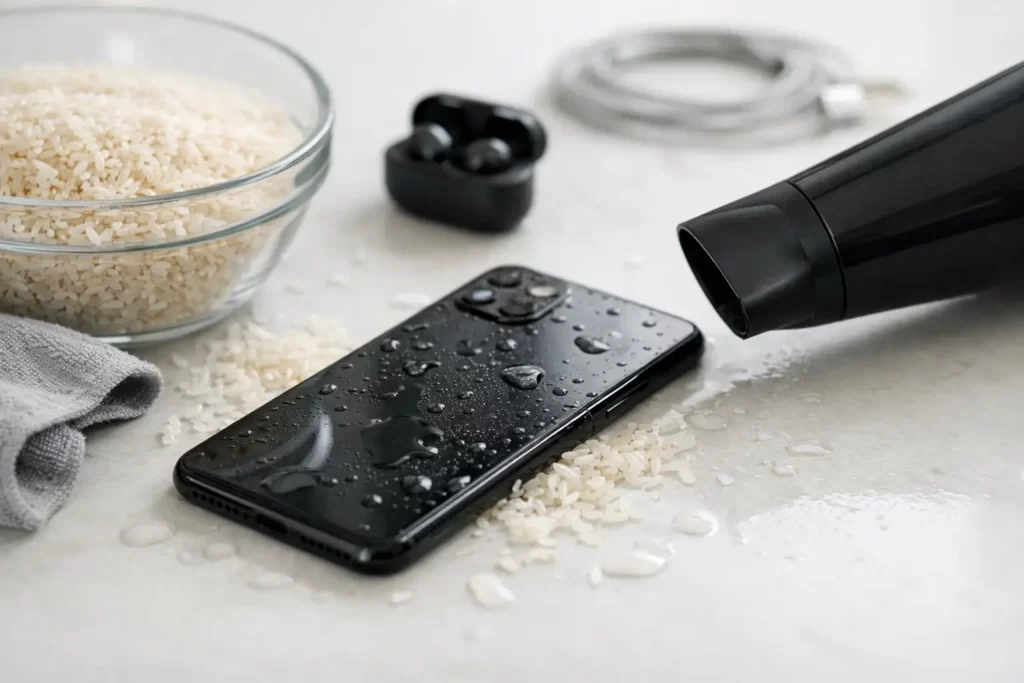
Do not put it in rice. Rice is famous because it sounds simple, not because it is effective. It does not pull trapped moisture from under chips or shields, and rice dust can get into the charging port and speaker mesh. We see this often.
Do not use a hairdryer, heater, oven, or direct sunlight. Heat can warp seals, damage the display, push moisture deeper, and stress the battery. A phone that survived the water can still be finished off by excess heat.
Do not charge it to see if it still works. Charging introduces voltage exactly where you do not want it. Wet charge ports commonly end up burnt, corroded, or shorted.
Do not keep pressing the power button every 10 minutes. If it is off, leave it off. If it is on and you can still control it safely, power it down.
How long should you leave it to dry?
This depends on what the phone fell into and how badly it was exposed. Clean tap water is one thing. Salt water, pool water, soft drink, coffee, beer, or soapy sink water are far worse. The liquid itself matters because the real problem is not just moisture. It is contamination. Minerals, sugar, salt, and detergent residue stay behind after the water evaporates, and those residues keep attacking components.
If you are only air-drying at home, leave the phone untouched for at least 24 to 48 hours before even thinking about turning it on. Even then, dry on the outside does not mean dry inside. Many failures happen because hidden moisture remains under connectors or chips.
If the device contains important photos, work files, study notes, or business apps you cannot lose, waiting too long is not always the best move. Corrosion starts quickly. Professional cleaning and board inspection often gives you a better chance than home drying alone.
If your phone was in salt water, drinks, or dirty water
Treat this as urgent. Salt water is especially aggressive and can start corroding board traces and connector pins very fast. Sugary drinks leave sticky residue that affects buttons, ports, microphones, and speakers. Dirty water introduces debris and contamination that simple drying will not remove.
In these cases, a phone may need proper internal disassembly, ultrasonic cleaning, microscope inspection, and if required, micro-soldering on damaged lines or components. That is not scare talk. It is the difference between a straightforward clean-up and a logic board repair a day later.
Signs the phone is not actually safe to use yet
Some water damaged phones partially recover, which gives a false sense of security. You might get the screen back, but then the phone starts restarting, overheating, refusing to charge, or showing no service. That usually means moisture or corrosion is still affecting one or more circuits.
Watch for warning signs like a foggy rear camera, muffled speakers, random touch input, battery percentage jumping, slow charging, wireless charging not working, or the phone getting warm while idle. These are common after liquid exposure. They can appear hours or days later.
If you notice any of that, stop using the device and get it checked. Continuing to charge and use a water damaged phone can turn a recoverable fault into a dead handset.
When home drying is enough – and when it is not
If the phone had very brief contact with clean water, was switched off quickly, and shows no odd behaviour after a proper drying period, you may get away with it. That is the best-case scenario.
But if the phone was submerged, stayed powered on, was exposed to salt water or drink spills, or now has no power, no charge, lines on screen, no sound, or boot loop symptoms, home drying is not really a fix. At that point, you need diagnostics and internal cleaning at minimum.
This is even more true for newer iPhones, Samsung devices, and premium handsets with tightly packed boards and layered components. Water can travel into places you cannot reach without the right tools. On some models, what looks like a simple charging issue can actually be board corrosion around the charge circuit, Tristar, PMIC area, or connector lines.
How professional water damage treatment works
A proper liquid damage job is more than leaving the phone on a bench to dry. The device is opened, disconnected, and inspected for liquid markers, corrosion, and burnt components. The board may be cleaned, dried with controlled methods, and checked under magnification. Damaged connectors, ports, or flexes can be replaced. If corrosion has already eaten into circuits, micro-soldering may be required.
The other reason to move quickly is data. If the phone has family photos, business records, customer contacts, or authentication apps, the repair plan changes. In some cases the goal is not a full long-term restore. It is stabilising the board enough to recover data safely. That is why a quick assessment matters.
For Darwin locals who need fast help, iSmashed handles water damage treatment, data recovery, logic board repair, and micro-soldering with the same practical focus as everyday screen and battery repairs. If your phone has been wet, the aim is simple – stop the damage early and improve the odds of a working device or recovered data.
How to dry a water damaged phone without making it worse
The safest approach is simple. Turn it off, keep it off, remove what you can externally, dry the outside, use airflow instead of heat, and do not charge it. That gives the phone its best chance before contamination and corrosion spread.
What happens next depends on the liquid, the exposure time, and the symptoms. Some phones bounce back. Others look fine for a day and then fail. That is why there is no one-size-fits-all answer to how to dry water damaged phone issues. Fast action helps, but proper treatment is what often saves the device.
If you are unsure, trust the symptoms rather than wishful thinking. A phone that matters for work, study, travel, or daily life is usually worth checking properly before a small water accident turns into a full replacement.