
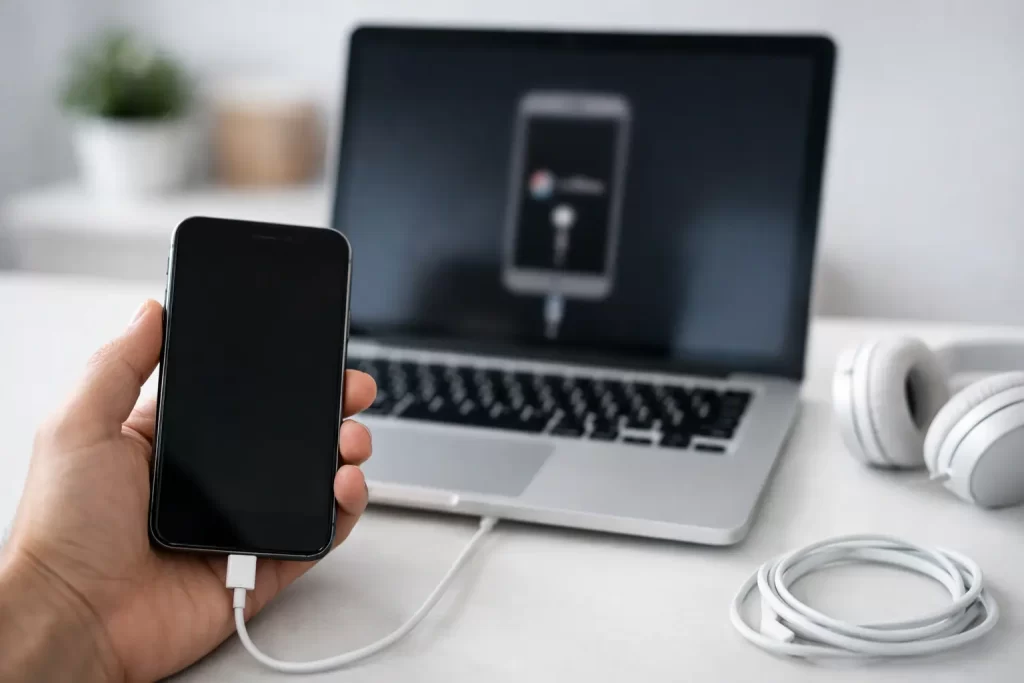
One wrong passcode too many and your phone goes from essential to useless in seconds. If you are searching for how to restore disabled iPhone, the main thing to know is this – a disabled iPhone is usually fixable, but whether you keep your data depends on what backups you already have and what triggered the lockout.
A disabled iPhone normally appears after repeated incorrect passcode attempts. Sometimes that is just a forgotten code. Sometimes it is a child tapping the screen, a damaged display entering ghost touches, or a phone that has already been through a failed repair or software issue. The right fix depends on which of those you are dealing with.
What a disabled iPhone actually means
When an iPhone says it is disabled, Apple has locked access to protect the device. At first, you may see a timed message telling you to try again later. After more failed attempts, the phone can become fully disabled and require a restore before it will work again.
That restore process erases the device and reinstalls iOS. If you have an iCloud or computer backup, you can usually get your data back afterwards. If you do not have a backup, the phone itself may still be recoverable, but the data on it often is not.
This is where people get caught out. They focus on getting the handset switched back on and miss the bigger question – is there anything on this phone that you cannot afford to lose?
Before you restore a disabled iPhone
Before jumping into recovery mode, stop and check a few basics. If the screen is damaged, flickering, or pressing numbers by itself, the problem may not just be the passcode. A failing display can cause repeated wrong entries and trigger the disable message. Restoring the software will not fix a faulty screen.
You should also check whether the phone is showing signs of a deeper hardware issue. If it is stuck on the Apple logo, constantly restarting, not being detected by a computer, or recently had water exposure, you may be dealing with a board-level fault rather than a simple lockout. In those cases, pushing through a restore can waste time and sometimes reduce the chance of data recovery.
If the phone is stable and simply disabled after wrong passcodes, you can move to the standard restore process.
How to restore disabled iPhone using a computer
For most people, this is the quickest route. You will need a Mac or Windows PC, a reliable cable, and enough time for the phone to download and reinstall iOS.
Start by turning the iPhone off. Then connect it to the computer while using the correct button combination to enter recovery mode. The exact button press depends on the model. Newer iPhones without a Home button use the side button during connection. Older models may use the Home button instead.
Once the phone enters recovery mode, your computer should detect a device that needs to be updated or restored. Choose Restore, not Update. Updating rarely clears a true disabled state. Restoring wipes the phone and installs a fresh version of iOS.
After the process finishes, the phone restarts to the setup screen. From there, sign in with the Apple ID linked to the device. If Find My iPhone was enabled, Activation Lock will require the original Apple ID credentials. Without those details, the phone cannot be set up, even if the restore completed properly.
That catches more people than the disabled message itself. If you bought the handset second-hand and cannot contact the previous owner, the restore may leave you with a phone that is technically working but still unusable.
Can you restore a disabled iPhone without losing data?
Usually, no. If the phone is fully disabled and requires a restore, Apple’s process erases the device. There is no standard shortcut that keeps the content in place while removing the passcode.
The exception is when the phone is only temporarily locked and still counting down rather than demanding a full restore. In that case, waiting and then entering the correct passcode can avoid data loss. But once the device has crossed into full recovery mode territory, you should assume the handset will be wiped.
This is why backups matter more than hacks. If your photos, notes, business apps, or messages are critical, the first job is checking what is already stored in iCloud or on your computer. If there is no backup and the data matters, it is worth getting proper advice before trying multiple restores.
When a disabled iPhone is not just a software problem
A lot of articles make this sound simple. Plug it in, restore it, job done. Sometimes that is true. Sometimes it is not.
If the device became disabled because the screen was malfunctioning, the phone may disable itself again unless the display fault is fixed. If the charging port is damaged, the computer connection may drop during restore. If the board has suffered water damage, NAND issues, or a power fault, the restore can fail halfway through or the phone may not boot at all.
There are also cases where the phone was already unstable before the passcode issue appeared. Boot loops, panic restarts, no-touch faults, and failed updates can all sit underneath what looks like a basic disable screen. That is where proper diagnostics matter. A quick cable swap and another restore attempt will not solve a logic board problem.
Signs you should get the phone checked first
If your iPhone has a cracked screen, ghost touch, battery swelling, random restarting, liquid exposure, or previous repair history, take that seriously. The disabled message may just be the end result, not the root cause.
The same applies if the phone will not enter recovery mode properly, is not recognised by the computer, or throws repeated error messages during restore. Those are red flags for hardware involvement. In a repair shop with board-level capability, faults like damaged charge circuits, USB communication issues, and motherboard-level failures can be tested properly instead of guessed.
That matters if you need the phone back quickly for work, study, travel, or business use. It is often faster to identify the actual failure mode than to spend hours repeating the same restore steps with no result.
What happens after the restore
Once the iPhone is restored, you go through setup, connect to Wi-Fi, and sign in with your Apple ID. If a backup exists, you can restore your apps, photos, settings, and other content from iCloud or your computer.
How complete that recovery is depends on the backup date. Some people get nearly everything back. Others only recover part of it because backups were turned off or storage was full. If you use your phone heavily for work, that gap can be a real problem.
After setup, check the basics straight away. Test the touchscreen, charging, Face ID or Touch ID, cameras, speaker, and mobile signal. If the device disabled itself because of an underlying hardware fault, those checks often reveal it quickly.
The fastest way to get it sorted
If the phone is simply passcode-locked and healthy otherwise, a home restore can work. If there is any doubt around the screen, charging port, logic board, or lost data, getting it assessed properly is usually the faster option.
That is especially true when the phone contains work apps, banking access, travel details, study material, or family photos you have not backed up. In those situations, speed matters, but so does not making the problem worse.
A shop with experience beyond screen swaps can tell the difference between a standard disabled iPhone and one with a deeper fault. That includes cases involving failed restores, boot loops, charge issues, and board-level damage. At iSmashed, that practical approach is the whole point – diagnose the real issue, fix what is fixable, and get you back on your device fast.
How to avoid it happening again
Once the phone is running, spend two minutes on prevention. Make sure your passcode is one you will remember but others will not guess. Turn on regular iCloud backup if you have the storage. If the screen has been glitching or entering touches on its own, get it repaired before it causes another lockout.
And if children use the phone, Guided Access or a quick lock screen habit can save you from the classic accidental disable. It sounds small until it happens on a busy workday.
A disabled iPhone feels urgent because it is urgent. Your phone carries your day with it. The good news is that most cases can be resolved – you just need to know whether you are dealing with a straightforward restore or a fault that needs proper repair.