
Your Samsung used to cruise through the day. Now it drops from 30% to 5% in minutes, gets hot on charge, or turns off when you still need it. That is usually the point where Samsung battery repair stops being a nice-to-have and becomes urgent.
For most people, the real issue is not just battery health. It is downtime. If your phone is your work phone, your boarding pass, your banking app, your map, and your camera, a failing battery gets expensive fast. The good news is that battery faults are usually straightforward to diagnose, and in many cases the fix is much quicker and more affordable than replacing the whole handset.
What Samsung battery repair usually means
In practical terms, Samsung battery repair often means battery replacement rather than repairing the battery cell itself. Modern phone batteries are sealed units. Once the lithium-ion cell has degraded, swollen, or become unstable, the proper fix is to remove it and fit a new compatible battery.
That sounds simple, but the job is not always basic. Many Samsung models are tightly sealed, use strong adhesive, and need careful opening to avoid cracking the rear glass or damaging flex cables, wireless charging components, or the screen. On some models, proper repair also means checking charge behaviour, current draw, temperature readings, and the condition of the charging port before calling the job done.
This is why two phones with the same symptom can need different fixes. One may only need a fresh battery. Another may have a charge-port issue, liquid damage, or a board-level fault that is making the battery look like the problem.
Signs your Samsung battery is failing
A weak battery is not always dramatic at first. It often starts with small changes that get worse over a few weeks. You may notice the phone needs charging far earlier than it used to, or the percentage drops unevenly. That jump from 40% to 18% is a classic warning sign.
Heat is another red flag. Some warmth during fast charging is normal, but excessive heat during light use, charging, or standby points to battery wear or a power-management issue. If the back of the phone feels unusually hot, do not ignore it.
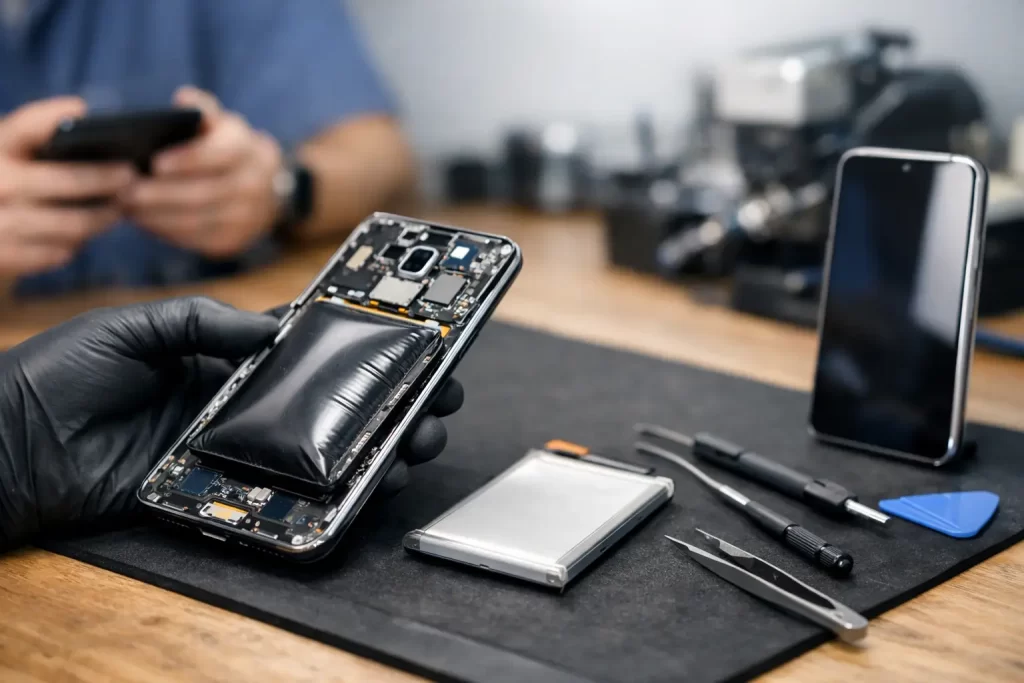
Swelling is the fault that needs the fastest response. If the rear cover is lifting, the frame is separating, or the screen is starting to push out from the body, stop using the phone and get it assessed. A swollen lithium-ion battery is a safety issue, not just a convenience issue.
Random shutdowns, slow charging, charging that cuts in and out, and poor performance can also be battery-related. That said, these symptoms overlap with port contamination, cable faults, software crashes, and motherboard issues. Proper testing matters.
When battery replacement is the right call
If the phone is otherwise working well, replacing the battery is usually the smart move. That is especially true when the handset still meets your needs for calls, apps, photos, and daily use. Spending a manageable amount on a battery can buy you another year or more of solid use.
It is a different calculation if the phone already has several major issues. A Samsung with a failing battery, cracked display, poor charging port, and liquid damage may not be worth stacking repair costs into. In that case, a technician should be upfront about the trade-off.
Age matters, but not in a simplistic way. A two-year-old premium Samsung is often worth repairing. An older budget model can still be worth it if you only need reliable basics and the repair is priced sensibly. The right answer depends on the device model, its overall condition, and what you need from it day to day.
Samsung battery repair or charging-port repair?
This is where people often get caught out. A phone that will not charge properly does not always need a battery. Pocket lint, bent pins, worn USB-C ports, damaged charging daughterboards, and failed power-management circuits can all produce similar symptoms.
If your cable only works at one angle, the charging is intermittent, or the phone charges slowly no matter what charger you use, the port should be checked as part of the diagnosis. On the other hand, if the phone charges normally but empties too quickly or dies at random percentages, the battery is the more likely culprit.
The best repair shops do not guess. They test. That includes checking how the phone draws power, how it behaves under load, whether the battery reports abnormal temperature or voltage readings, and whether there are signs of prior repair damage or corrosion.
What happens during Samsung battery repair
A proper repair starts with confirming the fault. If the battery is the issue, the technician carefully opens the device, disconnects the power source, removes the old battery without stressing the frame or display, and installs a quality replacement.
After that, the phone should be tested for charging stability, battery recognition, thermal behaviour, and general function. On some Samsung models, that also means checking the fingerprint reader, wireless charging, rear cover seal, and screen response after reassembly.
Water resistance is worth mentioning here. Once a phone has been opened, its original factory seal is disturbed. Good repair practice includes resealing the device properly, but no repairer should oversell this as a return to fresh-from-factory waterproof condition. If you rely on your phone around water, honesty on that point matters.
Why fast turnaround matters
For plenty of Darwin customers, battery failure is not a weekend inconvenience. It is missed job calls, no access to work apps, and being stuck without reliable navigation or payment tools. That is why quick battery replacement is not just a selling point. It is often the difference between a manageable repair and a day gone sideways.
A well-run repair shop can complete many battery jobs quickly, sometimes in under an hour depending on the model and workload. That speed matters even more for students, shift workers, and small business owners who do not have a backup phone sitting in a drawer.
Convenience matters too. If you can get clear pricing, a realistic timeframe, and a warranty without chasing answers, the whole process becomes simpler. That is exactly what most customers want – not a lecture, just a reliable fix done properly.
The value of warranty-backed repair
A battery replacement should come with a clear parts warranty. That gives you protection if the replacement battery turns out to be faulty or the repair develops an issue related to the installed part.
It also tells you something about the repairer. Shops that are confident in their process tend to be straightforward about warranty terms, exclusions, and what support looks like after the repair. If the language is vague, or if no warranty is offered at all, that is a warning sign.
For customers in Darwin who need speed without gambling on quality, this is where an established local repairer has an edge. A business like iSmashed can assess whether you need a standard battery replacement or something more technical, such as charge-port repair, board-level diagnostics, or recovery from liquid damage after the phone has already started behaving erratically.
How to get more life from a new battery
Even a good replacement battery will age faster if the phone is constantly run hot. Heat is the real battery killer. Long gaming sessions while charging, cheap chargers, heavy use in direct sun, and poor-quality cables all add stress.
You do not need to baby the phone, but a few habits help. Use reliable charging accessories, avoid leaving the device baking in the car, and do not ignore unusual heat. If the phone starts draining fast again not long after repair, get it checked rather than pushing on until the problem worsens.
Software can play a part as well. A rogue app, failed update, or background sync issue can mimic battery decline. If a new battery is fitted and the phone still drains heavily, the next step may be software troubleshooting or deeper hardware diagnostics rather than another parts swap.
Choosing the right repair shop for Samsung battery repair
The cheapest quote is not always the best value. Battery work on modern Samsung phones needs careful handling, correct fitting, and proper post-repair testing. Saving a small amount upfront is not worth it if the rear glass gets cracked, the seal is poor, or the real fault gets missed.
Look for a repairer that handles both everyday fixes and advanced faults. That matters because not every battery complaint is just a battery complaint. A shop with experience in micro-soldering, logic board repair, and data recovery is better placed to identify the awkward cases and tell you plainly whether repair is worthwhile.
If your Samsung is draining fast, overheating, shutting down, or swelling, do not leave it until it becomes a bigger problem. The best time to fix a battery issue is early, when the repair is simpler and the risk is lower. A quick assessment now can save you a lot more hassle than another week of carrying a power bank everywhere.