
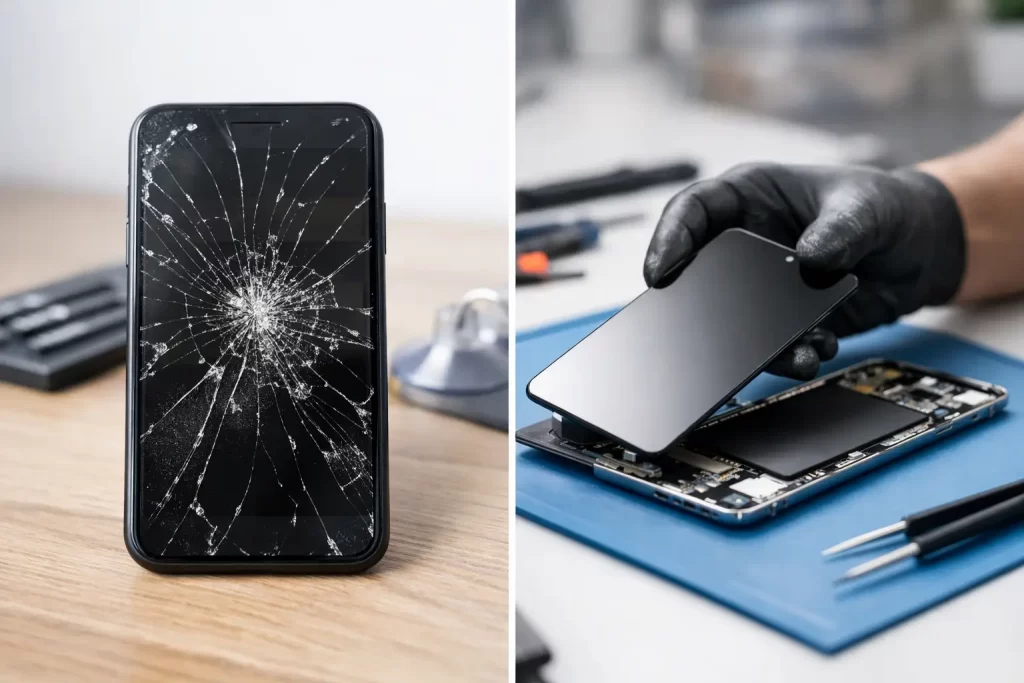
A phone that still lights up after a drop can be misleading. The glass may have only a hairline crack, but touch can start missing taps, the display can develop black patches, or moisture can work its way through the damaged surface. When deciding on screen repair or replacement, what matters is not only how bad the crack looks. It is what has failed underneath.
For Darwin customers who use a phone for work shifts, bookings, maps, banking and family calls, the goal is simple: get the device reliable again without paying for work it does not need. Sometimes a screen can be repaired. More often, on modern phones and tablets, the damaged component needs to be replaced as a complete display assembly.
Screen repair or replacement: what is the difference?
People often say “screen repair” to mean any fix for a cracked display. In practice, the right repair depends on the device and the fault.
A display has several layers. The outer glass protects the device. Beneath it sit the touch-sensitive digitiser and the panel that creates the image – usually LCD or OLED. On many current iPhones, Samsung Galaxy devices and tablets, these layers are bonded together. If the glass is cracked, separating and refitting only the glass can be risky, slow and uneconomical. A full screen replacement is normally the dependable option.
A true repair may be possible when the problem is not the display itself. For example, a device with a dark screen may have a loose connector after a drop, a backlight fault in an older LCD model, or a logic board issue preventing the image from appearing. These faults need diagnosis first. Replacing a screen without checking the cause can waste time and money.
The practical distinction is this: screen replacement installs a new display assembly; screen repair identifies and fixes the component causing the screen fault. A professional technician should be clear about which one your device actually needs before work begins.
Signs you need a screen replacement
A cracked front glass is the obvious sign, but it is not the only one. A replacement is usually the sensible route when the display has physical damage alongside loss of function.
Black ink-like blotches, coloured lines, flickering, dead pixels, a permanently white or green screen, and areas that no longer respond to touch are all common signs of internal panel damage. OLED screens can also show bright vertical lines or lose brightness after an impact. On LCD displays, a drop may damage the backlight or cause a spreading dark patch.
If the image still looks normal but the glass is chipped or splintered, do not assume it is safe to leave. Small cracks collect dust and moisture, weaken the screen further and can cut your fingers. On a tablet used by children, sharp glass should be dealt with promptly.
A screen replacement is also often the best answer when Face ID, the selfie camera, proximity sensor or fingerprint sensor appears affected after a drop. These features may sit close to the display assembly or have been damaged by the same impact. They need careful testing, not guesswork.
When a crack is more than cosmetic
A cracked screen can quickly become a bigger repair if the device is exposed to Darwin humidity, rain or a spill. Water resistance is compromised as soon as the display seal is broken. Even a phone that appears to work normally can develop corrosion days later, leading to charging faults, boot loops, microphone issues or complete no-power failure.
If liquid has reached a cracked device, switch it off where possible and avoid charging it. Do not rely on rice. The priority is professional inspection, cleaning and, where required, board-level treatment to limit corrosion.
When the screen may not be the problem
No display does not automatically mean a faulty display. Your phone may still vibrate, ring or make notification sounds while the screen stays black. That can indicate a failed panel, but it can also point to a damaged display connector, power-management issue, backlight circuit fault or logic board damage.
This matters especially after a hard drop, water damage, a previous low-quality repair or an unsuccessful attempt to open the device. Pry damage, torn flex cables and displaced components can create screen-like symptoms that a standard screen swap will not solve.
On iPads, iPhones, MacBooks and some Android models, advanced diagnosis can identify whether the issue reaches the board. Micro-soldering and logic board repair may be needed for faults involving backlight circuits, display ICs, damaged pads or corroded connectors. That level of repair is different from a standard screen replacement, but it can save a device and the data stored on it.
Repair, replace or upgrade? Make the call on value
The cheapest option is not always the lowest-cost outcome. A screen repair makes sense when the device is otherwise healthy, meets your needs and has plenty of usable life left. For a recent iPhone, Samsung, iPad or laptop, restoring the display is usually far more affordable than replacing the entire device.
Replacement becomes worth considering if the screen is only one of several failures. A phone with a badly damaged OLED display, exhausted battery, faulty charge port and water damage may still be repairable, but the total cost should be weighed against its age, storage capacity and resale value. The same applies to old laptops with a cracked panel, failing hinge and weak battery.
Before deciding, think about what is on the device. If it contains irreplaceable photos, work files, school documents or business access apps, repair may be the fastest path to data recovery or a proper transfer. A device that will not display an image can still hold perfectly intact data.
There is also the downtime factor. Manufacturer pathways can involve posting a device away or waiting for an appointment. For people working in hospitality, construction, healthcare, transport or remote locations, days without a phone can cost more than the repair itself. A same-day assessment and, where parts are available, a fast replacement keeps disruption down.
What quality screen replacement should include
Not all replacement screens perform the same way. The part fitted affects brightness, touch response, colour, battery use and durability. It can also affect features such as True Tone, adaptive refresh rate, fingerprint recognition or proximity sensing, depending on the model and repair method.
A good repair starts with checking the screen fault, testing key functions and confirming the correct part for the exact model. After fitting, the technician should test display output, touch across the full panel, cameras, speakers, charging, sensors and biometric functions where applicable. The screen needs to sit correctly, with the device sealed as closely as its construction allows.
Ask what part quality is being used and what warranty comes with the repair. Cheap screens can look acceptable at first but suffer from poor touch sensitivity, reduced brightness, weak glass or early display failure. Paying a little more for a properly fitted, warranty-backed part is usually better than paying twice.
At iSmashed, screen repairs are assessed around the actual fault, not just the visible crack. Many common phone and tablet repairs can be completed in under an hour, subject to device model, damage and parts availability. Repairs are backed by a clear 3-month parts warranty, with Darwin CBD and free come-to-you options designed to keep your day moving.
Protect the new screen from the next drop
A new screen deserves more than bare-phone confidence. Use a case with a raised edge around the display, particularly if you work outdoors or regularly carry your phone with keys, tools or other hard items. A quality screen protector adds another sacrificial layer against scratches and minor impacts.
Avoid charging a phone where it can overheat, and do not press hard on a damaged or lifting screen. If the display begins separating from the frame, stop using it as normal. A swollen battery can push the screen upward, and that is a battery safety issue rather than a simple screen fault.
The right answer is rarely based on the crack alone. Get the device checked, protect any data you cannot replace, and choose the repair that restores dependable everyday use – not just a nicer-looking screen.